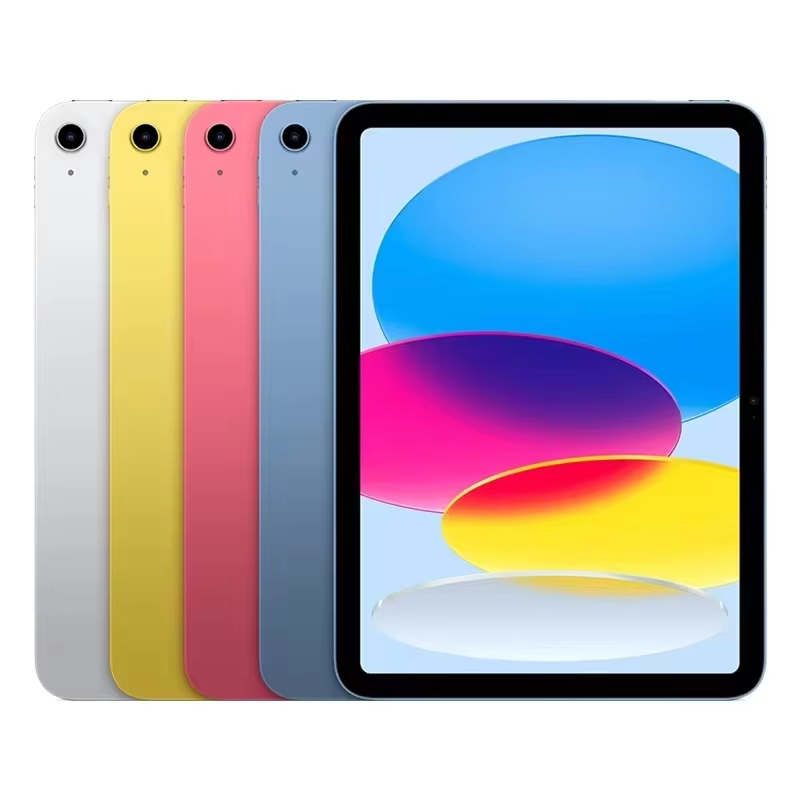
Buying a Used iPad 9th Generation: The Complete Guide
Searching for a used iPad 9th Gen can be a smart move if you want Apple’s performance without the newest‑model price tag. The 9th‑generation iPad, released in 2021, still packs a powerful A13 Bionic chip, a 10.2‑inch Retina display, and support for the first‑generation Apple Pencil. Whether you’re a student, a professional, or a casual user, this guide walks you through everything you need to know to pick a reliable, budget‑friendly device.
What to Inspect Before You Buy
When hunting for a pre‑owned iPad 9th Gen, the condition of the device is king. Check the following:
- Display Health: Look for cracks, dead pixels, or discoloration. A clean, even screen indicates careful handling.
- Body & Ports: Inspect the casing for dents or scratches, and ensure the Lightning port and headphone jack (if present) are free of debris.
- Button Functionality: Test the Home button, Volume controls, and power button for smooth operation.
- Battery Life: Ask the seller for the current charge cycle count; a healthy battery typically has fewer than 500 cycles on an iPad.
Why Cycle Count Matters
Every charge cycle slightly degrades battery capacity. An iPad with 200–300 cycles will still hold a strong charge, whereas one exceeding 600 cycles may struggle to last a full day of use. A quick battery health check can save you future frustration.
Trusted Sources for Buying
Not all marketplaces are created equal. Consider these platforms for a safer transaction:
- Apple Refurbished Store: Guaranteed warranty and quality checks.
- eBay: Filter for “Certified Refurbished” sellers and read reviews.
- Amazon Renewed: Comes with a minimum 90‑day warranty.
- Local classifieds (Craigslist, Facebook Marketplace)
When using classifieds, meet in a public place, ask to test the device on the spot, and verify the serial number against Apple’s Check Coverage tool.
Verifying Authenticity
Every iPad has a unique 40‑character serial number. Use it to confirm the device’s model, production date, and warranty status. Apple’s website provides a simple lookup—just paste the serial number and check for any reported issues.
Battery & Software Check
Once you’re at the device, perform a quick diagnostics:
- Plug in a charger and watch the battery indicator. A sudden drain or slow charge may hint at underlying problems.
- Navigate to Settings > General > About to confirm the iOS version. The 9th‑gen supports iOS 15 and newer, so you’re covered for several years of updates.
- Look for any jailbreak artifacts or unauthorized firmware—these can void warranties and reduce device security.
Do You Need a Case or Accessories?
Apple Pencil (1st generation) and Smart Keyboard are not included with the base iPad. Factor in the cost of these add‑ons if you plan on using them. A protective case, screen protector, and a good set of earphones can extend the life and usability of the device.
Price Benchmarks & Value Expectations
Fresh 9th‑gen iPads start around $399 for the base model. A used unit in good condition typically falls between $250 and $350, depending on storage size (64 GB vs. 256 GB) and physical condition. Keep an eye out for deals that seem too good—low prices often come with hidden issues.
Pros vs. Cons of Buying Used
Pros:
- Significant cost savings.
- Environmentally friendly—reusing electronics reduces waste.
- Still receives iOS updates for several years.
Cons:
- Limited or no warranty coverage.
- Potential for hidden damage or degraded battery.
- Older storage options may feel cramped for heavy users.
Final Checklist Before You Pay
- Confirm the serial number matches the device.
- Verify the display, body, and ports are pristine.
- Check battery health and charge cycle count.
- Test all buttons and the Touch ID feature.
- Ask about return policies or warranties.
- Make sure the iOS version is up to date.
FAQ
Q: Can a used iPad 9th Gen still receive the latest iOS updates?
A: Yes, it supports iOS 15 and newer, and will continue to receive major updates for several years, ensuring security and new features.
Q: How do I know if the battery is in good condition?
A: Look at the charge cycle count—under 500 cycles is generally acceptable. A quick charge test can also reveal if the battery holds charge properly.
Q: Is it worth buying a 256 GB version of a used iPad?
A: If you plan to store a lot of media or use productivity apps extensively, the extra storage can save future headaches. For light users, 64 GB is usually sufficient.
Q: Should I buy from a third‑party seller or Apple’s refurbished store?
A: Apple’s refurbished store offers a full warranty and thorough quality checks, making it a safer bet. Third‑party sellers can be cheaper but come with higher risk.