How Long Does an iPhone Battery Really Last Over Time?
When you first unbox a new iPhone, the battery feels almost limitless. A few months later, you might notice the percent indicator dropping faster than you’d like. It’s a subtle but common concern: just how many years can you really expect that battery to hold up?
What “Battery Life” Actually Means
The term can be a bit ambiguous. In Apple’s own language, battery life usually refers to how long a device runs on a single charge under normal use. What most users ask, however, is about battery longevity—the period before capacity diminishes enough to notice a real impact.
Charge cycles: the hidden metric
Apple defines a full charge cycle as using 100 % of the battery’s capacity, but not necessarily in one go. If you drain 50 % one day, recharge, then use another 50 % the next day, that counts as one cycle. The iPhone battery is rated for about 500 complete cycles before it’s expected to retain roughly 80 % of its original capacity.
Typical Years Before Noticeable Degradation
Put those 500 cycles into perspective. An average user who tops off the phone nightly might log around 300–400 cycles in the first two years. By the end of year three, most people have hit the 500‑cycle mark, and the battery’s performance starts to feel the strain.
- Year 1–2: Capacity loss usually stays under 10 %—hardly noticeable.
- Year 3–4: Expect a drop to 80‑85 % of original capacity. You’ll likely see shorter screen‑on time and occasional “Battery Health” warnings.
- Year 5+: The battery may fall below 75 % capacity, prompting many to consider a replacement.
In short, most iPhones maintain a decent charge for about three years before the decline becomes evident. Some lucky devices stretch to four or even five years with gentle use, while heavy gamers or constant travelers might notice the dip earlier.
Factors That Speed Up or Slow Down Aging
Not all usage patterns are created equal. Below are the biggest influencers of battery health.
- Temperature: High heat is the enemy. Leaving your phone on a dashboard in summer or charging it under a pillow can raise internal temps by 10‑15 °C, accelerating chemical wear.
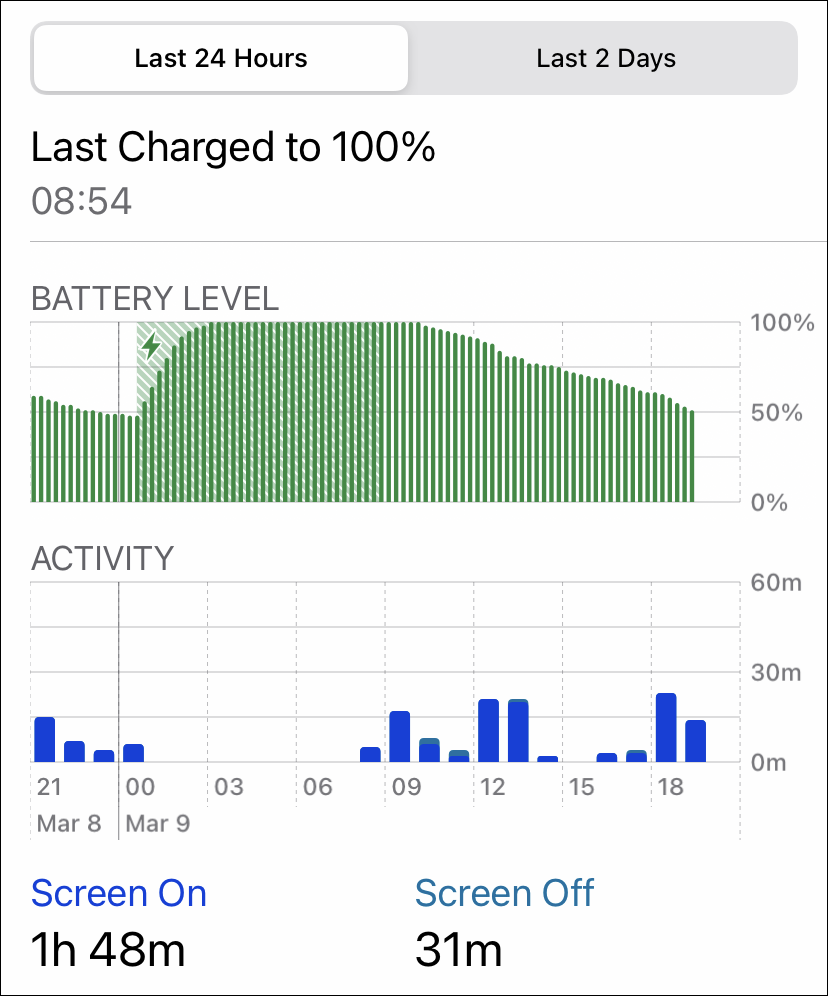
- Charging habits: Regularly keeping the battery at 100 % (or letting it plunge to 0 %) stresses the cells. Apple’s Optimized Battery Charging feature helps by delaying the final 20 % charge until you need it.
- Fast charging: While convenient, the high current can generate extra heat. Using a lower‑wattage charger for overnight tops‑ups can be gentler.
- Software updates: New iOS releases sometimes include power‑management tweaks that can either improve efficiency or, in rare cases, expose older batteries to higher loads.
- Physical wear: A cracked screen or damaged port may cause the phone to draw more power, indirectly affecting battery longevity.
Practical Tips to Extend Your iPhone’s Battery Years
Here’s a short checklist you can start using today. No need for a complete lifestyle overhaul—just a few mindful tweaks.
- Enable Optimized Battery Charging in Settings → Battery → Battery Health.
- Avoid exposing the phone to direct sunlight for prolonged periods.
- Keep the device between 20 % and 80 % charge whenever possible; treat 100 % as an occasional treat rather than a daily habit.
- Use the supplied 5 W charger for overnight charging, or invest in a quality 20 W charger with smart temperature control if you need faster power.
- Turn off background app refresh for apps you rarely use.
- Consider low‑power mode during long days away from a charger.
When Is It Time for a Replacement?
Apple ships a built‑in battery health tool. If it reports below 80 % capacity, the performance throttling feature may kick in, slowing down the processor to avoid unexpected shutdowns. That’s your cue.
Official Apple Store or authorized service providers can replace the battery for a fee that’s usually lower than buying a brand‑new phone—often a worthwhile trade‑off if the rest of the device still meets your needs.
Bottom Line: Expect About Three Years, but Manage Wisely
Every iPhone starts with a fresh, 100 %‑rated battery, but chemistry isn’t forever. With typical usage, you’ll see a modest decline after the third year and a more noticeable dip around the fourth. By paying attention to temperature, charging habits, and software, you can nudge that timeline a bit farther.
So, the next time you glance at the battery icon, remember: it’s not just a number—it’s a reflection of how you’ve treated the tiny chemical heart inside your iPhone.