How to Access California Public Court Records Quickly
Whether you’re researching a family law case, checking a property dispute, or just satisfying curiosity, California’s public court records are surprisingly reachable—if you know where to look. Below is a step‑by‑step guide that cuts through the jargon and gets you to the documents you need without the usual roadblocks.
Where the Records Live
The state’s court system is split into several tiers, each maintaining its own archive:
- Superior Courts – County‑level courts handling most civil, criminal, family, and probate matters.
- Appeals Courts – The Courts of Appeal review decisions from the superior courts.
- Supreme Court – The highest authority, mostly dealing with state‑wide legal issues.
Most everyday users only need to search the superior courts, but knowing the hierarchy helps if a case has been appealed.
Online Tools You’ll Want
California has invested in digital portals, though the experience varies from county to county.
- California Courts Online Self‑Help Center – A good starting point for general guidance and links to each county’s portal.
- MyCaseGov – The statewide portal that aggregates many superior court records; registration is free.
- Public Access to Court Electronic Records (PACER) – Primarily for federal cases, but useful when a matter crosses state lines.
Keep a note of the case number if you have it; typing a name alone can return hundreds of hits, especially in larger counties like Los Angeles.
Step‑by‑Step: Finding a Record
1. Identify the County
Start with the county where the case was filed. If you’re unsure, a quick Google search of the parties’ addresses or the property location usually points you in the right direction.
2. Visit the County’s Court Website
Look for sections titled “Online Services,” “Case Search,” or “Public Access.” Some sites require you to create a user account, while others let you search as a guest.
3. Enter the Search Criteria
Use the most specific information you have:
- Case number (best)
- Full names of parties
- Filing date range
- Document type (e.g., judgment, docket, transcript)
If the portal offers advanced filters, take advantage of them to narrow results quickly.
4. Review the Results
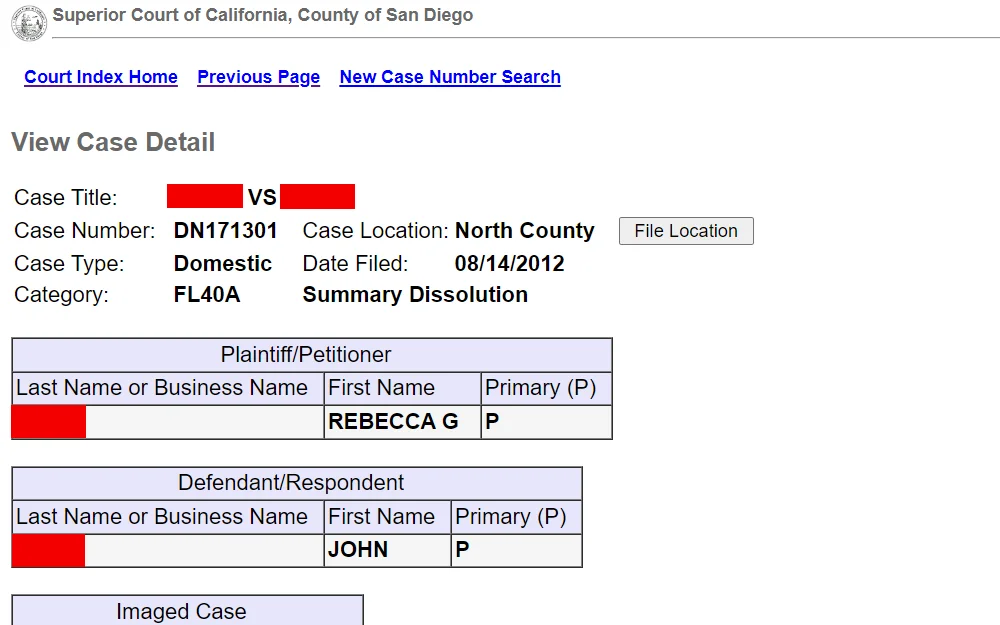
Most systems let you preview a summary—status, parties, and a docket list. Click the docket entry to see PDFs or image files. Some documents, like sealed filings, will be restricted; you’ll see a note indicating “Confidential” or “Restricted Access.”
5. Download or Request Copies
For most public files, a simple “Download” button will do. If the record isn’t available online, the site usually provides a request form or contact number for the clerk’s office. Expect a nominal fee (often $0.10‑$0.25 per page) and a turnaround of a few days.
What If the Online Search Comes Up Empty?
Not all records are digitized, especially older filings. Here’s what to try next:
- Call the Clerk’s Office – A quick phone call can confirm whether a record exists and how to request it.
- Visit in Person – Most superior courts have a public kiosk or a research desk where you can view hard copies.
- Use Third‑Party Services – Companies like LexisNexis or Westlaw aggregate court data, though they often require a subscription.
Understanding Restrictions
California law protects certain information:
- Juvenile cases are sealed by default.
- Family law matters (like divorce) may have “confidential” designations.
- Records involving ongoing investigations might be marked “under seal.”
If you hit a barrier, you can file a motion to unseal the file, but that route usually needs legal representation.
Tips for a Smoother Search
- Keep a spreadsheet of case numbers, dates, and which county you checked.
- Use exact spellings—even a missing middle initial can hide a record.
- Check the docket for “Amended” filings; sometimes the original document is replaced but still searchable.
- Bookmark the county’s “FAQ” page—they often list special instructions for high‑volume cases like evictions.
When to Seek Professional Help
If you need certified copies for a legal proceeding, or if the case involves complex appellate history, a probate attorney or a licensed paralegal can request the documents on your behalf and ensure everything complies with court rules.
Finding California public court records doesn’t have to be a treasure‑hunt. With the right portals, a bit of patience, and a clear sense of what you’re after, you’ll have the information you need—whether it’s a simple docket entry or a full set of filings.