How to Choose Dev Hardware & Gadget Specs for Your Projects
When you’re building software, the devices you test on can be just as important as the code itself. A mismatched processor, insufficient RAM, or an outdated sensor suite can mask bugs or, worse, create false confidence. This guide walks you through the gritty details of hardware and gadget specifications so you can pick tools that actually fit the job, not just the budget.
Why Specs Matter in Development
Developers often think of specifications as a marketing checklist—“8 GB RAM, 256 GB SSD, OLED display”—but the reality is far more nuanced. A sluggish CPU will elongate compile times, while a screen with poor color accuracy can hide UI flaws. Even the type of Wi‑Fi module can influence how your network‑heavy app behaves under real‑world conditions. Ignoring these factors means you might ship a product that looks fine on your high‑end workstation but crashes on a typical user’s device.
Core Components to Evaluate
- Processor (CPU): Look beyond clock speed. Core count, architecture (ARM vs. x86), and support for hardware acceleration (e.g., AVX, NEON) dictate how smoothly your builds run and whether you can test parallel workloads.
- Memory (RAM): 8 GB is the bare minimum for modern IDEs; 16 GB+ gives you headroom for virtual machines, containers, and heavy simulators.
- Storage: SSDs dramatically cut I/O wait times. NVMe drives add another layer of speed, useful when dealing with large asset pipelines.
- Graphics (GPU): Integrated graphics suffice for UI work, but GPU‑compute (CUDA, Vulkan) is essential if you’re developing games or AI models.
- Connectivity: Wi‑Fi 6 and Bluetooth 5.2 ensure you’re testing with the latest protocols; older chips can skew latency measurements.
- Battery & Power Management (for mobile devices): Real‑world battery life affects how long users can stay in an app, especially when background tasks run.
- Sensors & Peripherals: Accelerometers, gyroscopes, GPS, and even barometers matter for AR/VR, health, or location‑based apps.
- Build Quality & Thermal Design: Poor heat dissipation can throttle the CPU, leading to inconsistent performance during long test runs.
Matching Specs to Project Types
Web Development
Most web work runs on a laptop or desktop, but the key is a fast CPU and ample RAM. A dual‑core 2.5 GHz processor can handle simple sites, yet a quad‑core 3.2 GHz model will keep your local server, database, and browser instances humming without noticeable lag. SSD storage also speeds up hot‑reloading and asset bundling.
Mobile App Creation
Here the gadget itself becomes a testing platform. You’ll want a device with a modern SoC (e.g., Snapdragon 8‑series or Apple A14+), at least 6 GB RAM, and a display that matches your target demographic’s typical resolution. Don’t forget a battery that can endure a full‑day testing session; a 4000 mAh cell is usually safe.
Internet of Things (IoT)
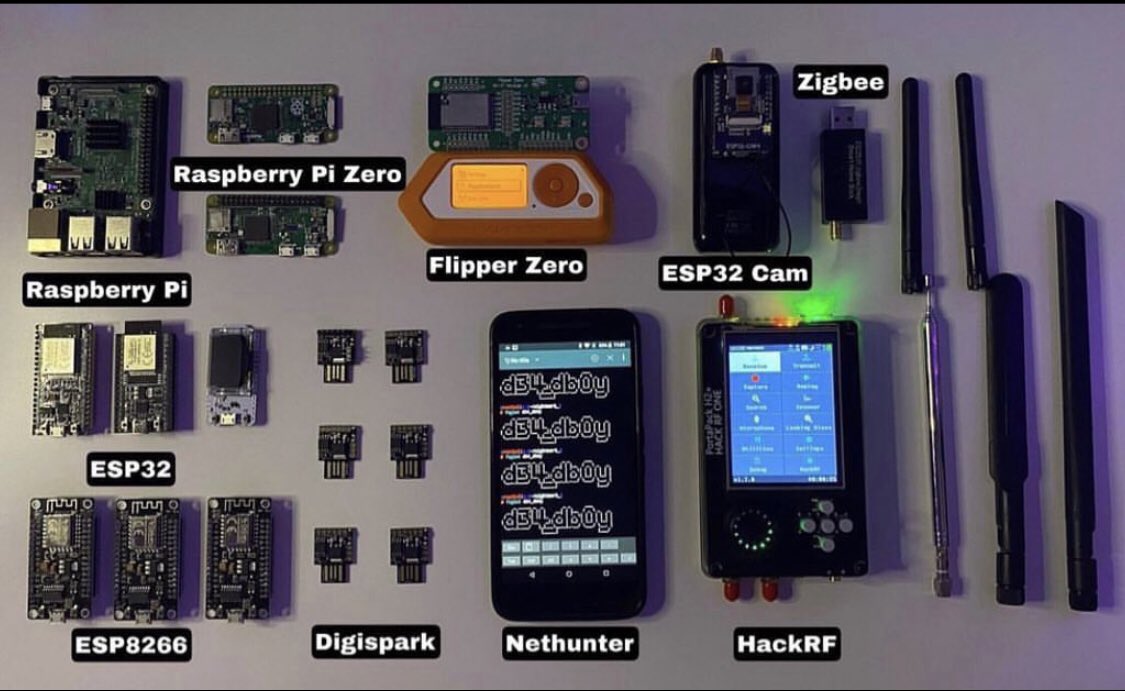
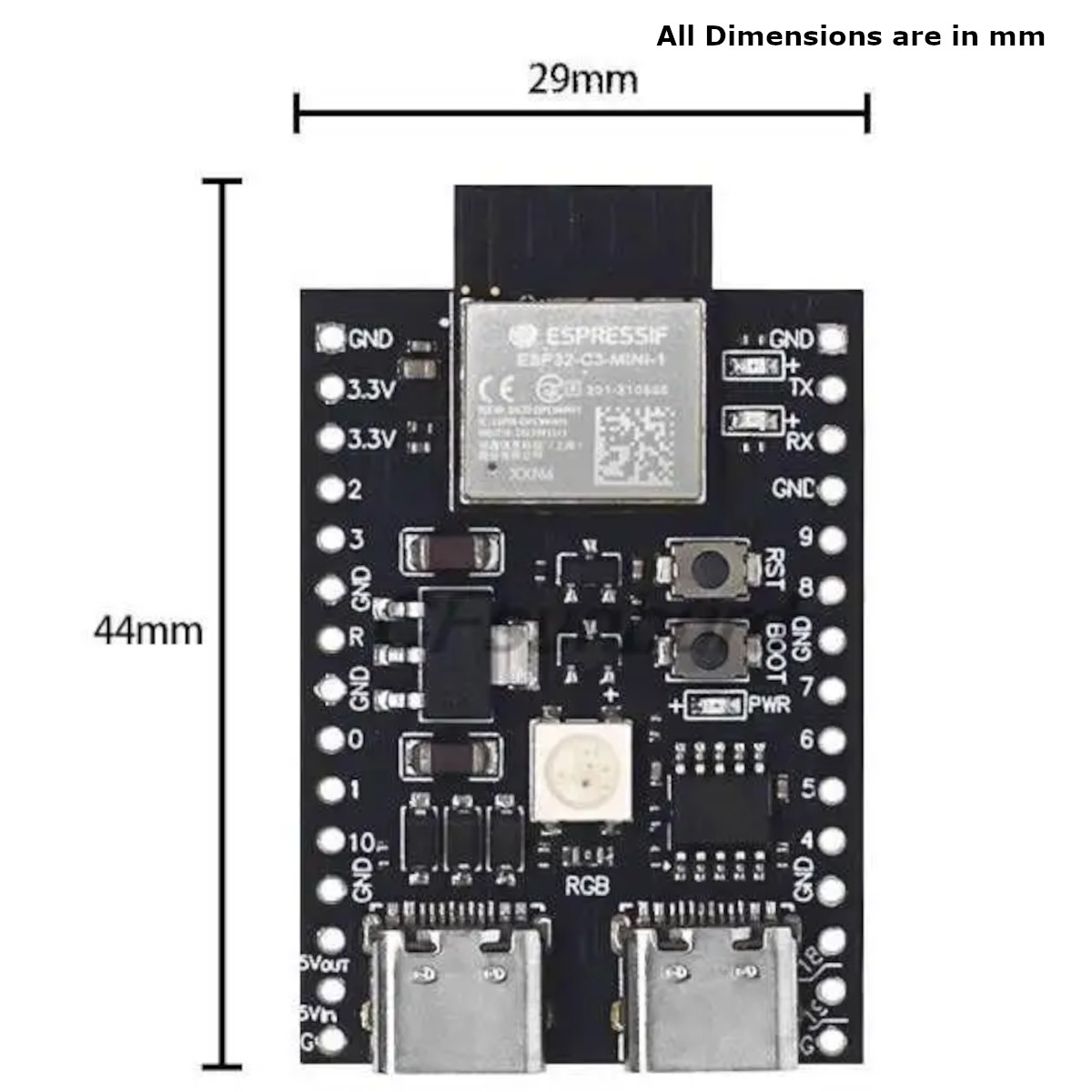
IoT prototypes often rely on microcontrollers like ESP32 or Raspberry Pi. In this arena, GPIO count, ADC resolution, and wireless module compatibility (LoRa, Zigbee) outrank raw processing power. Nevertheless, a minimum of 1 GB RAM and a micro‑SD slot for logs is wise, especially if you plan to run Python or Node‑RED on the device.
AI & Machine Learning
Training models locally still benefits from a robust GPU. Look for at least 6 GB VRAM and support for CUDA (or ROCm on AMD). If you’re limited to CPU‑only, prioritize higher core counts and AVX‑512 extensions. Memory quickly becomes a bottleneck; 32 GB RAM isn’t overkill for medium‑scale experiments.
Future‑Proofing Your Gear
Technology evolves, but hardware purchases stick around for years. Aim for a little extra headroom:
- Choose a CPU from a newer generation (e.g., 13th‑gen Intel or Ryzen 7000 series) rather than the latest previous one.
- Opt for 16 GB+ RAM even if 8 GB meets today’s needs; the cost difference is often negligible.
- Select an SSD with at least 1 TB capacity—future projects and data sets grow fast.
- If you work with GPUs, a card that supports the next driver update cycle can save you from a premature upgrade.
Practical Tips for Buying
- Read reviews that focus on thermal performance, not just benchmark scores.
- Check warranty terms; on‑site service can be a lifesaver during crunch time.
- Consider refurbished units from reputable sellers; they often provide the same specs for a fraction of the price.
- Test the device in person if possible—keyboard feel and screen ergonomics affect daily productivity.
- Don’t ignore peripheral compatibility: ensure the laptop has enough USB‑C/Thunderbolt ports for external monitors and dongles.
Choosing the right hardware isn’t about chasing the highest numbers on a spec sheet; it’s about aligning those numbers with the problems you’re trying to solve. A thoughtful selection saves you time, reduces friction in testing, and ultimately delivers smoother experiences for end‑users.