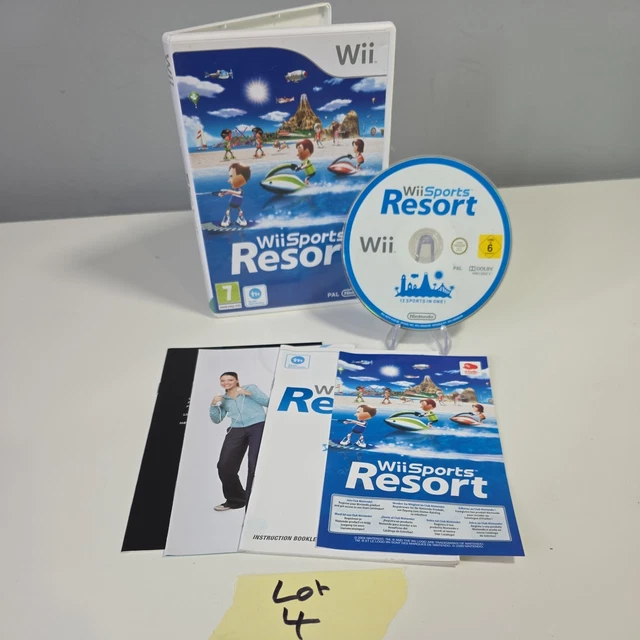
How to Download Wii Sports Resort WBFS: A Complete Guide
Finding the right files for homebrew gaming can sometimes feel like navigating a maze. For many retro enthusiasts, Wii Sports Resort remains a standout title, showcasing some of the Wii’s motion controls at their finest. When you’re looking to set up a Wii or use an emulator like Dolphin, the process involves understanding formats, specifically the WBFS file system. This guide walks you through the essentials, ensuring you approach the download and installation process safely and correctly.
Understanding the WBFS Format
Before diving into downloads, it helps to understand what you’re actually getting. WBFS stands for Wii Backup File System. It is a specialized file system designed to store Wii disc images efficiently. Unlike ISO files, which are typically large and uncompressed, WBFS files strip away unused data to save space on your hard drive or SD card. This makes it ideal for users booting from a USB drive or an HDD via homebrew solutions like USBLoaderGX.
However, there is a caveat. WBFS files are not directly playable by emulators like Dolphin out of the box. Most emulators prefer ISO or WUD formats because they offer better compatibility and ease of access. If you’re using a physical Wii console with homebrew, WBFS is your friend. If you’re on PC, you might need to convert the file first.
Why WBFS is Popular Among Homebrew Users
- Space Efficiency: WBFS files are significantly smaller than ISOs, often saving several gigabytes per title.
- Native Compatibility: Many Wii USB loaders natively support WBFS, allowing for faster loading speeds and seamless integration.
- Organization: It simplifies library management on large external drives.
Sourcing Files Responsibly
One of the most critical aspects of this process is source integrity. You need to ensure that any file you download is clean, unmodified, and matches the original disc. Corrupted files can lead to game crashes, graphical glitches, or worse, potential issues with your emulator or homebrew software. Always prioritize reputable community archives or well-known repositories that verify checksums (MD5 or SHA1). This verification process confirms that the file is byte-for-byte identical to a genuine disc rip.
Be wary of sites that offer "compressed" ISOs with vague origins or those requiring sketchy third-party launchers to access the download. Legitimate sources will typically provide clear information about the version, region, and checksum details. If you’re unsure about a source’s credibility, take the time to read community feedback or use a search engine dedicated to homebrew gaming communities.
From WBFS to Playable Format
Let’s say you’ve successfully downloaded a Wii Sports Resort WBFS file. What’s next? If you’re planning to play it on Dolphin or another PC emulator, you’ll likely need to convert it. The most common tool for this is Wiigeed or AnyTitleDecoder. Here’s a simplified workflow:
- Download and install a conversion tool.
- Open the tool and select your WBFS file.
- Choose ISO as the output format.
- Start the conversion. This may take a few minutes depending on your hardware.
Once converted, you’ll have a standard ISO file. You can then add this file to your emulator’s game library. For Dolphin, this usually means navigating to Options > Game List > Add ISO Directory and pointing it to the folder containing your new ISO.
Troubleshooting Common Issues
Even when going correctly, a user might run into hiccups. If the game fails to load, check the following:
- Region Mismatch: Ensure your emulator’s region settings match the game’s region (NTSC-U, NTSC-J, or PAL).
- Checksum Errors: If the file is corrupted, the converter might fail silently or produce a broken ISO. Verify your checksums against known good values.
- Permissions: On Windows, ensure your program has the necessary permissions to write to the destination folder.
Hardware Considerations for Wii Users
If you’re installing this on a physical Wii, the process is slightly different. You’ll need a formatted USB drive or external HDD with a WBFS partition. Tools like Universal WBFS Formatter or MultiTB USB Launcher can help prepare your drive. Once formatted, you can simply drag your WBFS file into the root directory or a designated game folder. Your homebrew loader (like USBLoaderGX) should detect the game automatically.
Pay attention to your drive’s file system. While FAT32 is common for SD cards, larger drives often require NTFS or exFAT. However, WBFS partitions are standalone and can coexist with other partitions on the same drive, which is why this format is so popular—it avoids the 32GB limit of FAT32 without needing complex workarounds.
Legal and Ethical Considerations
It is important to note that downloading copyrighted material without owning the original game may violate copyright laws in your jurisdiction. Many enthusiasts argue that preserving games, especially those no longer in production, is a valid form of cultural heritage. However, always support developers when possible. If you own a physical copy of Wii Sports Resort, creating your own backup is generally considered legal for personal use in many regions. Always stay informed about your local laws and respect intellectual property rights.
Final Tips for a Smooth Experience
Maintaining your library is just as important as acquiring it. Regularly update your emulators and homebrew loaders to benefit from bug fixes and performance improvements. Keep backups of your important files in multiple locations to prevent data loss. If you encounter issues with a specific game, consult community forums. The homebrew and emulation communities are vast and generally welcoming, with experienced users ready to help troubleshoot specific problems.
Whether you’re a seasoned retro gamer or just getting started, understanding the nuances of file formats like WBFS can enhance your experience. It allows for efficient storage and seamless gameplay, making titles like Wii Sports Resort accessible on modern hardware. With the right tools and a cautious approach to sourcing, you can build a robust library that respects both the technology and the creators behind them.