How to Download ZEPETO and Start Exploring the Virtual World
Why ZEPETO Is Worth the Download
ZEPETO has turned social networking into a 3‑D playground where avatars mingle, pose, and create their own mini‑universes. The appeal lies in its blend of customization, mini‑games, and a community that constantly shares fresh content. For anyone curious about a virtual hangout that feels both playful and personal, a quick ZEPETO download guide can open the door to endless creativity.
System Requirements and Compatibility
The app runs on most modern smartphones. On Android, you’ll need version 6.0 (Marshmallow) or newer, at least 2 GB of RAM, and roughly 300 MB of free storage. iOS users should be on iOS 12 or later, with a similar amount of space available. Both platforms recommend a stable Wi‑Fi connection for the initial install, as the game pulls down a sizeable amount of 3‑D assets.
Step‑By‑Step Guide for Android
Downloading ZEPETO on an Android device is straightforward. Follow these steps, and you’ll be inside the virtual world within minutes.
- Open the Google Play Store. Use the search bar at the top and type “ZEPETO”.
- Locate the official app. It’s published by Naver Z and carries a colorful logo with a stylized avatar.
- Tap “Install”. The download will begin automatically; progress is shown in the notification shade.
- Launch the app once installation finishes. You’ll be prompted to grant camera and storage permissions—these let you snap selfies for avatar creation and save outfits.
- Create or log into an account. You can register with an email address, Google, or Apple ID. A quick verification email may be required.
Step‑By‑Step Guide for iOS
iPhone and iPad users enjoy a similarly smooth setup. Here’s the iOS‑specific flow.
- Open the App Store. Tap the search icon and enter “ZEPETO”.
- Select the correct listing. Look for the developer “Naver Z” and the distinctive teal‑purple icon.
- Press “Get” then “Install”. You may need to authenticate with Face ID, Touch ID, or your Apple ID password.
- Allow required permissions. The app requests access to your photos and camera so you can import a selfie for avatar generation.
- Sign up or sign in. Choose an email, Google, or Apple login. A verification step may follow, ensuring your account stays secure.
Creating Your First Avatar
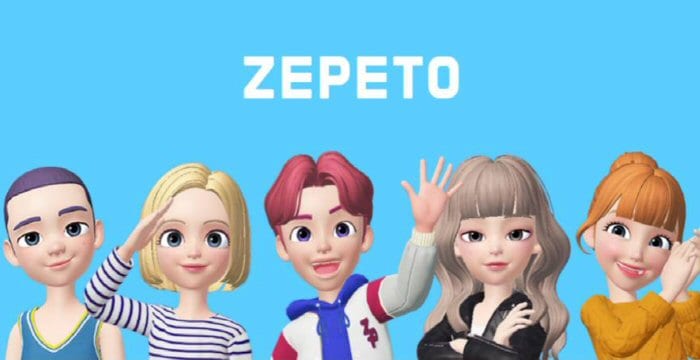
After you’re logged in, ZEPETO greets you with a selfie‑capture screen. Snap a photo, and the app auto‑generates a 3‑D avatar that mirrors your facial features. From there, the real fun begins: you can swap hairstyles, change eye color, adjust body shape, and dress up in outfits ranging from casual streetwear to fantasy armor. Most customization options are free, but premium items can be purchased with ZEMIX coins or real money.
Exploring the Virtual Spaces
Once your avatar is ready, tap the “World” tab to enter the hub. The hub is a bustling plaza where friends’ avatars appear in real time. You can hop into themed rooms—such as a coffee shop, a concert stage, or a beachside lounge—by selecting portals scattered around the map. Each location hosts its own mini‑games, photo‑shoot spots, and social features like voice chat or text bubbles. The more you explore, the more hidden quests and exclusive items you’ll uncover.
Safety and Privacy Tips
ZEPETO is designed for a broad audience, but parental controls and privacy settings are essential for younger users. In the profile menu, you’ll find options to make your avatar visible only to friends, block or report inappropriate behavior, and limit data sharing with third‑party advertisers. If you’re a parent, consider linking the account to an email you monitor, and enable two‑factor authentication for added security.
Frequently Asked Questions
Can I play ZEPETO on a PC?
Yes. ZEPETO offers a web version that runs in most browsers, and a Windows client is available through the official website. The experience mirrors the mobile app, though some gestures are adapted for mouse and keyboard.
Is ZEPETO free to use?
The core app and basic avatar customization are free. However, premium clothing, accessories, and in‑game currency (ZEMIX) require real‑world purchases.
What age group is ZEPETO suitable for?
The platform is generally aimed at teens and young adults, with a recommended minimum age of 13. Parents should review the community guidelines and enable privacy controls for younger players.
How do I earn ZEMIX coins without spending money?
You can collect ZEMIX by completing daily quests, participating in limited‑time events, or selling custom creations in the marketplace. Regularly checking the “Events” tab will keep you informed about new earning opportunities.