How to Get CarPlay Working Again in Your Peugeot 208
It’s frustrating when the touchscreen freezes, the iPhone refuses to pair, or the familiar CarPlay icons simply vanish. Fortunately, most hiccups have a straightforward remedy that you can try in your garage or at the local dealership. Below is a practical walk‑through covering the most common culprits and the steps to bring that slick Apple interface back to life.
Why CarPlay Might Be MIA
Before diving into the fixes, it helps to know what usually goes wrong. In the Peugeot 208, CarPlay relies on three moving parts:
- A compatible iPhone with the latest iOS.
- The vehicle’s infotainment software (often called PEUGEOT i‑Life or POA).
- The USB cable or wireless module linking the two.
If any of these are out of sync, the connection drops. Software glitches, outdated firmware, or even a stubborn cable can be the cause.
Step‑By‑Step Troubleshooting
1. Verify iPhone Settings
Open Settings → General → CarPlay on your iPhone. If the Peugeot 208 appears but is greyed out, tap it and choose “Forget This Car.” Then restart your phone.
2. Check the Cable (or Wireless Link)
Even a brand‑new cable can be counterfeit. Look for a “MFi‑certified” label. Swap it for a known‑good one, and make sure the connector is clean.
3. Update Both Devices
CarPlay works best when both sides speak the same language.
- On the iPhone, go to Settings → General → Software Update and install any pending iOS version.
- For the 208, navigate to Menu → Settings → System → Software Update. If an update is available, follow the on‑screen prompts. The process can take up to 30 minutes, so keep the engine running.
4. Reset the Infotainment System
Sometimes the head unit just needs a fresh start. Press and hold the power button (or the volume knob, depending on the model) for about 10 seconds. The screen will go dark and reboot, clearing any temporary glitches.
5. Re‑pair the Phone
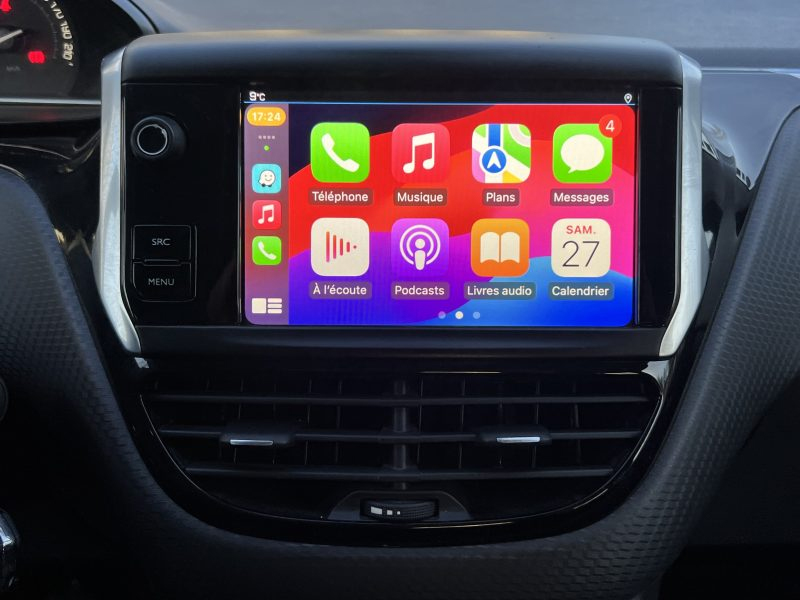
After the reset, plug the iPhone back in or reconnect via Bluetooth/Wi‑Fi. A prompt should appear asking if you want to enable CarPlay. Accept, and you should see the familiar icons within seconds.
When the Usual Fixes Fail
If you’ve walked through the checklist and the screen is still blank, consider these less‑common scenarios.
Faulty USB Port
The 208’s front‑facing USB socket can wear out over time. Try the second port (if your model has one) or inspect it for debris. A quick spray of compressed air often does the trick.
Third‑Party Apps Interfering
Some navigation or music apps hijack the CarPlay channel. Close all background apps on the iPhone before reconnecting.
Dealer‑Level Reset
Dealerships have a diagnostic tool that can reload the entire infotainment firmware, wiping custom settings but restoring full functionality. It’s worth a call if you’re out of warranty but still want a professional touch.
Preventive Tips to Keep CarPlay Happy
- Always use an Apple‑approved Lightning cable.
- Keep your iPhone’s iOS up to date; Apple frequently patches CarPlay bugs.
- Avoid exposing the USB port to moisture or dust.
- If you frequently switch phones, “Forget This Car” each time before pairing a new device.
Quick Checklist for a One‑Time Fix
- Restart iPhone and car system.
- Swap the USB cable.
- Install any pending software updates.
- Reset the infotainment head unit.
- Re‑pair the phone and confirm CarPlay permission.
Give those steps a go, and chances are you’ll be cruising with Siri, Maps, and your favorite playlists back in the driver’s seat before the next traffic light.