How to Quickly Locate a Missing iPhone: Proven Tips
Turn on Find My iPhone right away
If your iPhone has gone missing, the first thing to do is make sure the Find My iPhone feature is active. This service works only when the device is linked to your Apple ID and has an internet connection, so confirming it’s on before trouble strikes saves a lot of panic later.
To verify the setting, open Settings → [your name] → Find My. Toggle Find My iPhone and Send Last Location to “On”. The latter automatically sends the device’s location when the battery is critically low, giving you a last‑ditch clue.
Use the Find My app or iCloud.com
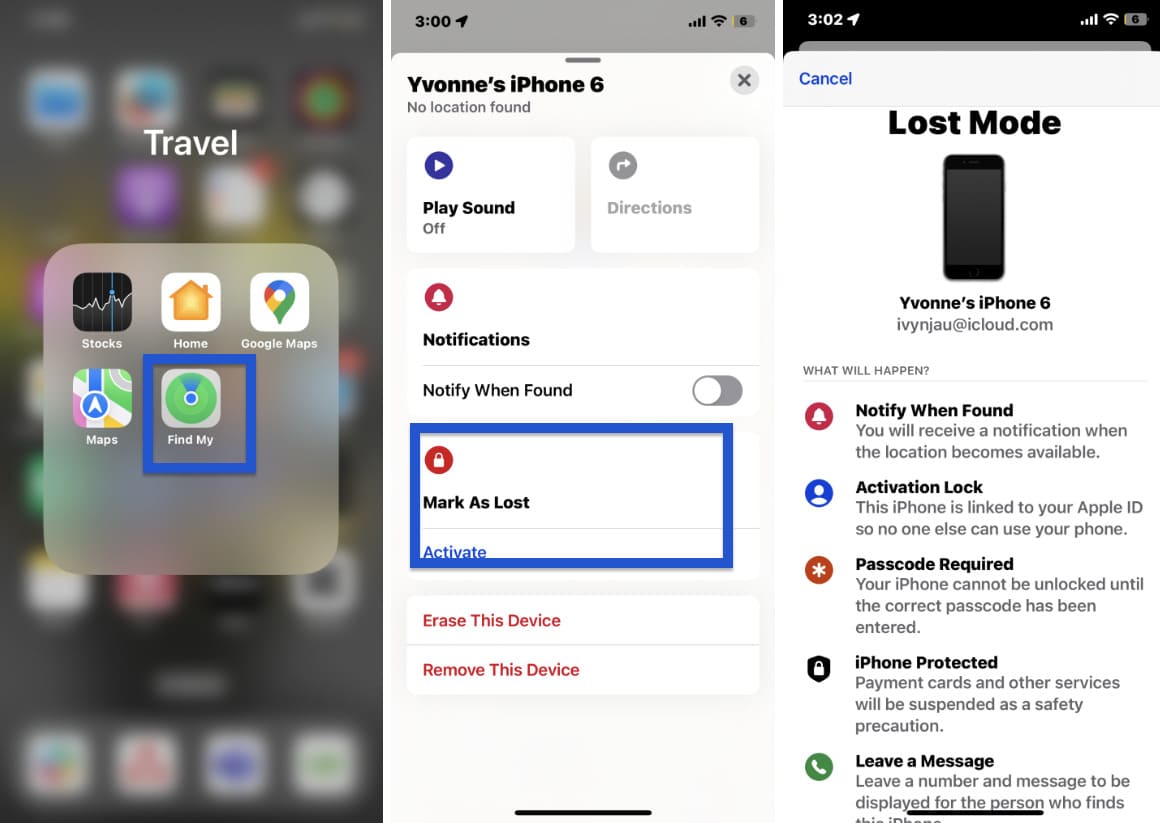
When the phone disappears, grab another Apple device or a computer and launch the Find My app, or visit iCloud.com. Sign in with the same Apple ID, and you’ll see a map dotted with the current or last known position of your iPhone.
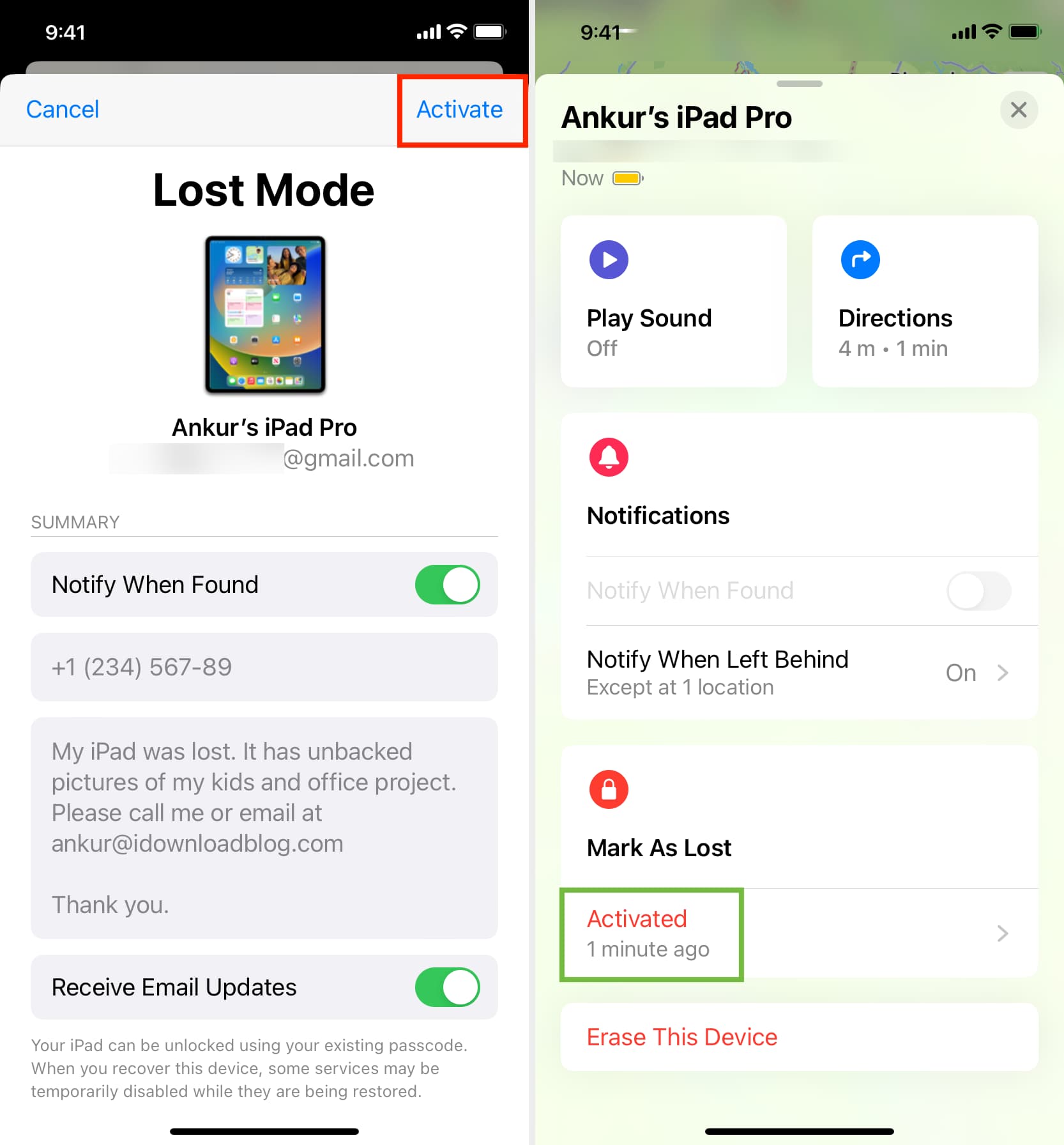
- Play Sound – Even if the phone is on silent, it will emit a loud tone for two minutes.
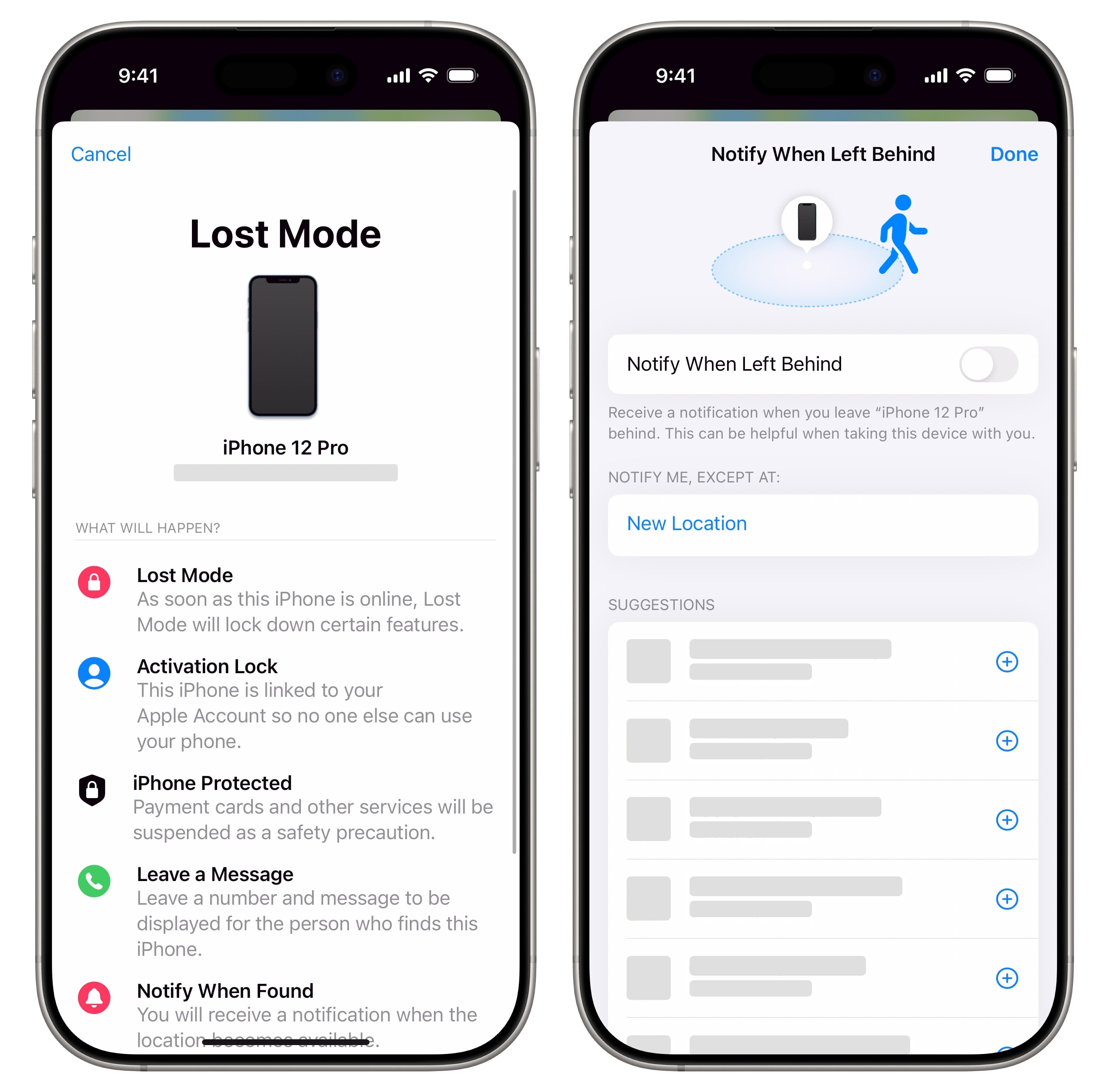
- Lost Mode – Locks the screen, displays a custom message with a contact number, and tracks movement.
- Erase iPhone – If you’re convinced the device is stolen, you can remotely wipe personal data.
Each option is a safety net: the sound helps locate a phone hidden under a couch cushion, while Lost Mode discourages a thief from messing with your data.
Ask nearby Apple devices to help
Apple’s ecosystem can be surprisingly cooperative. If any other iPhone, iPad, or Mac signed in with the same Apple ID is within Bluetooth range, it can relay your missing device’s location even when the lost phone lacks cellular data.
In practice, this means a family member’s iPad at home could silently ping your missing iPhone and update the map on iCloud.com. There’s nothing extra you need to do—just ensure “Find My network” is enabled under Settings → Find My → Find My network.
Contact your carrier for assistance
Carriers can do more than just bill you for minutes. Give them a call and ask whether they can flag the IMEI number as lost or stolen. Some providers also offer location‑based services that work even if the iPhone’s battery is dead, though this varies by country and plan.
When you speak with a representative, have your iPhone’s serial number or IMEI handy. You’ll find these in the original box, on the receipt, or in the Apple ID device list on iCloud.com.
Check physical spots you’ve been
Before you assume the worst, retrace your steps. Common drop‑off points include: car cup holders, under couch cushions, gym lockers, and coffee shop tables. A quick visual sweep often uncovers a phone that’s merely “out of sight, not out of mind.”
Use third‑party tracking accessories
If you frequently misplace gadgets, consider attaching a Bluetooth tracker like Tile or AirTag to your iPhone case. These devices integrate with the Find My network, extending the range of location updates and offering a separate app for pinpointing the tracker itself.
When you press the tracker’s button, it can make your iPhone ring even if the built‑in Find My feature is disabled—providing an extra safety net for the forgetful among us.
Prevent future loss with good habits
After you’ve recovered—or replaced—your iPhone, lock in a few habits to reduce the odds of another disappearance:
- Keep Find My iPhone turned on at all times.
- Enable a passcode or Face ID to deter unauthorized use.
- Attach an AirTag or similar tracker to your case.
- Back up daily to iCloud so data loss isn’t catastrophic.
These small steps create layers of protection, turning a panic‑inducing moment into a manageable one.
FAQ
Q: Can I locate my iPhone if it’s turned off?
A: Yes, if the battery dies after you’ve enabled “Send Last Location,” the last known spot will appear on the map. The Find My network can also estimate location via nearby Apple devices, but real‑time tracking stops until the phone powers back on.
Q: What if someone wipes my iPhone remotely?
A: After a remote erase, the device is removed from your iCloud list, but you’ll still see its last known location. The erasure protects your data; you’ll need to replace the hardware.
Q: Is there a charge for using Find My iPhone?
A: No, the service is free for any iPhone running iOS 13 or later, as long as it’s linked to your Apple ID.
Q: How accurate is the location shown in the Find My app?
A: Accuracy depends on GPS signal strength, Wi‑Fi availability, and whether the phone is connected to a cellular network. In urban areas, it’s usually within a few meters; in rural zones, it may be broader.