How to Transfer Money with an ATM in Simple Steps
Transferring money through an automated teller machine (ATM) is a quick way to move funds without stepping into a bank branch. Whether you’re sending cash to a friend, paying a bill, or moving money between accounts, most ATMs offer a straightforward transfer option. This guide walks you through everything you need to know—from the basics of what’s required to handy tips that keep your transaction safe and smooth.
Why Use an ATM to Transfer Money?
ATMs let you perform transfers 24/7, without waiting for teller hours or booking appointments. They also support a range of services: instant transfers between accounts, sending money to others’ accounts, and even transferring to credit cards in some regions. For many people, this convenience outweighs the slightly higher fees that might apply, especially when compared to wire transfers or online banking.
What You’ll Need Before You Go
- Debit or ATM card tied to an account that can transfer funds.
- Valid PIN—you’ll need it for authentication.
- Recipient’s account number or the mobile number tied to their banking app if the ATM supports mobile‑to‑mobile transfers.
- For some machines, a micro‑chip or card reader that can scan QR codes if the ATM offers that feature.
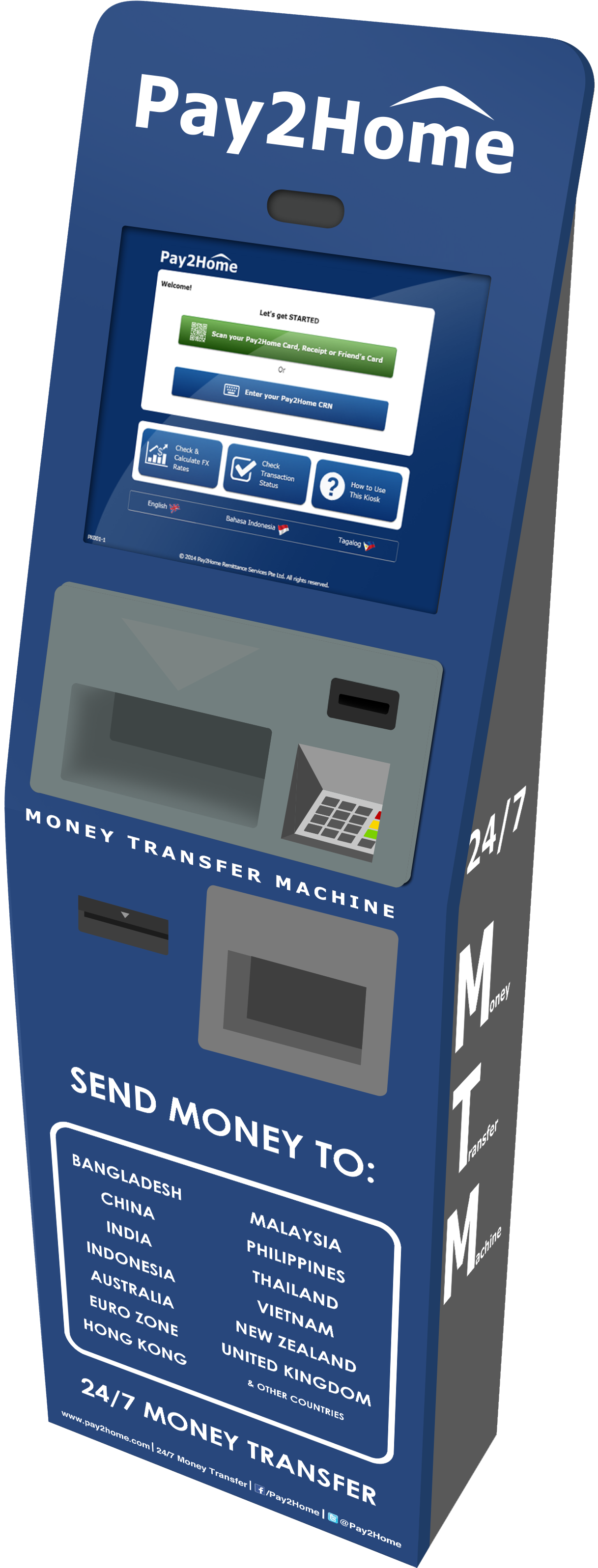
Step‑by‑Step: How to Transfer Money Using an ATM
Follow these steps and you’ll finish the process in under a minute. The exact menu wording can differ by bank, but the sequence stays the same.
- Insert your card and enter your PIN. Make sure you’re in a secure spot where the machine’s camera won’t see you.
- On the main screen, select “Transfer” or “Send Money”. If you only see a “Withdraw” or “Deposit” option, the ATM may not support transfers from your account; check with your bank first.
- Choose the source account if you have multiple accounts linked to the card. This is the account from which the money will be taken.
- Enter the amount you wish to send. Most ATMs allow transfers up to a daily limit, so be mindful of that cap.
- Specify the destination type. Common options are:
- Bank account (you’ll need the account number and routing number)
- Mobile wallet or phone number (if the recipient’s bank supports mobile‑to‑mobile transfers)
- Credit card (some ATMs let you pay a credit card balance directly)
- Type or scan the recipient’s account number or mobile number. Some ATMs will let you scan a QR code if you’ve already saved the recipient’s details in your mobile app.
- Review the transaction summary. Confirm the amount, recipient, and destination account. Double‑check the numbers to avoid sending money to the wrong account.
- Accept the transaction. The ATM may print a receipt—keep it handy in case you need to verify the transfer later.
- Remove your card and PIN. Leave the machine’s screen blank when you exit to keep your details private.
Common Pitfalls and How to Avoid Them
Even a well‑intentioned user can stumble. Watch out for the following:
- Wrong account entry—always double‑check the recipient’s account number. A single digit mistake can send your money into someone else’s hands.
- Insufficient funds—if your balance is below the transfer amount, the machine will reject the transaction. Check your balance before you start.
- ATM fees—many banks charge a flat fee for ATM transfers. Some third‑party ATMs may add extra charges. Review the fee schedule on the screen before confirming.
- Security alerts—some ATMs may flag a transaction that’s unusually large or from a foreign location. If you see a “security check” screen, keep your receipt and call your bank’s customer service line.
Security Tips for a Safe ATM Transfer
Security is key. These practices help protect both you and the recipient:
- Cover the keypad when entering your PIN to shield it from camera view.
- Verify the ATM’s screen for any pop‑up ads or unfamiliar menus that could be spoofing.
- Use chip‑and‑pin cards whenever possible; magnetic stripe cards are more vulnerable.
- Keep the receipt confidential. It contains your card number and the amount transferred.
- Log out or exit the transaction promptly once you’ve finished. Avoid lingering on the machine’s screen.
FAQ
- Can I transfer money to a foreign account using an ATM? Most ATMs only support domestic transfers. For international transfers, you’ll need online banking or a specialized service.
- What if I forget my PIN? Contact your bank’s customer service. They can reset or provide a temporary PIN after identity verification.
- Is there a daily limit for ATM transfers? Yes; it varies by bank. Ask your bank’s online portal or visit a branch for details.
- Do ATMs charge a fee for transfers? Many banks do. Check the fee information on the ATM screen or on your bank’s website before proceeding.
With these steps and safety measures in mind, you’ll find that transferring money with an ATM is both fast and reliable. Whether you’re helping a friend out, paying a bill on time, or simply moving funds between your own accounts, the process is straightforward—just follow the prompts, double‑check the details, and you’ll be done in under a minute.