How to Use the Pacer App Effectively for Fitness
Getting Started: Install and Register
First things first—download Pacer from the App Store or Google Play. The installation process takes a minute, and once it’s on your phone, you’ll be prompted to create an account. You can sign up with an email address, or link the app to Google or Apple for a quicker start. After confirming your email, you’ll land on a short onboarding screen that asks about your activity level and fitness goals. Don’t worry about getting the numbers perfect here; you can always tweak them later.
Setting Up Your Profile and Permissions
To get the most out of Pacer, you’ll need to grant a few permissions:
- Location Services – Enables accurate step counting and route mapping.
- Health Data – Allows the app to sync with Apple Health or Google Fit, pulling in heart‑rate and calorie info.
- Notifications – Lets you receive reminders to move, celebrate milestones, or join a challenge.
Once permissions are granted, head to the profile tab. Here you can add a photo, set your preferred units (miles or kilometers), and adjust your daily step goal. Many users start with the default 10,000 steps, but a more realistic target—say 7,000 steps—often leads to better long‑term adherence.
Tracking Workouts: Steps, Runs, and Beyond
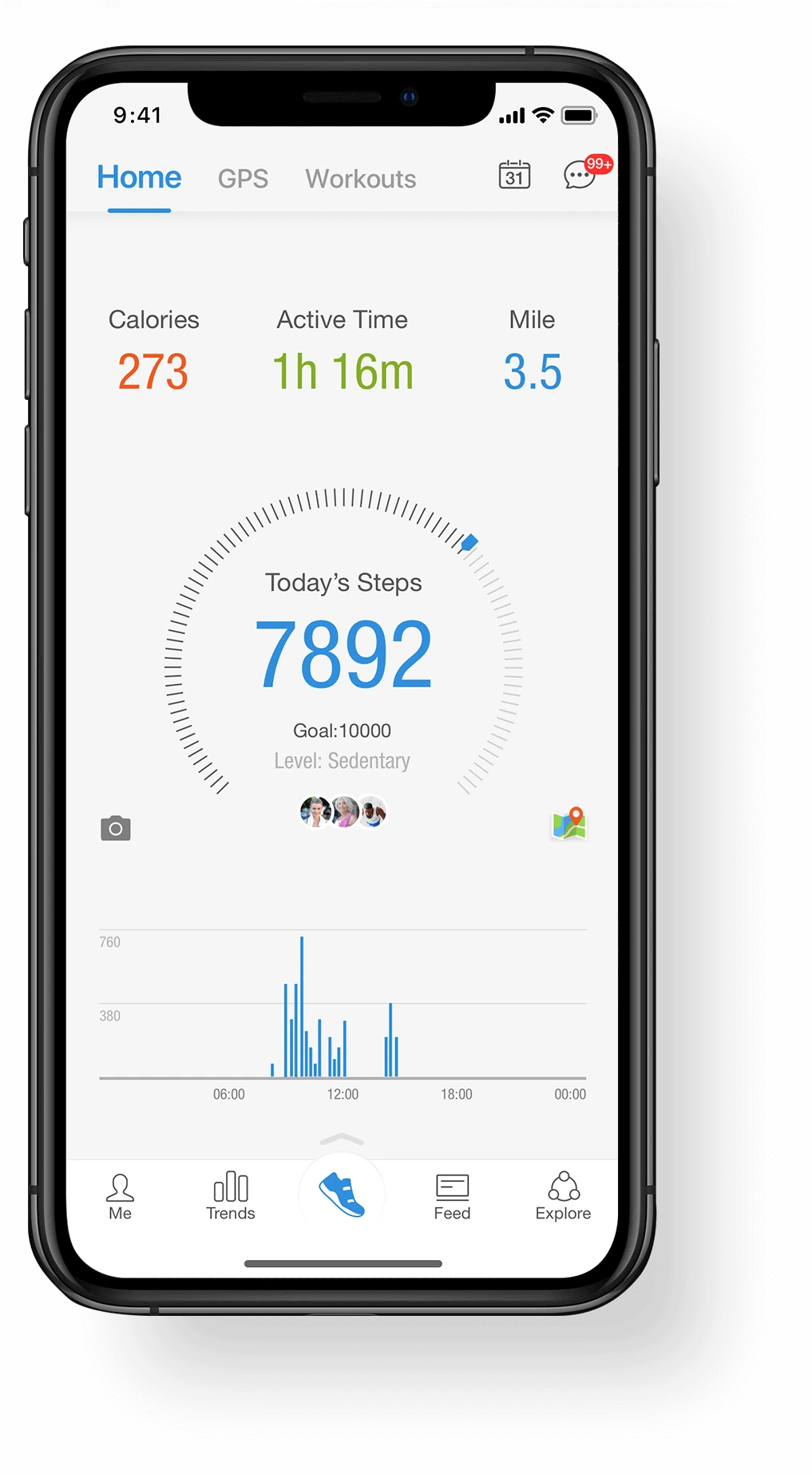
Pacer’s core strength lies in its step counter, which works even when the app runs in the background. For a quick glance at today’s tally, pull down the home screen; the large number at the top updates in real time. When you go for a run or a bike ride, tap the “Start Workout” button. The app switches to GPS mode, charting your route on a map and displaying pace, distance, and elapsed time.
If you prefer a more manual approach, you can log activities after the fact. Select “Add Activity,” choose the type (walking, swimming, yoga, etc.), and input duration or distance. Pacer will calculate calories burned based on the data you provided and your personal profile.
Leverage Challenges and Social Features
Staying motivated is easier when you’re not doing it alone. Pacer offers a variety of built‑in challenges—weekly step contests, “Climb the Mountain” virtual hikes, or themed month‑long goals. Joining one costs nothing; you just tap “Join Challenge” and the app tracks your progress automatically.
For a social boost, connect with friends via Facebook, Instagram, or the app’s own community. You can view a leaderboard, send encouraging emojis, or even start a private challenge with a buddy. The subtle competition often nudges people to take the stairs instead of the elevator.
Customizing Goals, Alerts, and Dashboard
Every fitness journey is unique, so Pacer lets you fine‑tune settings to match your lifestyle:
- Daily Step Goal – Adjust in increments of 500 steps.
- Active Minutes Target – Set a minimum number of minutes per day you’d like to be moving.
- Reminders – Choose gentle nudges (e.g., “Time for a quick walk!”) at intervals that suit you.
- Dashboard Widgets – Add a step counter or calorie widget to your phone’s home screen for instant feedback.
Experiment with these options. If you find yourself constantly ignoring a reminder, tone it down or change the time of day. Small adjustments keep the experience from feeling intrusive.
Tips for Consistent Use and Real Results
Even the best app won’t work magic without a habit behind it. Here are a few practical ideas that many Pacer users swear by:
- Pair step goals with everyday routines—walk to the mailbox, take a lap around the office during lunch.
- Schedule “movement breaks” in your calendar; a five‑minute stretch counts toward active minutes.
- Review weekly summaries on Sunday. Spot patterns (e.g., low activity on Thursdays) and plan mini‑goals to address them.
- Combine Pacer data with other fitness tools. If you lift weights, log those sessions in a separate app but still track steps for overall activity.
Remember, progress isn’t always linear. A dip in step count one week isn’t a failure; it’s just data that helps you calibrate your plan.
Integrating Pacer with Wearables
If you own a smartwatch or a fitness band, you can sync it with Pacer for even more accurate tracking. Open the app’s settings, select “Connect Devices,” and follow the prompts for your specific wearable. Once linked, steps counted on your wrist will automatically feed into Pacer, reducing the chance of double‑counting or gaps.
Some users report that the combined data—heart‑rate zones from the watch plus step counts from the phone—provides a clearer picture of overall exertion, especially during mixed activities like hiking.
When to Reassess Your Settings
Every few months, take a moment to look at the bigger picture. Has your cardio capacity improved? Are you consistently hitting your step goal? If the answer is yes, consider raising the target by 10 % to keep the challenge alive. Conversely, if you’re frequently falling short, drop the goal slightly and build confidence before pushing higher.
Final Thoughts on Making Pacer Work for You
At its core, Pacer is a simple step counter that sprouted a suite of motivational tools. By setting realistic goals, tapping into community challenges, and syncing with wearables, you turn a basic metric into a catalyst for healthier habits. The key? Treat the app as a supportive partner, not a punitive overseer. With a little tweaking and regular check‑ins, Pacer can become an unobtrusive yet powerful ally on your fitness journey.