How to Use Vocabtest.com to Boost Your Vocabulary
If you’ve ever stared at a blank page, wondering whether you truly know the words you use, you’re not alone. Many learners reach for a quick quiz, a flashcard set, or an app that promises instant improvement. Vocabtest.com sits right in that middle ground—a simple, web‑based tool that lets you gauge your lexical strength and spot gaps you didn’t even realize you had.
What Makes Vocabtest.com Different?
At first glance it looks like any other online quiz site, but there are a few quirks that set it apart:
- Adaptive Difficulty: The test adjusts the level of words based on your answers, so you’re never bored with basics nor overwhelmed by obscure terms.
- Instant Feedback: After each item, you get a brief definition, example sentence, and a note on usage, turning every mistake into a learning moment.
- No Registration Required: Want a quick check before a meeting? Just click “Start”—no account, no password.
These features make the platform useful for a wide audience: high school students prepping for SATs, professionals polishing business communication, or anyone who simply loves words.
Getting Started: A Step‑by‑Step Walkthrough
Ready to dive in? Here’s a quick guide that walks you through the whole process, from first click to post‑test review.
1. Open the Site and Choose a Test Length
The homepage presents three options—10, 20, or 30 questions. If you’re testing the waters, the 10‑question set is a low‑commitment starter. More ambitious learners can jump straight to the 30‑question marathon for a deeper snapshot.
2. Answer Honestly, Not Strategically
It’s tempting to guess based on “most likely” rather than admit you don’t know a term. Trust the system: every wrong answer triggers a helpful definition that sticks in your memory. Skipping or random guessing skews the results and defeats the purpose.
3. Review the Summary Page
When the timer (if you set one) runs out, you’ll see a concise report:
- Overall score (percentage correct)
- Breakdown by difficulty tier
- List of words you missed, each linked to a more detailed explanation
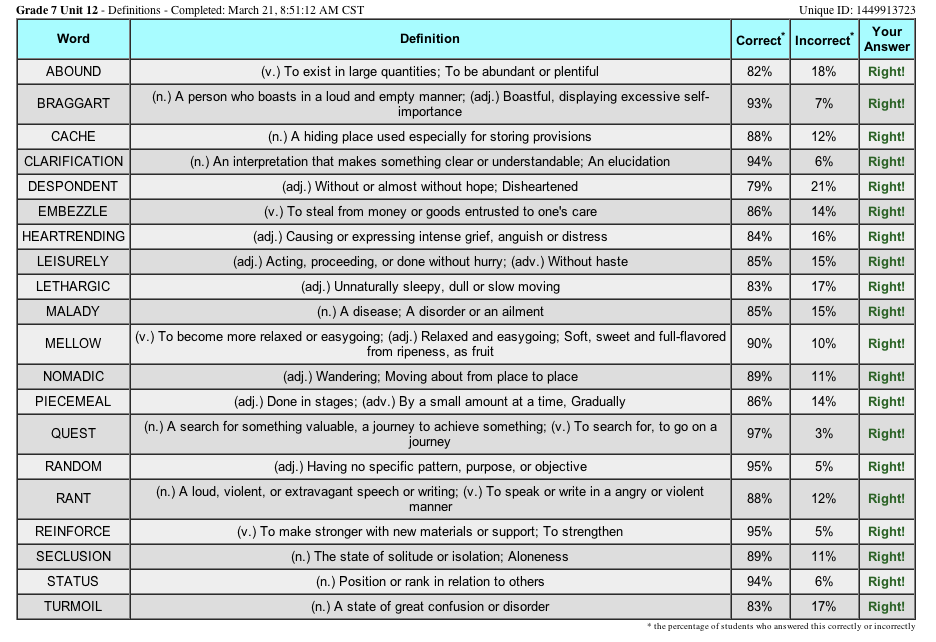
This is where the real learning happens. Click a missed word, read the definition, note the example, and maybe jot it down in a personal notebook.
4. Reinforce with a Mini‑Review
Vocabtest.com offers a “review mode” that cycles through the words you got wrong. Spend a few minutes here, and you’ll reinforce the connections before they fade.
Tips for Turning Test Results Into Long‑Term Growth
Testing alone isn’t enough; the key lies in how you handle the data. Below are practical habits that turn a single quiz into a lasting vocabulary habit.
- Create a “Word Bank”: Write down the 5‑10 most unfamiliar words from each session. Add a synonym, antonym, and a personal sentence.
- Use Spaced Repetition: Review your word bank after one day, then three days, then a week. The spacing effect helps cement the terms.
- Integrate Into Daily Writing: Challenge yourself to use at least two new words in an email, blog post, or journal entry each day.
- Set a Weekly Goal: Aim for a certain score improvement—say, 5% higher than last week—and track it on a simple spreadsheet.
These actions may sound a bit “homework‑like,” but they’re intentionally low‑effort. The idea is to sprinkle learning into routines you already have, rather than creating a separate, time‑consuming study block.
When Vocabtest.com Works Best
While the site is versatile, you’ll notice it shines under particular circumstances:
- Pre‑exam Warm‑ups: A quick 10‑question run before a major test can calm nerves and highlight last‑minute gaps.
- Professional Development: Managers can use it as a informal skill check before presentations or client pitches.
- Language Clubs: Groups can set up friendly competitions—who scores the highest in a 20‑question round?
In each scenario, the platform’s immediacy and lack of registration lower the barrier to entry, encouraging repeated use.
Limitations to Keep in Mind
No tool is perfect. Here are a few caveats worth noting:
- The word pool leans toward General American English; specialized jargon (medical, legal, technical) is scarce.
- Since there’s no user account, you can’t track progress over months automatically. You’ll need to save scores manually if long‑term tracking matters.
- Some definitions are concise—if you crave deeper etymology or nuanced usage, a supplemental dictionary will be handy.
Recognizing these gaps helps you decide when to pair Vocabtest.com with other resources, such as a dedicated vocabulary app or a thesaurus.
Bottom Line: A Quick, Reliable Check‑In for Word Lovers
In a world awash with flashy language‑learning apps, Vocabtest.com offers something refreshingly straightforward: a real‑time snapshot of how well you actually know the words you think you do. By treating each quiz as a brief performance review—then acting on the feedback—you can steadily expand your lexicon without feeling overwhelmed.