How to Write Your Date of Birth Correctly in English
When a form asks for your date of birth, you might think it’s as simple as typing “01/02/1990.” Yet the way we present that information can vary a lot depending on the audience, the country, and even the style guide you’re following. Below we’ll walk through the most common conventions, point out easy pitfalls, and give you a handful of examples you can copy‑paste the next time you need to fill in a field.
Why the Format Really Matters
Getting the date wrong isn’t just an embarrassment; it can lead to:
- Mis‑interpreted ages (especially in legal or medical contexts).
- Data entry errors that delay processing of applications.
- Confusion when sharing documents across borders.
Because English is used worldwide, you’ll encounter both American and British styles, plus a few international standards that aim to avoid ambiguity altogether.
Two Main English Conventions
The first divide is simple: month‑day‑year versus day‑month‑year.
- American (U.S.) style:
Month/Day/Year– e.g.,04/22/1985. - British (U.K.) style:
Day/Month/Year– e.g.,22/04/1985.
Both are acceptable in everyday writing, but official documents often prefer one over the other. When you’re unsure, look for clues in the surrounding text or the organization’s location.
International Standard: ISO 8601
For the ultimate clarity, many businesses and software developers adopt the ISO 8601 format: YYYY‑MM‑DD. It reads “1985‑04‑22” and removes any guesswork about which number is the month.
Step‑by‑Step Guide to Writing Your Birth Date
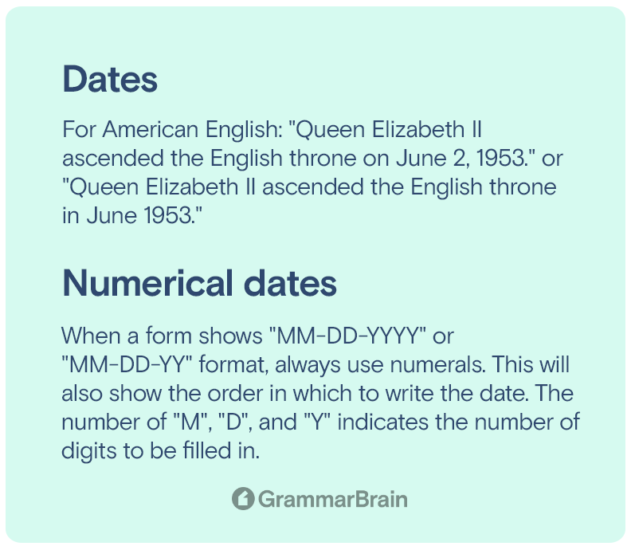
- Identify the required style. Check the instructions; a phrase like “MM/DD/YYYY” is a dead giveaway.
- Write the numbers clearly. Use two digits for day and month, four for year (e.g.,
07for July,03for the third day). - Choose a separator. Slashes (
/), hyphens (-), or spaces are all common. Stick with what the form suggests. - Double‑check the order. A quick mental flip—day vs. month—can save you from a costly typo.
- Proofread. Look at the whole string one more time before submitting.
Examples for Different Contexts
Below are ready‑to‑use snippets for the most frequent scenarios.
- U.S. government form:
12/31/1999 - U.K. university application:
31/12/1999 - International passport (ISO 8601):
1999-12-31 - Casual email signature:
31 December 1999
Common Mistakes and How to Avoid Them
Even native speakers slip up. Here are a few traps to watch out for:
- Swapping month and day. If you’re used to the American format, a British form will flip your numbers.
- Using single‑digit months without a leading zero. While “4/7/1990” might be understood, “04/07/1990” looks more professional and aligns with most digital systems.
- Writing the year in two digits. “04/07/90” can cause confusion, especially after the year 2000.
Quick Tips for Digital Forms
Online forms sometimes provide dropdowns for day, month, and year. In those cases:
- Pick the month by name if possible—it reduces the chance of mixing up numbers.
- Watch out for auto‑fill from browsers; it can insert the wrong format.
- If the field accepts free text, stick to the format the site displays next to the box.
When to Write Out the Month
In narrative writing—letters, essays, or résumés—spelling out the month adds a polished touch.
Example: Born on July 15, 1988 is clearer than 07/15/1988 when the surrounding text isn’t a form.
Final Thought
There’s no one‑size‑fits‑all answer, but mastering the three main conventions (U.S., U.K., ISO 8601) equips you to handle virtually any request. Remember: check the required order, use leading zeros, and give the year four digits. With those habits, you’ll never have to wonder whether “03/04/2020” means March 4 or April 3 again.