iPhone 14 Pro Max 1TB: Is the Storage Upgrade Worth It?
Let’s be honest: seeing a price tag that has four digits before the decimal point always raises an eyebrow. The iPhone 14 Pro Max with 1TB of storage sits at the very top of Apple’s lineup, commanding a premium that feels less like a tech purchase and more like an investment strategy. But is hoarding that much digital space on your phone actually a smart move, or is it just digital pot gold that you’ll never need?
To answer that, we have to look beyond the raw numbers. It’s not just about whether you have enough photos to fill a terabyte. It’s about who you are, how you use your device, and whether the marginal benefits of storage justify the massive cost difference compared to the 256GB or 512GB models.
Who Actually Needs 1TB on a Phone?
For 95% of iPhone users, the 1TB model is overkill. The average person might have hundreds, even thousands, of photos and videos scattered across their gallery, but even with high-resolution HEIC images and 4K videos, hitting the 512GB mark is difficult without active effort. So, who is this beast built for?
- The Mobile Videographer: If you shoot in ProRes Log or 4K at high frame rates, file sizes explode. A single minute of 4K ProRes video can easily eat up 4GB to 8GB. If you’re using your iPhone as a primary camera tool for social media or vlogging, 1TB gives you the breathing room to shoot without constantly offloading to an external drive.
- The "No Cloud" Purist: Some people simply refuse to pay for iCloud monthly fees or don’t trust cloud storage for privacy reasons. If you want your entire life’s history of media living locally on your device without ever deleting a single cat photo from 2014, the 1TB is the only safe harbor.
- Heavy App Users: Modern games are massive. A single title like Genshin Impact or Call of Duty: Mobile can take up 10GB to 15GB. Add a library of heavy productivity apps, offline maps for travel, and large software files, and your storage fills up faster than you’d think.
If none of these descriptions fit you, you are likely better off with the 256GB model. It’s the sweet spot for most power users.
The Cost vs. Benefit Analysis
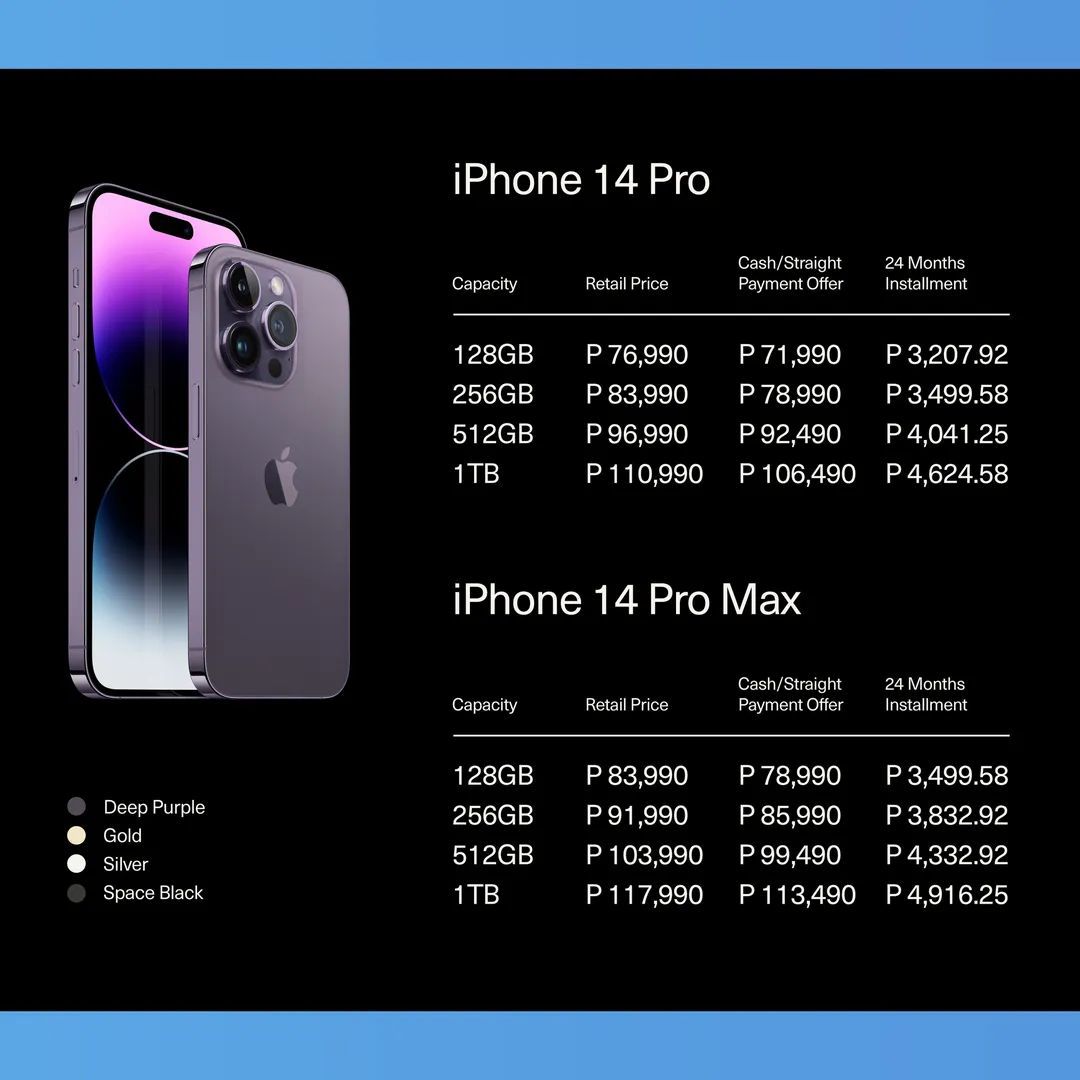
Here is the harsh reality: the price jump between storage tiers is not linear. Going from 128GB to 256GB costs you a certain amount, but jumping from 512GB to 1TB often costs nearly the same as the entire previous tier. You are paying a luxury tax for convenience.
Consider this alternative: that extra $150 or $200 you’d spend on the 1TB model could buy you several years of iCloud+ storage. With a 2TB iCloud plan, you have not just more space, but accessibility across all your devices, automated backups, and the security of off-site storage. If you couple a 256GB or 512GB iPhone with a robust cloud subscription, you get effectively infinite storage without the upfront hardware cost.
Furthermore, think about battery life. While storage capacity doesn’t directly drain battery, a phone that is nearly full can sometimes experience slower performance as the system struggles to manage file indexes and temporary data. Keeping your device at least 10-15% free is recommended for optimal performance. With 1TB, you rarely have to worry about maintenance, which is a non-zero benefit in terms of mental peace.
Hardware Performance and Longevity
One subtle advantage of the higher storage models is the NAND flash quality. While Apple doesn’t explicitly state that the 1TB model has faster SSDs than the 128GB model, historically, higher-capacity NAND chips have been denser and sometimes more efficient. More importantly, flash memory degrades over time with write cycles. By distributing your data across a much larger pool of memory cells, you theoretically extend the lifespan of the storage component itself.
If you plan to keep your iPhone 14 Pro Max for four or five years—as many users do—the 1TB model ensures that storage won’t be the bottleneck that forces you to upgrade early. However, given the aging battery and screen technology, waiting that long anyway might mean missing out on newer features regardless of storage.
Practical Alternatives to Consider
Before you commit to the top-tier model, consider a hybrid approach. The iPhone 14 Pro Max supports external drives via the Lightning connector (with an adapter) or fast charging cables. You can pair a mid-tier iPhone with a high-capacity portable SSD. This setup gives you the raw capacity of the 1TB model but with the flexibility to back up data off-device, which is actually safer against theft or loss.
Additionally, cloud services are getting smarter. iCloud Photos now optimizes storage by keeping full-resolution photos in the cloud and lower-resolution versions on your device. This feature works seamlessly on all models and can free up gigabytes of space instantly.
The Verdict: Which One Should You Pick?
Is the iPhone 14 Pro Max 1TB worth the upgrade? For the vast majority of people, the answer is no. The 256GB model handles daily life, photo dumping, and casual gaming with room to spare. The 512GB model is a comfortable luxury for heavy media consumers who don’t want to manage their files actively.
The 1TB model is a niche product. It’s for the professional who treats the phone as a workhorse, the privacy advocate who refuses to share data with servers, or the tech enthusiast who simply wants the maximum specification available. If you fall into those categories, the convenience is undeniable. But for everyone else, saving that money for a better camera lens, a sturdy case, or even a nice dinner is a much better use of funds.
Frequently Asked Questions
Does the 1TB iPhone 14 Pro Max have a faster processor?
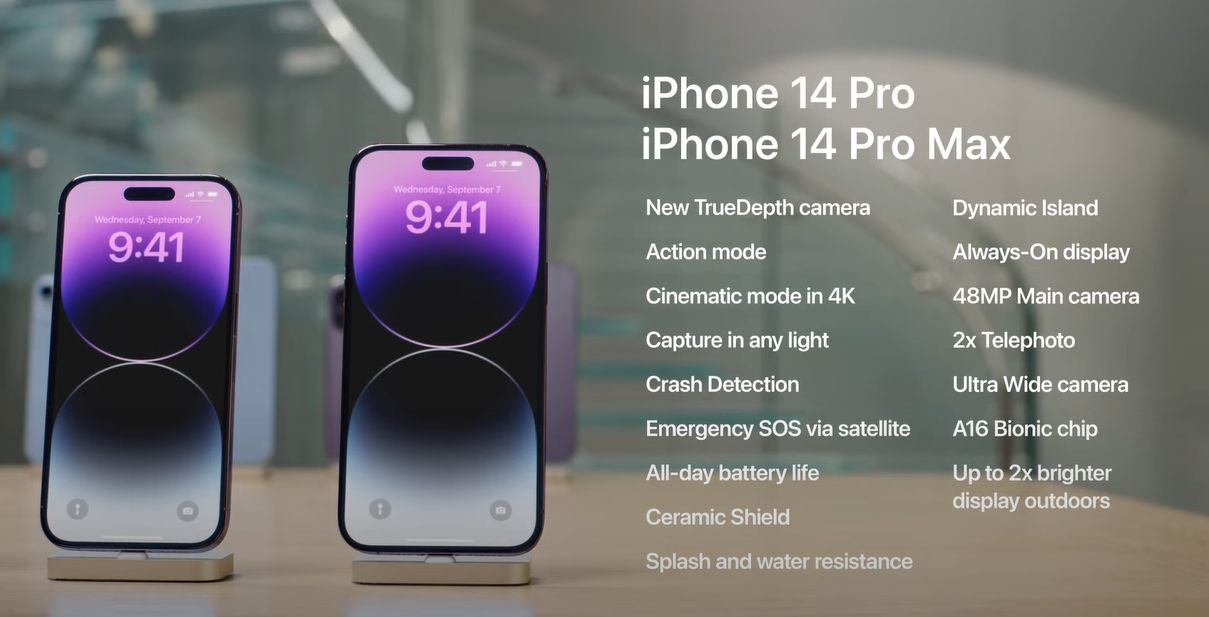
No. All iPhone 14 Pro models, regardless of storage capacity, run on the same A16 Bionic chip. The performance difference is negligible, though a fuller drive can occasionally slow down file operations slightly due to management overhead.
Can I upgrade the storage later?
No. iPhone storage is soldered onto the mainboard. You cannot add space or upgrade it after purchase. Your choice of storage is permanent for the life of the device.
Is it worth buying the 1TB model used or refurbished?
This is often the best value. If you need massive storage, buying a refurbished 1TB model from a reputable carrier or Apple’s certified program can save you hundreds of dollars, making the large capacity much more justifiable.
How much space does the iOS system take up?
The iOS operating system typically takes up around 15GB to 20GB of space on a fresh install. This doesn’t change drastically with updates, but system data caches can grow over time, so having extra space is always helpful for maintenance.