Mastering Endpoint Routing: A Practical Developer’s Guide
If you’ve ever wrestled with a tangled web of URL patterns, you know that endpoint routing can feel like a hidden lever controlling the flow of your API or web app. In the first few paragraphs we’ll demystify the concept, explore why it’s become a cornerstone of modern frameworks, and give you concrete steps to implement it without pulling your hair out.
What Exactly Is Endpoint Routing?
At its core, endpoint routing is the process of mapping an incoming HTTP request—its method, path, and sometimes query string—to a specific piece of code that will handle it. Think of it as a traffic cop standing at the intersection of your server, directing each car (request) to the correct lane (handler). Unlike older routing systems that mixed URL matching with middleware execution, modern endpoint routing separates the two, allowing the framework to decide the best match before any heavy processing begins.
Why It Matters in Today’s API‑First Landscape
Developers are building larger, more modular services than ever before. When every microservice publishes dozens of endpoints, a clear routing strategy prevents:
- Ambiguous matches that cause the wrong controller to fire.
- Unnecessary middleware overhead, which can add latency.
- Maintenance nightmares when routes are scattered across the codebase.
Endpoint routing gives you a single source of truth, often expressed as a declarative list that the framework evaluates early in the request pipeline.
Core Concepts and Terminology
Understanding the vocabulary makes the rest of the guide much easier to follow.
- Endpoint: The final target that processes a request—usually a controller action, function, or handler.
- Route pattern: A string like
/products/{id}that defines placeholders and static segments. - Constraint: Rules that limit what a placeholder can match (e.g.,
{id:int}). - Endpoint selector: The algorithm the framework uses to pick the best match among many candidates.
- Metadata: Extra information attached to an endpoint, such as required authentication schemes or response types.
Implementing Endpoint Routing in Popular Frameworks
ASP.NET Core
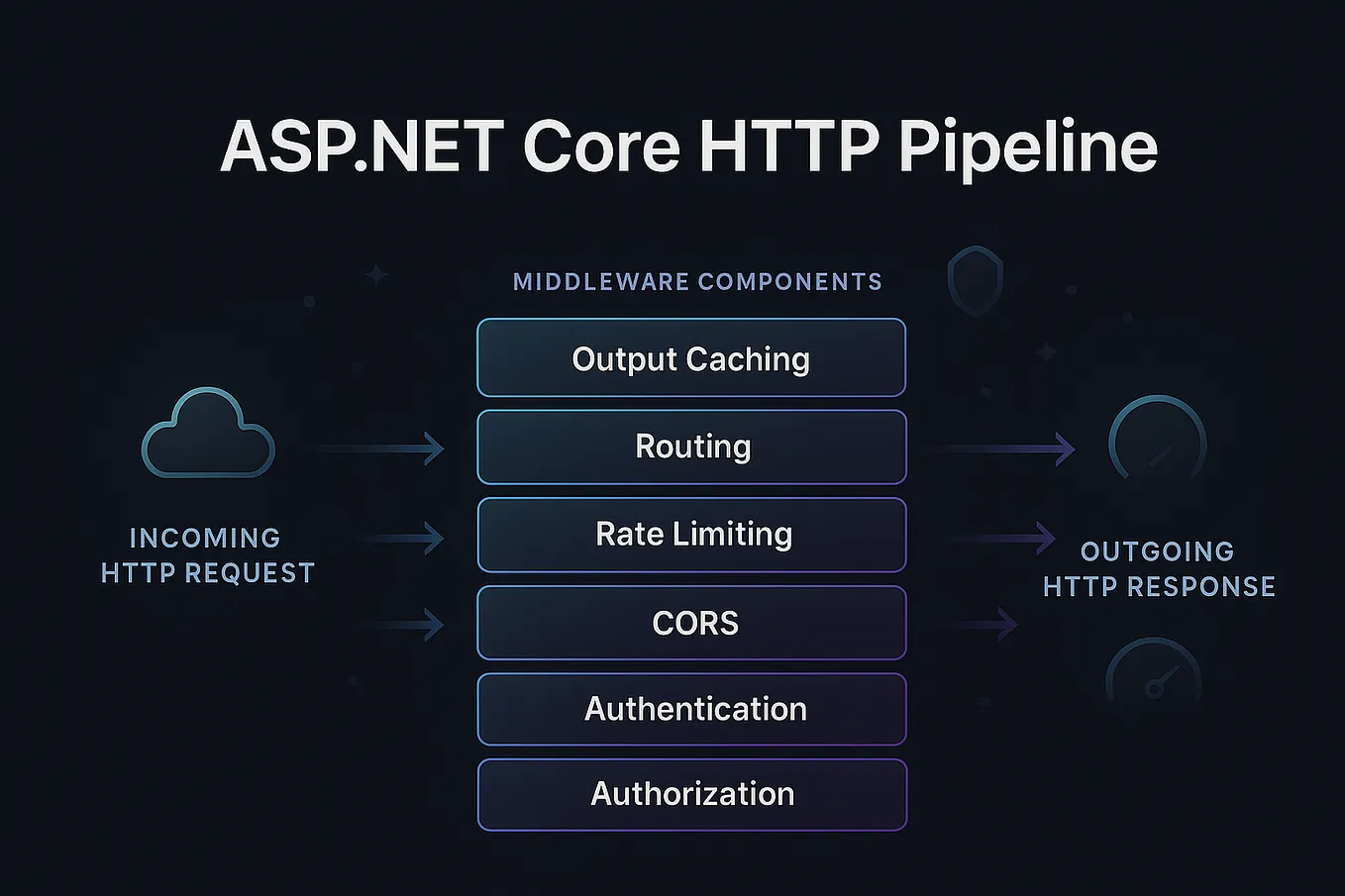
In ASP.NET Core, you typically add routing in Program.cs with app.UseRouting() and then define endpoints inside app.MapControllers() or app.MapGet() calls. The framework builds a route table at startup, then matches incoming URLs in O(log n) time, which is impressively fast for large APIs.
Express.js (Node.js)
Express uses a more linear approach. You register routes with methods like app.get('/users/:id', handler). While it isn’t a separate routing layer, you can simulate endpoint routing by placing all route definitions before any middleware that isn’t needed for every request. The order matters, so developers often create a dedicated routes/ folder to keep things tidy.
FastAPI (Python)
FastAPI leverages Starlette’s routing system. You declare routes with decorators: @app.get("/items/{item_id}"). Behind the scenes, FastAPI builds a tree of path segments, allowing it to resolve a request in just a few steps. The automatic generation of OpenAPI documentation is a nice side effect of having a well‑structured routing table.
Common Pitfalls and How to Avoid Them
Even seasoned developers trip over a few traps.
- Overlapping routes: Defining both
/users/{id}and/users/mecan cause the generic pattern to swallow the specific one. Place the more specific route first, or add a constraint that{id}must be numeric. - Heavy middleware on every route: If you attach authentication or logging globally, every request pays the cost, even for static files. Use endpoint metadata to apply middleware only where needed.
- Hard‑coded strings: Scattering literal URLs across the code makes refactoring painful. Keep route patterns in a central module or use route‑naming helpers.
- Neglecting versioning: Adding
/v2/later without a clear strategy leads to duplicated logic. Consider a version prefix in the route pattern from day one.
Best Practices Checklist
Before you close your editor, run through this quick list:
- Define routes declaratively, preferably in a single place.
- Prefer explicit constraints over vague patterns.
- Leverage framework metadata to attach policies (auth, caching) per endpoint.
- Document each route with meaningful comments or OpenAPI annotations.
- Write unit tests that hit the routing layer directly, ensuring the correct handler is selected.
- Keep version segments at the start of the pattern to simplify future upgrades.
Frequently Asked Questions
Is endpoint routing the same as URL rewriting?
No. URL rewriting changes the request path before routing occurs, often for SEO or legacy support. Endpoint routing decides which handler runs based on the final, resolved path.
Can I use endpoint routing with serverless functions?
Absolutely. Most serverless platforms let you define a routing table (e.g., AWS API Gateway or Azure Functions) that maps HTTP events to individual functions, mirroring the same principles you’d apply in a full‑stack framework.
Do I need a separate routing library for microservices?
Usually not. Modern frameworks embed a performant router that scales well. Adding a third‑party router can introduce unnecessary complexity unless you have highly specialized matching rules.
How does endpoint routing affect performance?
Because the router resolves the endpoint early, it can skip middleware that isn’t relevant, reducing CPU cycles and latency. In large applications, the difference can be noticeable, especially under heavy load.