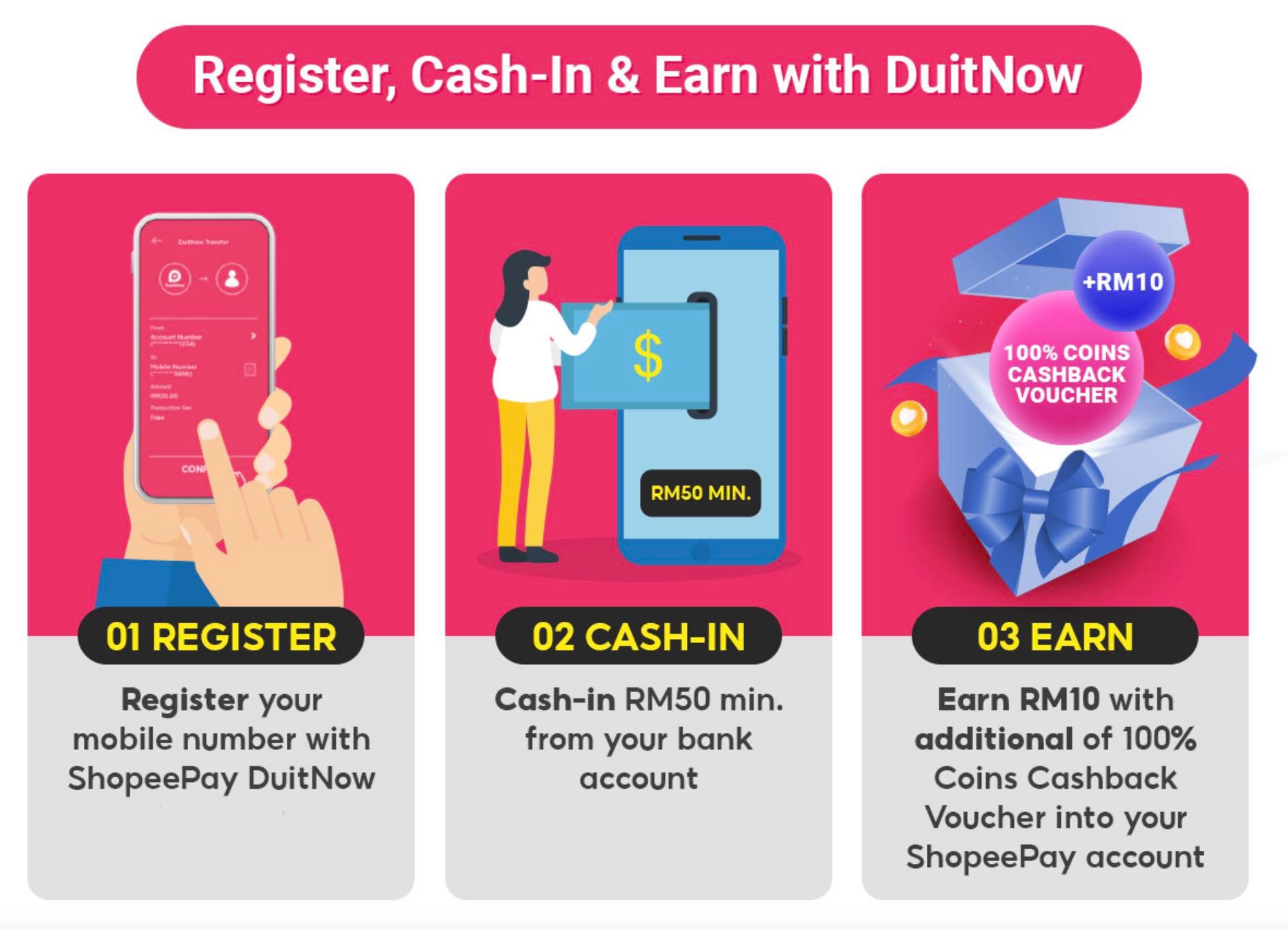
Shopee Pay to DuitNow: The Fastest Transfer Guide
Let’s be honest, nobody likes waiting on things they need money for. When you just sold an item or won a contest on Shopee, you want those funds in your actual bank account yesterday. That’s where the link between Shopee Pay and DuitNow becomes your best friend. It’s not rocket science, but if you haven’t done it before, the interface can feel a little cluttered. We are going to cut through the noise and get your cash moving from the app to your bank wallet without the headache.
Understanding this process is crucial because it saves you from the older, slower methods of bank transfers that might take hours or even days to clear on the receiving end. By leveraging DuitNow, you’re tapping into an instant payment infrastructure that works around the clock. Whether you are a seller trying to restock or a user just wanting to consolidate your funds, this guide covers exactly how to do it right, quickly, and safely.
Getting Your DuitNow ID Ready
Before you even open the Shopee app, you need to make sure your bank side is ready to receive. DuitNow isn’t a standalone wallet; it’s a service layered on top of your existing bank account. This means you need a DuitNow ID linked to your specific bank account. Usually, this is your phone number or your NRIC/FIN number.
Log into your online banking app or visit your bank’s website. Look for the section dedicated to "DuitNow" or "Real-Time Payments." You need to ensure that your account is verified for this service. If it is already linked, great. If not, the setup is generally quick. Most major banks in the region allow you to set this up in minutes. This step is vital because if the receiving end isn’t registered with PayNow or DuitNow services, the transfer will likely fail or get stuck in limbo.
Make a note of your DuitNow ID. It’s usually the mobile number you used when you opened your bank account. Having this ready on a sticky note or in your notes app saves a lot of time and prevents typos later on. Accuracy here is non-negotiable. One wrong digit means your money goes to the wrong place, and recovering it is a nightmare.
Withdrawing Funds From Shopee Pay
Now, open your Shopee app. The interface changes frequently, but the core functionality remains similar. Tap on "Me" at the bottom right corner of your screen. This is your personal dashboard. From here, locate the "ShopeePay" tab. It usually sits near the top, displaying your current balance. Tap on it to enter your wallet dashboard.
Once inside ShopeePay, you are looking for the button labeled "Transfer" or "Withdraw." These terms are sometimes used interchangeably depending on your app version, but the goal is the same: moving money out of the ecosystem. Tap that button. You will see a few options, such as transferring to other Shopee users or withdrawing to a bank account. Select the option that says "Withdraw to Bank Account" or "Transfer to Bank."
At this stage, the app will ask you to select the bank you want to send the money to. Since you are using DuitNow, you generally don’t need to pick a specific bank brand unless you are sending to a non-DuitNow account. For instant transfers, you will often see a generic "DuitNow" option or simply enter the recipient details directly.
The Critical: Entering Details Correctly
This is where most people make mistakes. You need to enter the recipient’s details. Since you are likely withdrawing to yourself, you are entering your own DuitNow ID. Type in the DuitNow ID you noted earlier. Double-check every single digit. It is easy to skip a number or misread a zero as an eight on a small screen.
Next, you will be asked to input the amount. Be aware of any minimum withdrawal limits. Shopee usually has a minimum threshold, often around SGD $1 or MYR $1, but it can vary. Also, check if there are any fees. Standard withdrawals via DuitNow are typically free or very low cost, but third-party card withdrawals might incur charges. Always read the fee summary before confirming.
Confirm the details. The app will show you a summary screen: Recipient Name, DuitNow ID, and Amount. If the name matches what you expect, you are good to go. If it says "Recipient Not Found" or shows a different name, stop immediately. Something is wrong. Re-enter the ID or contact support if you are unsure.
Verification and Instant Transfer
Once you hit "Confirm," the app will ask for authentication. This is usually your Shopee Pay password or a biometric scan like Face ID or fingerprint. This security step is mandatory and protects your funds. Enter it carefully.
After verification, you will see a loading screen. This usually takes less than a minute. DuitNow is designed for real-time clearing. In most cases, you will receive a notification on your email or bank app almost immediately stating that funds have been received. However, during peak hours or system maintenance, it might take a few minutes longer. If it’s been more than 10 minutes, check your bank app’s transaction history for a pending item.
Troubleshooting Common Issues
Sometimes things don’t go perfectly. If the transfer fails, the money usually returns to your Shopee Pay wallet within 24 hours. Don’t panic. Common reasons for failure include:
- Invalid DuitNow ID: The recipient isn’t linked to DuitNow, or you typed it wrong.
- Daily Limits: You hit the maximum withdrawal limit for your bank account or Shopee tier.
- Maintenance: Either your bank or Shopee is undergoing system maintenance. Check their social media channels for announcements.
If the issue persists beyond 24 hours, screenshot the transaction ID and contact Shopee Customer Support immediately. They can trace the unique transaction reference number. Never share your password or OTP with anyone, including support agents who call you. Shopee Support will never ask for your password.
Final Tips for Smooth Transactions
Keep your app updated. Older versions of the Shopee app might have bugs or lack the latest DuitNow integration improvements. Also, try to do your transfers during standard banking hours if you encounter technical glitches, though DuitNow works 24/7. It’s just that bank support teams are available then if you really need to call them.
Finally, be mindful of phishing attempts. Only access your Shopee Pay wallet through the official app. Links in emails or text messages claiming you have won money or need to verify your account are almost always scams. Stick to the official application interface for all financial movements. With these steps in place, moving your Shopee Pay balance to your bank should be a seamless, matter-of-fact routine.
Frequently Asked Questions
How long does a Shopee Pay to DuitNow transfer take?
It is usually instantaneous, taking less than a minute. In rare cases of high traffic, it may take up to 10 minutes. If it exceeds that, check for errors or maintenance.
Are there fees for using DuitNow?
Most transfers to debit cards via DuitNow are free. However, withdrawing to credit cards or through certain third-party processors may incur a small fee, typically around 1%. Always check the fee preview screen.
What if the money doesn’t show up in my bank?
Wait up to 24 hours. The funds are usually refunded to your Shopee Pay wallet if the transfer fails. If the money is gone from Shopee but not in the bank, contact support with your transaction ID.
Can I transfer to a different person’s bank account?
Yes, as long as you have their valid DuitNow ID and the name associated with it. Ensure the details match exactly to avoid sending funds to the wrong person.