Troubleshooting Spotify Login Issues
Spotify is one of the most popular music streaming services in the world, with millions of users enjoying its vast library of songs, playlists, and features. However, like any other online service, Spotify is not immune to technical issues, and login problems can be a frustrating experience for users. If you're having trouble accessing your Spotify account, don't worry – we've got you covered. In this article, we'll walk you through the most common Spotify account issues and provide step-by-step solutions to help you troubleshoot login problems.
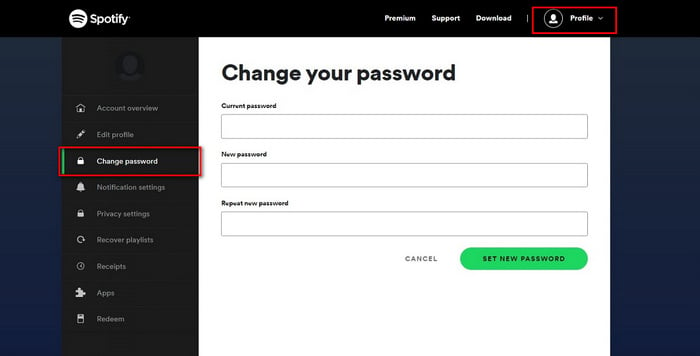
The first step in resolving Spotify login issues is to ensure that you're using the correct credentials. Double-check your username and password to make sure they're accurate. If you're still having trouble, try resetting your password. You can do this by clicking on the "Forgot password" link on the Spotify login page. Follow the prompts to reset your password, and then try logging in again.
Some common login issues that Spotify users encounter include:
- Incorrect username or password
- Account suspension or termination
- Two-factor authentication issues
- Connection problems or server errors
- App or software glitches
If you're experiencing any of these issues, don't panic. We'll explore each of these problems in more detail and provide solutions to help you resolve them.
Resolving Connection Problems and Server Errors
Connection problems and server errors can be frustrating, but they're often easy to fix. If you're experiencing issues with your internet connection, try restarting your router or checking your network settings. If the problem persists, try logging in to Spotify using a different internet connection or device. This will help you determine whether the issue is with your internet connection or Spotify's servers.
If you're still having trouble, try clearing your browser's cache and cookies. This can help resolve issues with corrupted data or outdated browser versions. You can also try using a different browser or device to access Spotify. If none of these solutions work, it's possible that Spotify's servers are experiencing technical difficulties. Check Spotify's social media accounts or website for updates on server status and maintenance schedules.
Troubleshooting Two-Factor Authentication Issues
Two-factor authentication (2FA) is an extra layer of security that helps protect your Spotify account from unauthorized access. However, 2FA can sometimes cause login issues. If you're having trouble with 2FA, try the following:
- Check your email or phone for the 2FA code
- Ensure that your 2FA method is set up correctly
- Try disabling 2FA temporarily to see if it resolves the issue
If you're still having trouble, you may need to contact Spotify support for further assistance. They can help you resolve 2FA issues and provide additional guidance on securing your account.
In conclusion, troubleshooting Spotify login issues requires patience and persistence. By following the steps outlined in this article, you should be able to resolve common login problems and get back to enjoying your favorite music on Spotify. Remember to always keep your account information up to date, and don't hesitate to reach out to Spotify support if you need further assistance.
![Spotify Down? Current Problems and Status [2025 Guide]](https://www.tunesolo.com/images/spotify-music/image-spotify-account-issue.jpg)