What You Need to Know About Supabase Self‑Hosting Guide
Supabase has earned a reputation as the “open‑source Firebase alternative,” but many teams soon wonder whether the managed service is the only way forward. In reality, you can run the whole stack on your own servers, keeping data close to home and tweaking components to fit niche requirements. The trade‑off? A bit more operational overhead and a need for comfort with containers, databases, and networking.
Why Self‑Host Supabase?
If your project demands strict compliance, customized security policies, or simply wants to avoid vendor lock‑in, hosting yourself can be a persuasive argument. You also gain direct access to the underlying PostgreSQL instance, which opens doors for advanced querying, extensions, and analytics that the hosted version abstracts away.
- Data sovereignty: Store information in a region you control.
- Cost predictability: Pay for hardware, not per‑month usage spikes.
- Tailored performance: Allocate CPU, RAM, and storage exactly where you need them.
That said, the convenience of Supabase’s cloud can’t be ignored—no need to patch, scale, or monitor the stack yourself. Deciding which side of the fence to sit on boils down to how much you value control versus simplicity.
Core Prerequisites
Before you dive in, make sure you have the following in place:
- A Linux host (Ubuntu 22.04 LTS is the most documented).
- Docker Engine 20+ and Docker Compose 2+ installed.
- At least 2 GB of RAM and a modern multi‑core CPU.
- Basic familiarity with PostgreSQL administration.
If any of these feel shaky, consider setting up a small test VM first. It’s cheap, quick, and saves you from painful re‑work later.
Pulling the Supabase Stack
The official Supabase repo provides a docker-compose.yml that spins up all services: postgres, gotrue, realtime, storage, and postgrest. Grab it with a single Git clone:
git clone https://github.com/supabase/supabase.gitcd supabase/docker
Inspect the file; you’ll see environment variables for each component. Most of them are optional, but setting DB_PASSWORD and API_KEY is non‑negotiable for any production‑grade deployment.
Configuring PostgreSQL
Supabase leans heavily on PostgreSQL extensions—pgcrypto, uuid-ossp, and pglogical among others. The Docker image already loads them, yet you still need to create the initial database and enable the extensions manually on first run:
docker exec -it supabase-db psql -U supabaseCREATE DATABASE supabase;
\c supabase
CREATE EXTENSION IF NOT EXISTS pgcrypto;
CREATE EXTENSION IF NOT EXISTS uuid_ossp;
If you’re using a managed database service instead of Docker, verify that these extensions are allowed; some providers block them by default.
Authentication (Gotrue) and Real‑time (Realtime)
Gotrue handles sign‑ups, password resets, and JWT issuance. Its default config expects an AUTH_JWT_SECRET—pick a strong, 32‑byte base64 string and keep it secret. A common pitfall is reusing the same secret across environments, which defeats the purpose of isolation.
Realtime, the WebSocket server, tracks changes in PostgreSQL via logical replication. To make it work, you must grant the replication role to the Supabase user:
ALTER ROLE supabase REPLICATION LOGIN;Without this, you’ll see “replication slot not found” errors and real‑time updates will stall.
Storage Service
Supabase’s storage bucket runs on top of PostgreSQL + Minio internally. When self‑hosting, you can either keep the bundled Minio container or swap it for an external S3‑compatible endpoint. Adjust the STORAGE_S3_ENDPOINT variable accordingly. Remember to set proper CORS headers; otherwise browsers will block file uploads from your domain.
Deploying with Docker Compose
Once the environment variables are set, launch everything with a single command:
docker compose up -dThe compose file defines a shared network, so the services can talk to each other by their container names (e.g., gotrue talks to db). After a minute or two, you should be able to hit http://localhost:8000/health and see a JSON payload confirming each component’s status.
Running in Production
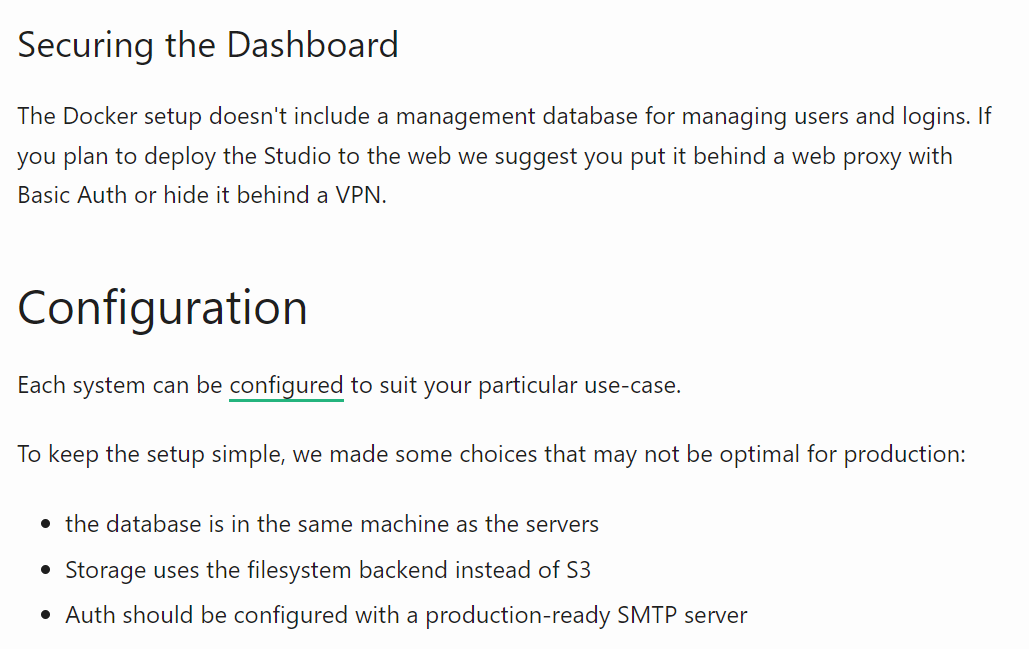
For public-facing deployments, swap the default localhost bindings with your domain name, then terminate the traffic with a reverse proxy like Nginx or Traefik. Here’s a minimal Nginx snippet:
server {listen 80;
server_name api.example.com;
location / {
proxy_pass http://localhost:8000;
proxy_set_header Host $host;
proxy_set_header X-Real-IP $remote_addr;
}
}
Don’t forget to add TLS—Let’s Encrypt’s certbot can do it automatically.
Managing Backups and Updates
PostgreSQL backups are straightforward: pg_dumpall for a full export, or pg_basebackup for physical snapshots. Schedule a daily cron job, ship the dump to off‑site storage, and you’ll have a safety net comparable to the hosted service.
Updating Supabase components is a bit more manual than the managed UI. Pull the latest Docker images, then run docker compose down followed by docker compose up -d. Watch the changelogs for breaking schema migrations—especially when Gotrue or Realtime receives a major version bump.
Cost Considerations
Running the stack on a modest VPS (2 vCPU, 4 GB RAM) typically costs $15‑$20 per month. Add storage, bandwidth, and the occasional backup vault, and you’re still well under the price of a comparable managed Supabase tier for mid‑size projects. However, factor in the hidden cost of engineering time; you’ll need someone (or yourself) to monitor logs, rotate secrets, and apply security patches.
Common Pitfalls to Watch
- Port conflicts: The default compose file uses ports 8000‑9000. If another service already occupies them, Docker will fail silently.
- Environment drift: Storing secrets in plain
.envfiles works for dev but is risky in production. Use a secrets manager or encrypted vault. - Logical replication lag: Misconfigured replication slots lead to delayed real‑time updates. Keep an eye on
pg_stat_replication. - Network throttling: If you host storage on a separate cloud, latency can make uploads feel sluggish. Place Minio close to your app server whenever possible.
Is Self‑Hosting Right for You?
There’s no one‑size‑fit answer. If you need absolute data control, specific compliance postures, or you’re already comfortable juggling Docker and PostgreSQL, the DIY route can be rewarding. Conversely, if your team’s bandwidth is limited and you prefer a hands‑off experience, Supabase’s managed platform remains a solid choice.
Whatever path you pick, the open‑source nature of Supabase means you can always start small, learn the ropes, and later decide whether to migrate to the cloud—or keep everything on‑premise forever.