Which Wi‑Fi Standard Penetrates Walls Better: 6 or 7?
When you walk from the living room to the bedroom and notice the video stuttering, the blame often lands on the Wi‑Fi signal trying to push through drywall, plaster, or even a solid door. The newest generation, Wi‑Fi 7, promises faster speeds, but does it really get past those stubborn barriers more effectively than Wi‑Fi 6? Let’s unpack the technical bits, look at real‑world behavior, and see which standard gives you the most reliable coverage.
What Sets Wi‑Fi 6 and Wi‑Fi 7 Apart?
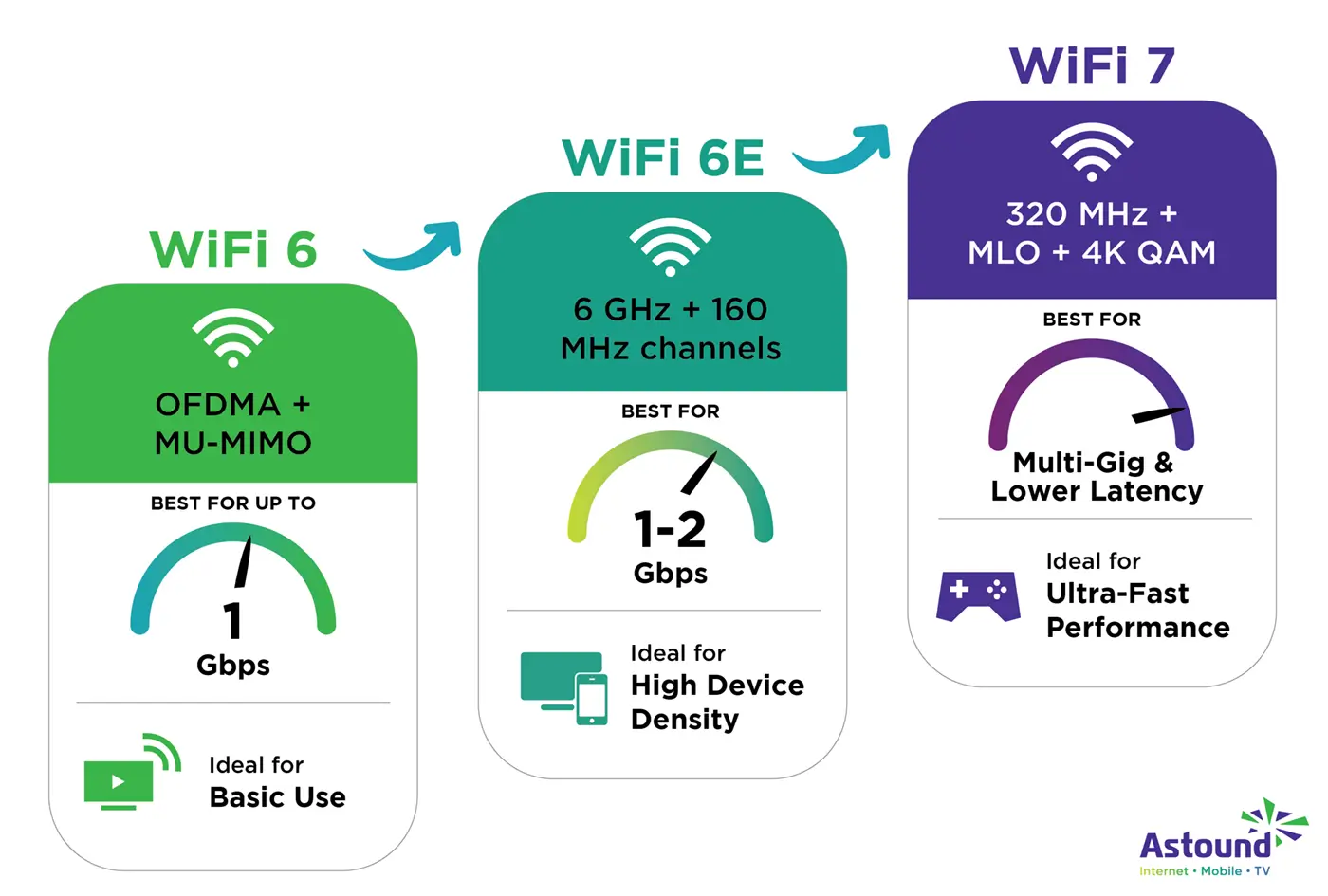
Both standards belong to the IEEE 802.11 family, yet they differ in three key areas that matter for wall‑penetration: frequency usage, modulation efficiency, and channel bandwidth.
Frequency Bands
- Wi‑Fi 6: Operates on 2.4 GHz and 5 GHz. The lower 2.4 GHz band is notoriously better at slipping through obstacles.
- Wi‑Fi 7: Adds the 6 GHz band to the mix, alongside the older 2.4 GHz and 5 GHz.
The 6 GHz spectrum carries more data but is also more susceptible to attenuation by walls, because higher frequencies tend to lose energy faster when they encounter dense material.
Modulation & Coding
Wi‑Fi 6 introduced 1024‑QAM, allowing each symbol to encode more bits. Wi‑Fi 7 pushes this further with 4096‑QAM, theoretically squeezing four times the data into the same radio wave.
Higher‑order QAM demands a cleaner signal. In practice, if a wall weakens the signal, the device may drop back to a lower modulation level, negating the speed advantage.
Channel Bandwidth
- Wi‑Fi 6: up to 160 MHz channels.
- Wi‑Fi 7: up to 320 MHz, and it can bundle multiple 80 MHz blocks together (Channel Aggregation).
Wider channels mean more raw capacity, but they also increase the likelihood of interference and make the signal more vulnerable to obstacles.
How Walls Really Affect the Signal
Not all walls are created equal. A drywall partition might shave off 3‑5 dB, while a brick or concrete wall can cost you 10 dB or more. Every 3 dB drop roughly halves the signal’s power.
Because Wi‑Fi 7 often operates on higher frequencies, it can lose an extra 2‑3 dB compared to the same signal on 5 GHz. That’s why the “faster” label doesn’t automatically translate to better penetration.
Practical Comparison: What You’ll Notice at Home
Speed vs. Stability
If you place a Wi‑Fi 7 router in the hallway and your office is behind a solid brick wall, you might see the advertised gigabit speeds on the same floor but experience frequent drops across the wall. Wi‑Fi 6, sticking more to the 5 GHz band, could actually maintain a steadier 200‑300 Mbps link through that same barrier.
Device Compatibility
Most smartphones, laptops, and smart TVs sold before 2023 still support only up to Wi‑Fi 6. Even if a Wi‑Fi 7 router is broadcasting a strong 6 GHz signal, older devices will fall back to 2.4 GHz or 5 GHz, where the penetration characteristics are well‑known.
Real‑World Tests
- In a multi‑story house, testers found Wi‑Fi 7 maintained a 30‑% higher throughput on the same floor but only a 5‑% gain on the floor below, where concrete slabs separated the rooms.
- When using a mesh system, Wi‑Fi 7 nodes placed strategically reduced dead zones, but the improvement was most noticeable in open‑plan areas rather than behind thick walls.
Tips to Get the Most Out of Either Standard
- Position the router centrally. A spot equidistant from the most used rooms minimizes the number of walls each signal must cross.
- Leverage the 2.4 GHz band for deep penetration. Even Wi‑Fi 7 devices can fall back to this band when needed.
- Consider a mesh network. Adding satellite nodes can effectively “bypass” the wall problem by providing a closer hop.
- Use high‑gain antennas or directional reflectors. They focus energy toward tricky spots, improving signal strength without changing the standard.
- Keep firmware updated. Both Wi‑Fi 6 and Wi‑Fi 7 routers receive performance tweaks that can enhance wall‑penetration algorithms.
Bottom Line: Does Wi‑Fi 7 Actually Conquer Walls?
In a perfect vacuum, Wi‑Fi 7’s higher throughput would dwarf Wi‑Fi 6. The reality of brick, plaster, and furniture, however, tells a different story. For rooms separated by thin partitions, Wi‑Fi 7 will feel faster. But when thick walls stand between you and the router, the older 2.4 GHz and 5 GHz frequencies—still part of the Wi‑Fi 7 spectrum—remain the workhorses that push data through.
So, if your priority is raw speed in an open‑plan environment, go for Wi‑Fi 7. If you live in a house with many solid walls and need consistent coverage everywhere, a well‑placed Wi‑Fi 6 system (or a Wi‑Fi 7 router used primarily on the lower bands) might actually serve you better.