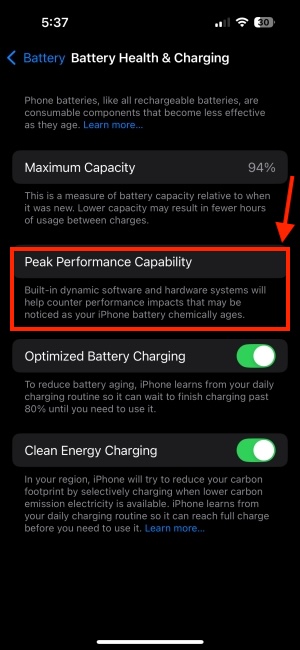
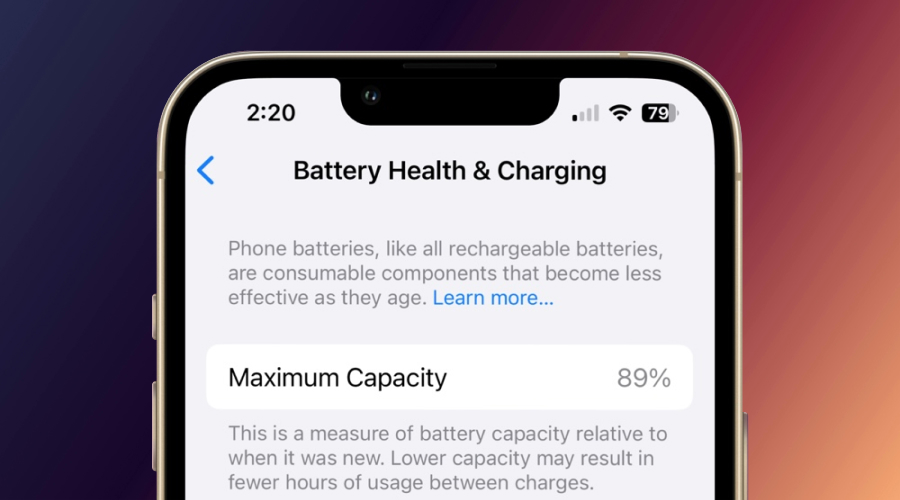
Why Your iPhone 12's Battery Health Might Be Dropping Faster Than Expected
Apple's iPhone 12 series has been a top choice for many smartphone enthusiasts, offering a seamless user experience, impressive camera capabilities, and robust performance. However, some users have reported a faster-than-expected drop in their iPhone 12's battery health. If you're one of them, you're probably wondering why this is happening and what you can do to mitigate it.
The battery health of an iPhone is a critical aspect of its overall performance, and a significant drop can lead to reduced battery life, slower charging speeds, and even affect the device's ability to run demanding tasks. To understand why your iPhone 12's battery health might be dropping faster than expected, let's dive into the possible reasons behind this phenomenon.
Normal Battery Degradation
It's essential to note that battery degradation is a natural process that occurs in all lithium-ion batteries, including those used in iPhones. As you charge and discharge your iPhone's battery, its capacity to hold a charge gradually decreases over time. This is a normal process, and Apple estimates that a typical iPhone battery will retain up to 80% of its original capacity after 500 complete charge cycles.
However, some factors can accelerate battery degradation, leading to a faster drop in battery health. These factors include extreme temperatures, overcharging, and deep discharging (letting the battery drain to 0% regularly).
Software-Related Issues
In some cases, software-related issues can contribute to a faster drop in iPhone 12 battery health. For example, a buggy operating system or a malfunctioning app can cause the battery to drain more quickly than usual. Additionally, if your iPhone is constantly connected to a weak or unstable Wi-Fi network, it may lead to increased battery drain and accelerated degradation.
Apple periodically releases software updates to address these issues and improve overall system performance. Keeping your iPhone 12 up-to-date with the latest software can help minimize the impact of software-related problems on battery health.
Hardware-Related Factors
Hardware-related factors can also play a role in the faster-than-expected drop in iPhone 12 battery health. For instance, if your iPhone's battery is not properly calibrated, it may lead to inaccurate battery level readings and accelerated degradation. Moreover, if your iPhone's charging port or cable is damaged, it can cause the battery to charge unevenly, leading to reduced battery life and faster degradation.
To minimize the impact of hardware-related factors, it's essential to handle your iPhone with care, avoid exposing it to extreme temperatures, and use only official Apple charging accessories.
Tips to Maintain iPhone 12 Battery Health
To slow down the drop in your iPhone 12's battery health, follow these tips:
- Avoid extreme temperatures: Keep your iPhone away from direct sunlight, high temperatures, and cold environments.
- Update your software: Regularly update your iPhone's operating system to ensure you have the latest bug fixes and performance enhancements.
- Use official charging accessories: Only use official Apple charging cables and adapters to charge your iPhone.
- Avoid overcharging: Try to keep your iPhone's battery level between 20% and 80% if possible.
- Calibrate your battery: Let your iPhone's battery drain to 0% and then charge it to 100% once a month to calibrate the battery.
Conclusion
In conclusion, a faster-than-expected drop in iPhone 12 battery health can be caused by a combination of normal battery degradation, software-related issues, and hardware-related factors. By understanding these factors and following the tips outlined above, you can help minimize the impact of battery degradation and maintain your iPhone 12's overall performance and battery life.
Remember, it's essential to monitor your iPhone's battery health regularly and take proactive steps to maintain its performance. If you're concerned about your iPhone 12's battery health or have questions about how to care for your device, feel free to ask.
Frequently Asked Questions
Here are some frequently asked questions about iPhone 12 battery health:
- Q: How often should I replace my iPhone 12's battery? A: Apple recommends replacing the battery when it reaches 80% of its original capacity, which is typically after 500 complete charge cycles.
- Q: Can I replace my iPhone 12's battery myself? A: Yes, but it's not recommended. Replacing the battery yourself can void your iPhone's warranty and may cause damage to the device.
- Q: How can I check my iPhone 12's battery health? A: You can check your iPhone 12's battery health by going to Settings > Battery > Battery Health.