Alesis Elevate 5 Review: Best Budget Studio Monitors?
When you’re starting out in music production or home recording, the gear you choose sets the foundation for your entire workflow. One of the most critical pieces of equipment isn’t the microphone or the interface—it’s your monitoring system. If you can’t hear what’s actually happening, you can’t fix it. The Alesis Elevate 5 has become a staple recommendation for beginners and home studio owners on a budget. But does it deliver professional-grade accuracy, or is it just another pair of colored speakers? Let’s dig into the details.
First Impressions and Design
Opening the box, the first thing you’ll notice is the packaging. Unlike many competitors that ship their monitors in thin cardboard sleeves, the Elevate 5 comes in heavy-duty foam padding. This suggests that Alesis intends for these speakers to survive the rigors of shipping, which is a plus if you plan to move your studio around. The speakers themselves feature a black grille and a distinctive white woofer cone. The aesthetic is clean, modern, and blends well with most home studio setups without screaming "cheap plastic."
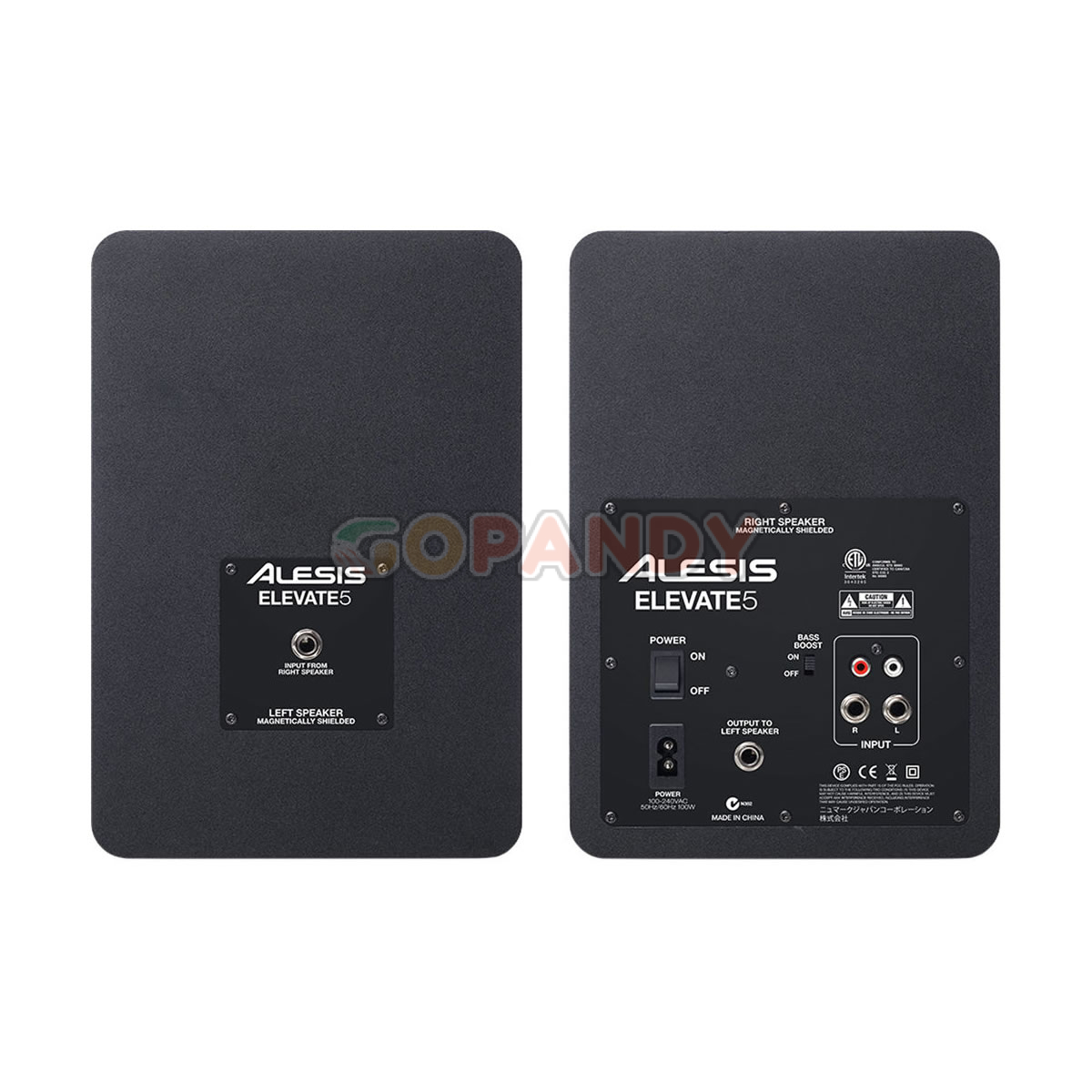
The build quality feels solid for the price point. While they aren’t tank-like, the cabinets are MDF (Medium Density Fiberboard), which helps minimize unwanted internal resonance. The rear panel houses all the necessary controls in a logical layout. You’ll find volume knobs for both left and right channels, a high-frequency trim control ranging from -6dB to +6dB, and an input sensitivity switch for line or microphone level. This versatility is a nice touch, allowing you to connect them directly to an iPhone or iPad without needing a separate interface.
The Sound: Honesty Over Flattery
The primary purpose of studio monitors is to reveal the truth of your mix, not to flatter it. Confrontational speakers destroy good mixes, while flattering ones hide mistakes. The Alesis Elevate 5 strikes a surprisingly balanced middle ground. Out of the box, they offer a relatively flat response, though my ears detected a slight warmth in the low-mids. This isn’t necessarily a bad thing—it prevents ear fatigue during long sessions—but it does mean you need to be aware of it when mixing bass-heavy material.
The frequency response is rated from 74Hz to 20kHz, +/- 3dB. For a 5-inch driver, that low-end extension is commendable. You won’t hear the sub-bass rumble of an 808 kick drum with the same physical impact as larger 8-inch monitors, but you get enough definition to judge the balance between kick and bass. The midrange is clear and vocal-forward, which is ideal for tracking vocals or mixing dialogue. The highs are crisp without being harsh or "zingy," a common complaint with entry-level speakers that can shred your eardrums after an hour.
Performance in a Small Room
Let’s be real: most people buying the Elevate 5 aren’t setting them up in a treated, acoustic-perfect studio. They’re using them on a desk in a bedroom or a garage. In these less-than-ideal environments, the Alesis performs admirably. The absence of a dedicated bass reflex port on the front means less boundary interference if you place them close to walls, though you should still try to keep them away from corners to avoid boominess.
I tested them with a variety of tracks, from indie rock to electronic dance music. On complex electronic tracks, the separation remained clear. I could distinctly hear individual synthesizer layers and drum hits without them blending into a muddy mass. The imaging is decent for the price; you can place instruments left, right, and center with reasonable precision. However, don’t expect pinpoint laser accuracy. They’re very good, but not world-class.
Connectivity and Practicality
One of the Elevate 5’s strengths is its connectivity options. You can use balanced XLR orTRS cables for interfacing with audio interfaces, which is standard. But the 3.5mm input allows for quick connections to laptops, phones, or tablets. This flexibility makes them viable for podcasters who might not have a full mixer setup. The volume knob is large and easy to adjust, which is a small detail that adds to the daily user experience.
They also include a quick-start guide and speaker stands, which saves you the immediate hassle of sourcing third-party mounts. The stands are adjustable, allowing you to angle the speakers toward your ears, a crucial step for achieving the "sweet spot."
The Competition and Verdict
Does the Elevate 5 compete with the JBL 305P MkII or the KRK Rokit 5 G4? Absolutely. While those brands have deeper market penetration and more established reputations, the Alesis holds its own. Some users find the JBLs too bass-heavy and the KRKs too neutral or harsh in the highs. The Elevate 5 often sits comfortably in between, offering a more forgiving and detailed listening experience for critical mixing tasks.
If you are looking for absolute reference-level accuracy used in commercial studios, you’ll need to step up to 8-inch monitors or higher-end 5-inch models like the Yamaha HS5. But for the vast majority of home producers, you don’t have that budget. For under $200, the Alesis Elevate 5 provides immense value. They are reliable, transparent enough to catch mix errors, and durable enough to last for years.
In short, if you’re building your first studio or upgrading from cheap computer speakers, the Elevate 5 is a safe, smart, and sonically competent choice.
Frequently Asked Questions
- Are the Alesis Elevate 5 powered?
Yes, they are active monitors with built-in amplifiers, so no external amp is needed.
- Do I need an audio interface to use them?
Not necessarily. While an interface is recommended for serious mixing, they can connect directly to phones, tablets, and laptops via the 3.5mm input.
- How loud can they get?
They are capable of 80W (40W per channel). They are loud enough for a medium-sized room at comfortable listening levels but may not fill a large untreated hall.
- Do they come with stands?
Yes, basic adjustable speaker stands are included in the box to help position the drivers at ear level.