How to Choose the Best Realistic Graphics Mod for ETS2 1.40
Euro Truck Simulator 2 (ETS2) has come a long way since its first release, and version 1.40 pushes the engine far enough that a good graphics mod can turn a simple haul into a visual showcase. But with dozens of texture packs, lighting overhauls, and weather tweaks floating around the community, picking the right one can feel overwhelming. Below you’ll find a practical walk‑through of what to look for, plus a shortlist of the most reliable mods that currently shine on 1.40.
Why a Graphics Mod Matters in ETS2 1.40
Version 1.40 introduced a revamped lighting system, higher‑resolution road textures, and a more flexible shader pipeline. Those upgrades give modders a richer canvas, meaning a well‑crafted texture pack can tighten up road grime, sharpen cab interiors, and make sunsets look genuinely cinematic. Without a mod, the game still runs smoothly, but many players notice that the “real‑world” feel is missing – especially when you’re spending hours cruising through the Alps or the night‑time highways of Scandinavia.
Key Factors to Evaluate
- Performance Impact: A mod that looks stunning but drags the frame rate below 30 FPS on a mid‑range PC defeats the purpose. Check the author’s recommended specs and read user reports on CPU/GPU load.
- Compatibility: Some texture packs clash with weather mods or custom truck skins. Look for “ETS2 1.40” tags and confirm that the author has tested the latest update.
- Installation Ease: A single *.scs file that drops into the
modfolder is ideal. More complex setups requiring ScriptHook or external tools can be a deterrent for casual players. - Visual Focus: Decide whether you care most about road surfaces, vehicle interiors, or environmental lighting. Some mods specialize in one area, while others aim for an all‑round overhaul.
- Community Support: Active forums, regular updates, and clear documentation show the creator is invested in keeping the mod stable.
Top Picks for ETS2 1.40
1. Realistic Graphics Overhaul (RGO) – 4K Edition
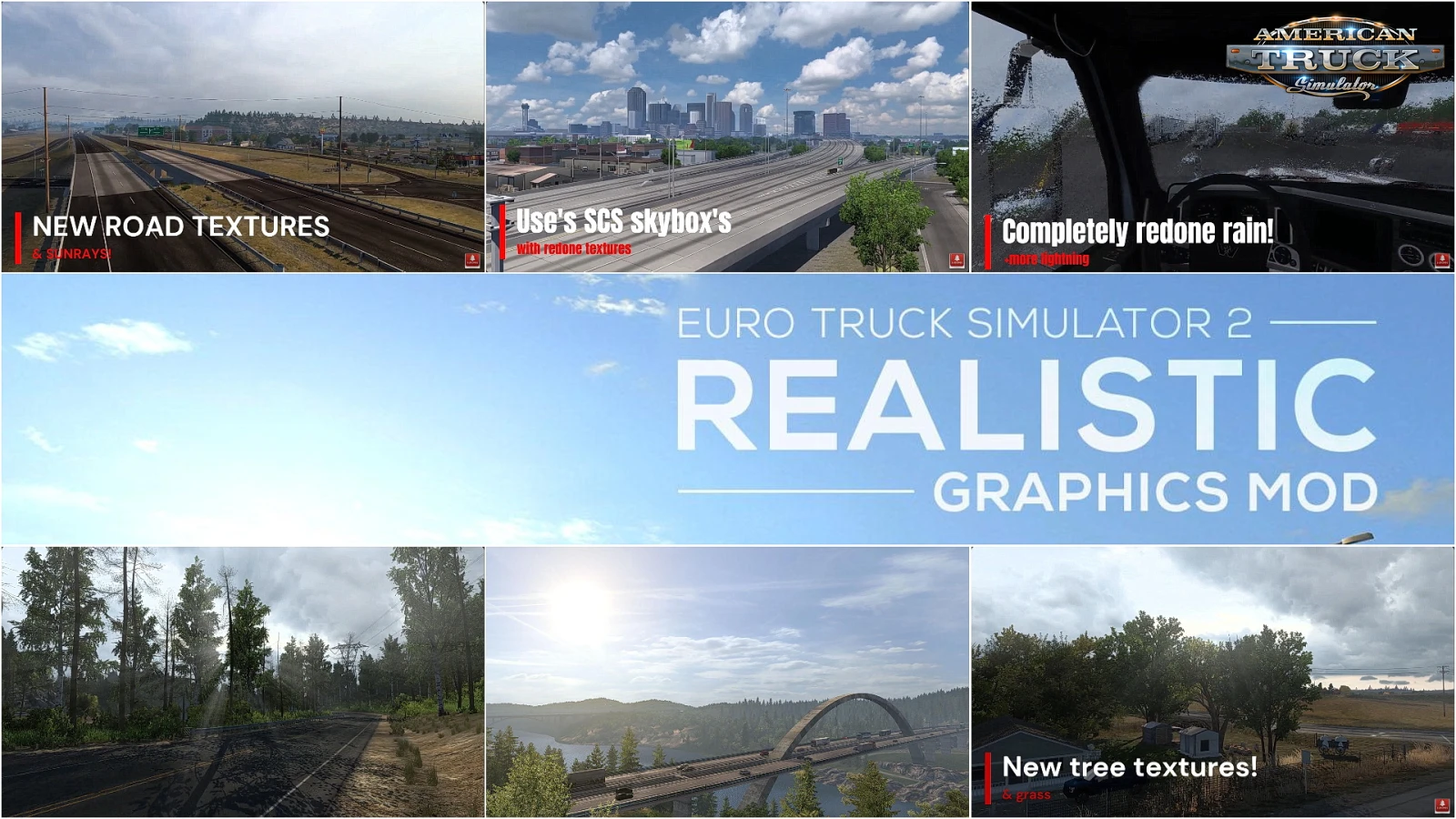
This pack is the go‑to for players who want a comprehensive boost without juggling multiple downloads. It replaces road textures with 4K equivalents, refines the reflection on truck windows, and adds a dynamic sky system that reacts to time‑of‑day changes. Benchmarks from the author show a modest 8‑10 % hit on a GTX 1660, which is acceptable for most setups.
2. Weather & Lighting Enhancer (WLE) – Night Mode
If dusk drives are your favorite, WLE shines. It deepens shadows, adds subtle lens flares, and introduces rain‑splatter effects that actually cling to the windshield. The mod pairs nicely with RGO, but you’ll want to disable other weather tweaks to avoid double‑processing.
3. Cab Interior Revamp – Premium Series
Many drivers overlook the cab, yet it’s the most visible part of the game once you’re on the road. This mod upgrades every button, gauge, and leather seat with higher‑resolution assets, plus a new headlight glare that feels surprisingly authentic. It’s lightweight (<2 GB) and has a dedicated toggle in the game’s mod manager.
4. Road Texture Pack – Europe Classic
For purists who love the original map layout but want sharper asphalt, this pack focuses solely on road surfaces. Gravel, cobblestones, and highway markings all receive a subtle bump‑map enhancement, making the difference noticeable without overloading your GPU.
5. Ambient Occlusion Plus (AO+)
Ambient occlusion can make a world feel three‑dimensional, and AO+ injects a refined version into ETS2 1.40. It works best when combined with a high‑resolution texture pack, as the extra shading brings out the depth of bridges and tunnels. The mod is optional and can be turned off if performance dips.
How to Install a Graphics Mod Safely
Installation isn’t rocket science, but a few steps can spare you headaches later:
- Back up your
profilesfolder – a quick copy to your desktop ensures you can revert if something goes wrong. - Download the mod from a reputable source (Steam Workshop, official mod site, or well‑moderated forums).
- Extract the *.scs file to
Documents\Euro Truck Simulator 2\modif you’re using the manual method. - Launch the game, go to “Mod Manager,” tick the box next to the new mod, and move it to the top of the load order.
- Start a new game or load a recent save to let the engine recompile the textures.
If you experience crashes, try disabling other visual mods one by one until the culprit surfaces. Often, two weather systems fighting each other is the culprit.
Balancing Beauty and Performance
The temptation to stack every visual enhancement can quickly turn a smooth ride into a stuttery nightmare. A sensible approach is to start with a single comprehensive pack (RGO 4K) and then add one niche mod that aligns with your favorite scenery (WLE for night rain, or Cab Interior Revamp for cockpit detail). Test the frame rate after each addition; if it drops below your comfort zone, consider lowering the resolution of the texture pack or disabling extra shaders.
Final Thoughts
Choosing the best realistic graphics mod for ETS2 1.40 isn’t about chasing the highest‑resolution screenshots; it’s about finding the combination that makes the road feel alive while keeping the game playable. Start with a solid all‑round overhaul, tweak with a specialized weather or interior pack, and always keep an eye on performance. With the right mix, every delivery will look as satisfying as the cargo you’re hauling.