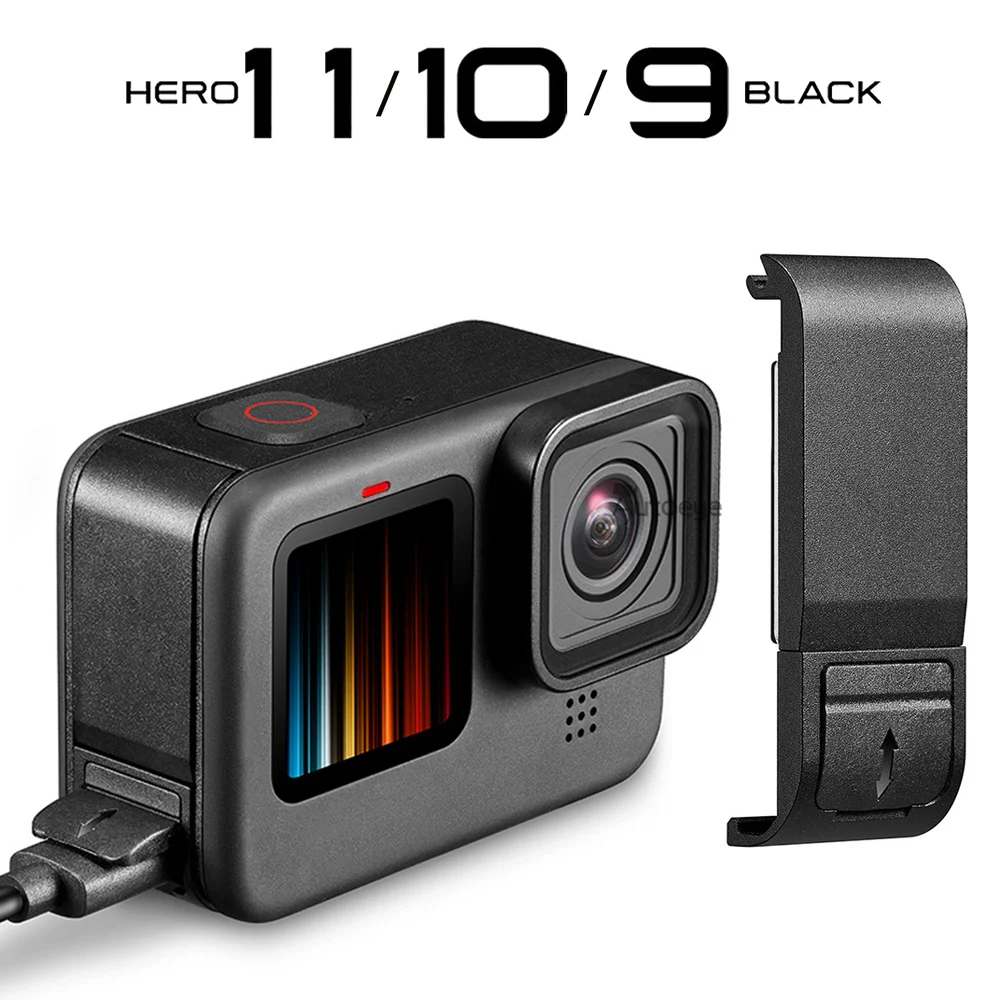
How to Find the Right Replacement Parts for Your GoPro Hero 10
When a splash of water or an accidental drop leaves your GoPro Hero 10 looking worse for wear, the thought of buying a whole new camera can feel excessive. Luckily, most problems boil down to a handful of replaceable components—battery, lens cover, mount, and a few internal bits. Knowing what you need and where to locate genuine, reliable parts can save time, money, and a lot of hassle.
Identify the Problem Before You Order
Take a minute to pinpoint the malfunction. Is the battery draining too fast? Does the front housing crack when you hit a rock? A clear diagnosis prevents you from ordering the wrong screw or a mismatched screen.
- Battery issues: The Hero 10 uses a removable 1720 mAh lithium‑ion pack. Look for swelling, reduced runtime, or error messages.
- Lens or screen damage: Scratches or fogging usually mean the protective cover or the internal LCD needs swapping.
- Mount & housing wear: Loosening threads, broken quick‑release pins, or cracked waterproof seals are common after rugged adventures.
- Internal connectors: Occasionally, a loose ribbon cable causes the camera to freeze or lose Wi‑Fi.
Once you’ve narrowed it down, compare the part number on the GoPro website or in the user manual. Even a tiny difference—like “BATT‑2020” versus “BATT‑2120”—can affect compatibility.
Where to Source Authentic Replacement Parts
Not all sellers are created equal. Below are the most trustworthy avenues, listed from most official to most community‑driven.
1. GoPro Official Store
The safest bet. GoPro’s own site offers a dedicated “Spare Parts” section, complete with warranty‑backed components. Prices are higher, but you get the guarantee that the piece will fit perfectly.
2. Authorized Resellers
Retailers like B&H, Adorama, or Best Buy often carry spare parts in their “Parts & Accessories” categories. Their return policies usually match those of the manufacturer, giving you a safety net if something’s amiss.
3. Certified Third‑Party Brands
Companies such as Altura Photo or AmazonBasics produce GoPro‑compatible parts that meet the same specs. Read reviews carefully—look for mentions of exact fit and durability.
4. Community Marketplaces
Platforms like eBay or specialized forums host used or refurbished parts. They can be a bargain, but verify seller ratings and request detailed photos before committing.
Essential Replacement Parts for the Hero 10
Even if you don’t need every item right now, having a quick checklist on hand can streamline future repairs.
- Battery Pack (1720 mAh) – the most common wear point.
- Front Lens Cover – protects the ultra‑wide sensor from scratches.
- Rear LCD Screen – replace if you notice dead pixels or discoloration.
- Waterproof Housing Gasket – essential for maintaining depth rating after a seal failure.
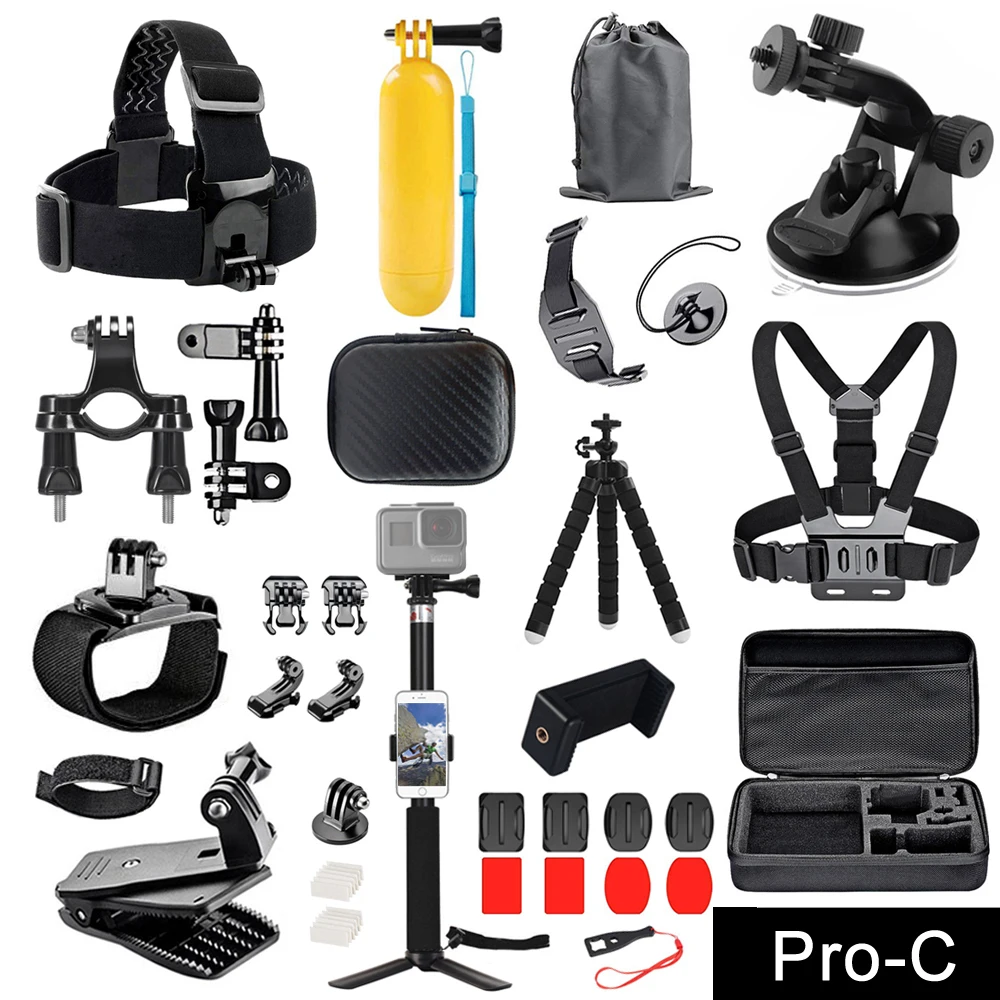
- Mounting Arms & Quick‑Release Pins – keep your camera steady on helmets or bikes.
- Charging Cable (USB‑C) – a frayed cable can mimic battery problems.
- Internal Ribbon Cable – for fixing freeze‑ups or Wi‑Fi glitches.
Step‑by‑Step Guide to Installing Common Parts
Replacing the Battery
1. Power off the camera and remove the side latch.
2. Slide the old battery out with a gentle pull.
3. Align the new pack’s contacts with the slot and press until it clicks.
4. Test run—for a few seconds—to ensure the camera powers up without error messages.
Swapping the Front Lens Cover
The cover snaps into a recessed groove. Warm the housing slightly (a hair dryer on low works) to soften any adhesive residue, then pry the old piece with a plastic spudger. Snap the new cover in place, making sure the seal is even all the way around.
Fixing a Leaking Waterproof Seal
Remove the housing, peel off the old rubber gasket, and clean the mating surface with isopropyl alcohol. Press the fresh gasket firmly, ensuring no twists. Re‑assemble the housing and run a quick “dip test” in a bowl of water to confirm no bubbles escape.
Tips for a Smooth Repair Experience
- Keep a small toolkit: A set of precision screwdrivers, a plastic pry tool, and tweezers make most jobs painless.
- Document the process: Snap photos as you dismantle; they’re a lifesaver when you’re re‑assembling.
- Work in a static‑free environment: Ground yourself to avoid damaging the camera’s circuitry.
- Don’t rush the seal: Even a tiny gap can reduce the depth rating from 10 m to half that.
When to Call in a Professional
If you encounter a broken internal board, a cracked screen that won’t reseat, or persistent firmware errors after replacing physical parts, it’s wise to hand the unit over to a certified repair shop. Attempting deep internal work without proper equipment can void warranties and cause further damage.
Final Thoughts
Finding the right GoPro Hero 10 replacement parts isn’t a treasure hunt if you follow a methodical approach: identify the issue, source authentic components, and follow clear installation steps. With a bit of patience and the right tools, you’ll have your camera back in action—ready for the next wave, trail, or sky dive—without needing to splurge on a brand‑new unit.