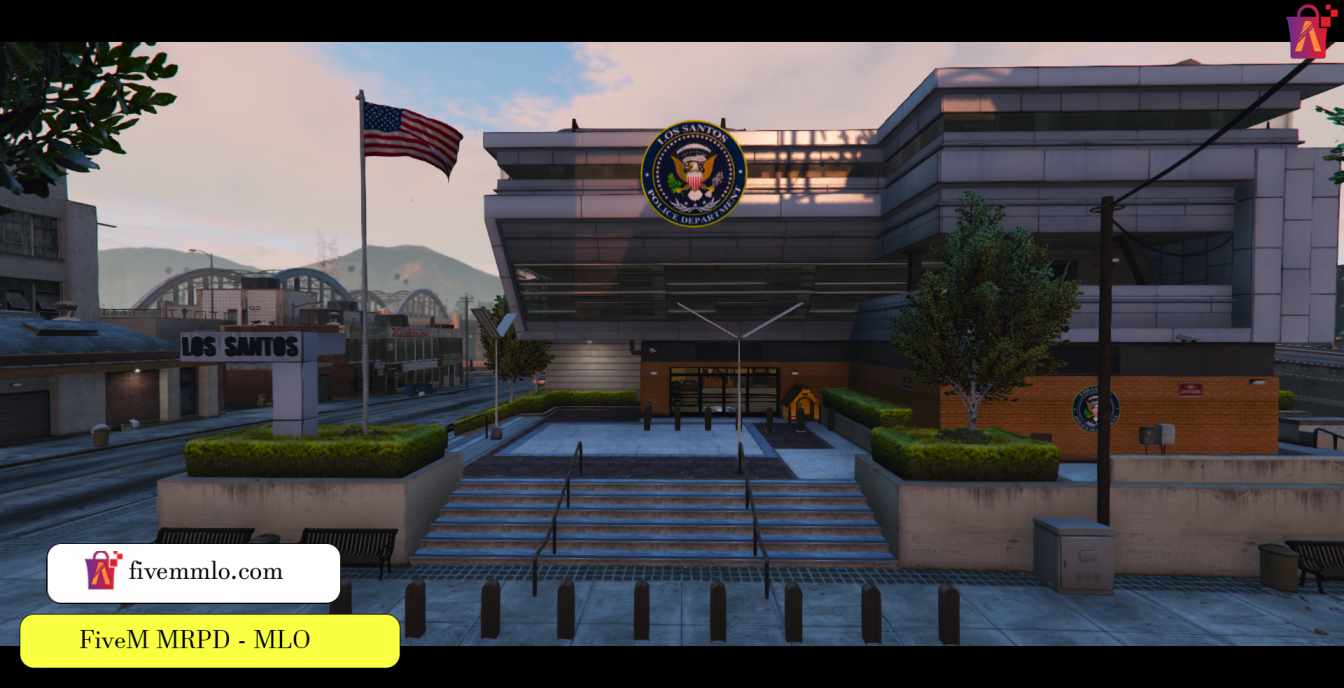
How to Get Free Police MLO for FiveM Today
If you’ve ever dreamed of patrolling Los Santos with a fully fitted police station, you’re not alone. The FiveM community thrives on custom interiors, and a police MLO (Map Location Object) can turn a simple role‑play server into a bustling precinct. Below is a straightforward guide to locating, downloading, and installing a free police MLO, plus a few tips to keep things running smoothly.
Why Use a Free Police MLO?
Free assets lower the barrier to entry for new servers. Instead of spending hours building a station from scratch—or paying for premium mods—you can plug in a ready‑made interior and focus on gameplay. Most community‑crafted MLOs are built with performance in mind, meaning they won’t cripple your server’s tick rate.
Where to Find Reliable Free Police MLOs
Not every download link is trustworthy. Stick to these proven sources:
- GTA5‑Modding.com – A long‑standing hub with user ratings and thorough descriptions.
- FiveM Forums – The “Resources” section often features police station packs released by seasoned map makers.
- GitHub Repositories – Some developers host their work openly, complete with version history and installation scripts.
When browsing, look for the following red flags: missing screenshots, no version number, or a requirement to “run a .exe” before installing. Genuine MLOs are distributed as .zip or .rar archives containing .ymap and texture files only.
Step‑by‑Step Installation
1. Download the Archive
Save the file to a dedicated folder on your computer. It’s a good habit to keep all map resources in one location—say, C:\FiveMResources\PoliceMLO\—so you can track updates later.
2. Extract the Contents
Inside you’ll typically find:
- A
streamfolder with.ymapfiles. - A
datafolder containing.metaconfiguration files. - Optional
.ytdtexture files.
Maintain the original folder structure; FiveM expects the same hierarchy when loading resources.
3. Add to Your Server’s Resource List
Open your server’s server.cfg and insert a line like:
ensure police_mlo
Make sure the folder name after ensure matches the actual directory name you created.
4. Verify resource.lua
Most MLO packs include a resource.lua file. If it’s missing, create one with the following minimal setup:
fx_version 'cerulean'games { 'gta5' }
this_is_a_map 'yes'
files {
'stream/*.ymap',
'data/*.meta',
'stream/*.ytd'
}
Saving this file in the root of the MLO folder tells FiveM how to load the assets.
5. Restart and Test
After saving the config, restart your server. Hop in with a client and use the /tp command (or your server’s teleport script) to the coordinates listed in the MLO’s readme. If you see the interior load without missing textures, you’re good to go.
Common Pitfalls and How to Fix Them
Even free resources can cause hiccups. Here are the glitches you might encounter and quick fixes:
- Missing textures. Double‑check that all
.ytdfiles are inside thestreamfolder and listed inresource.lua. - Collision issues. Some MLOs ship with outdated collision data. Adding
collision “true”to the.ymapheader can solve invisible walls. - Performance lag. If the station causes FPS drops, try reducing the LOD (level of detail) distance in the
.metafile, or split the interior into separate streaming zones.
Enhancing the Police Station
Once the base MLO is stable, you might want to personalize it. Here are a few low‑effort upgrades that add flavor without breaking the server:
- Custom uniforms. Replace the default textures with your own PNGs; just place the new files in the
streamfolder and update the.ytdreferences. - Interactive doors. Add a simple
doorscript that toggles open/close states when a player approaches. - Radio chatter. Use a client‑side audio loop to simulate dispatch chatter in the bullpen.
Staying Legal and Respectful
Free MLOs are usually released under a “non‑commercial” or “personal use” licence. If you plan to monetize your server, double‑check the author’s terms. A quick note in your server’s credits page—or a direct link to the creator’s profile—goes a long way in maintaining community goodwill.
Keeping Your MLO Updated
Map makers occasionally release patches to fix bugs or improve textures. Subscribe to the thread where you first downloaded the MLO, or watch the developer’s GitHub releases page. When a new version arrives, repeat the extraction steps—overwriting the old files—then restart the server.
That’s it. With a free police MLO installed, your role‑play community can finally have a believable precinct to call home. The process is straightforward, the cost is zero, and the payoff—immersion, realism, and a fresh meeting spot for officers—is well worth the few minutes of setup.