How to Install the Indian Car Mod for GTA SA on Android 11
Got your hands on the Indian Car Mod and itching to see those colorful rides cruising through Los Santos? Good news – it’s totally doable on Android 11, and you don’t need a PhD in modding to pull it off. Below is a step‑by‑step walk‑through, peppered with a few tips that often slip under the radar.
What You’ll Need Before You Start
- GTA: San Andreas (Android version) – preferably the latest build from the Play Store.
- Indian Car Mod ZIP file – download from a trusted source.
- A file manager app that can handle archives (Solid Explorer, X-plore, etc.).
- Root access is optional. The guide covers both rooted and non‑rooted paths.
- At least 200 MB of free storage for the mod files.
Step 1: Prepare Your Device
First things first, make sure Android 11 is up to date. Head into Settings → System → Advanced → System update. A fresh update often smooths out permission quirks that can trip up mod installers.
If You Have Root
Enable USB debugging (Settings → About phone → tap Build number seven times, then go back to Settings → Developer options). Connect your phone to a PC and grant root permissions via a tool like Magisk Manager.
If You’re Staying Unrooted
Install Lucky Patcher or a similar patcher that can grant write access to the game’s data folder. It’s a bit of a workaround, but many users swear by it.
Step 2: Back Up the Original Game Files
Before you overwrite anything, copy the GTASA folder (usually found in /Android/data/com.rockstargames.gtasa/files/) to a safe spot – maybe your SD card or a cloud folder. This safety net will save you a lot of headaches if something goes sideways.
Step 3: Extract the Mod Files
Open your file manager, locate the Indian Car Mod ZIP, and extract it. Inside you’ll typically see a mods folder with subfolders for textures, models, and a readme.txt. Don’t worry if the structure looks a bit messy; we’ll sort it out.
Step 4: Replace the Game’s Car Textures
Navigate to the game’s original texture directory: /GTASA/models/vehicles/. Here’s where the magic happens:
- Copy the new
.txdfiles from the mod’stexturesfolder. - Paste them into the
vehiclesfolder, agreeing to replace the existing files. - If you see a prompt about “different file version,” just confirm – the mod’s files are designed to overwrite the defaults.
Step 5: Add the New Vehicle Models (Optional)
The Indian Car Mod sometimes includes unique 3D models in .dff format. To use them:
- Locate the
modelssubfolder inside the mod archive. - Copy the
.dfffiles to/GTASA/models/, again replacing the originals. - Launch the game and head to a car dealership – the new rides should appear among the standard lineup.
Step 6: Tweak the Config Files (If Needed)
Some versions of the mod come with a handling.cfg tweak. Open it with a simple text editor and look for lines referencing “Indian” or “custom.” Adjust the values if you want faster acceleration or different handling. Save, then close.
Step 7: Test the Mod
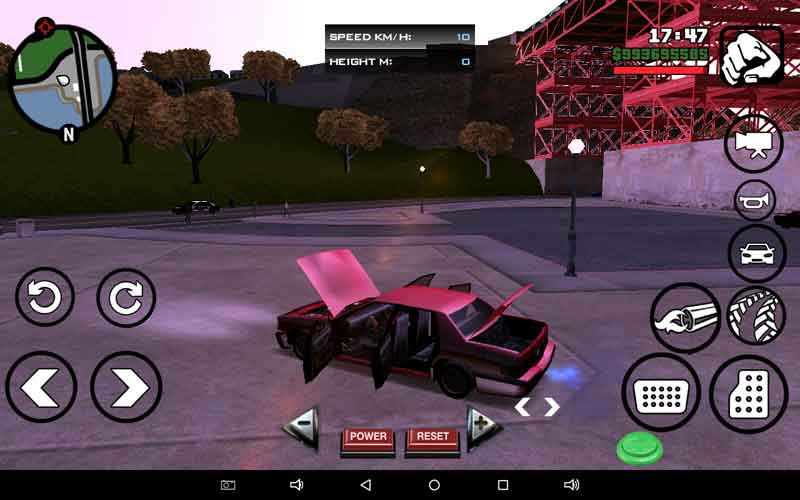
Fire up GTA SA. Drive to any garage or spawn a vehicle using the cheat code “ROCKETMAN” – you should see the Indian car models with their vibrant skins. Take a quick spin around the city; if everything looks right, you’re golden.
Common Hiccups and How to Fix Them
- Game crashes on start. Re‑install the backup you saved in Step 2 and double‑check that all files were placed in the correct directories.
- Textures appear garbled. Make sure you didn’t accidentally mix PNG files with TXD files; the game only reads TXD for textures.
- Missing car in the showroom. Some mods need an update to the
carlist.datfile – open it and add the new model’s name if you’re comfortable editing plain text.
Quick Tips for a Smoother Experience
– Keep your device’s battery above 50% while modding; sudden shutdowns can corrupt files.
– Disable battery‑optimization for GTA SA (Settings → Apps → GTA SA → Battery) to prevent the OS from killing the app mid‑install.
– If you’re using a microSD card, ensure it’s formatted as exFAT – Android sometimes balks at older FAT32 partitions when handling large textures.
Wrapping Up
With a few careful steps, the Indian Car Mod can breathe fresh color into your Android 11 GTA SA experience. Remember, backing up is your safety net, and a bit of patience goes a long way. Now, hit the streets, show off those designs, and enjoy the ride!

![[10000ダウンロード済み√] gta sa cars mod 156891-Gta sa cars mod](https://cs2.gtaall.com/screenshots/4dc09/2020-07/original/26f8d1363a906d3908c9260e7febb7450b5e4726/817270-Imagen1.jpg)
