How to Locate Free Wi‑Fi Hotspots Worldwide with Wi‑Fi Map.io
Travelers, remote workers, and casual browsers alike share one common frustration: the dreaded “no internet” sign on their phone. Fortunately, a simple app called Wi‑Fi Map.io has turned the hunt for open connections into a relatively painless task. Below we’ll walk through what the app offers, how to make the most of its features, and a few practical tips for staying safely connected on the go.
What Sets Wi‑Fi Map.io Apart?
At its core, Wi‑Fi Map.io is a crowd‑sourced database of Wi‑Fi access points. Users around the globe contribute locations, signal strength notes, and passwords (when publicly shared). The result is an ever‑growing map that covers cafés, libraries, airports, and even hidden neighborhood spots.
- Global coverage – From Tokyo’s bustling train stations to a remote beach bar in Bali, the map updates in real time.
- Free‑only filter – A dedicated toggle lets you view only those hotspots that don’t require payment.
- Offline caching – Download a city‑wide map in advance, then search without a data connection.
Getting Started: Installation and First Steps
The process is straightforward:
- Visit the App Store or Google Play and search for “Wi‑Fi Map.io”.
- Tap install and grant location permissions when prompted.
- Open the app, enable Free Wi‑Fi Only in the filter settings.
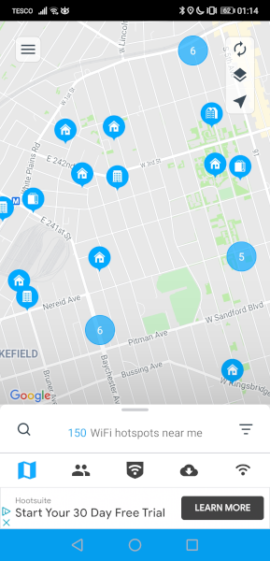
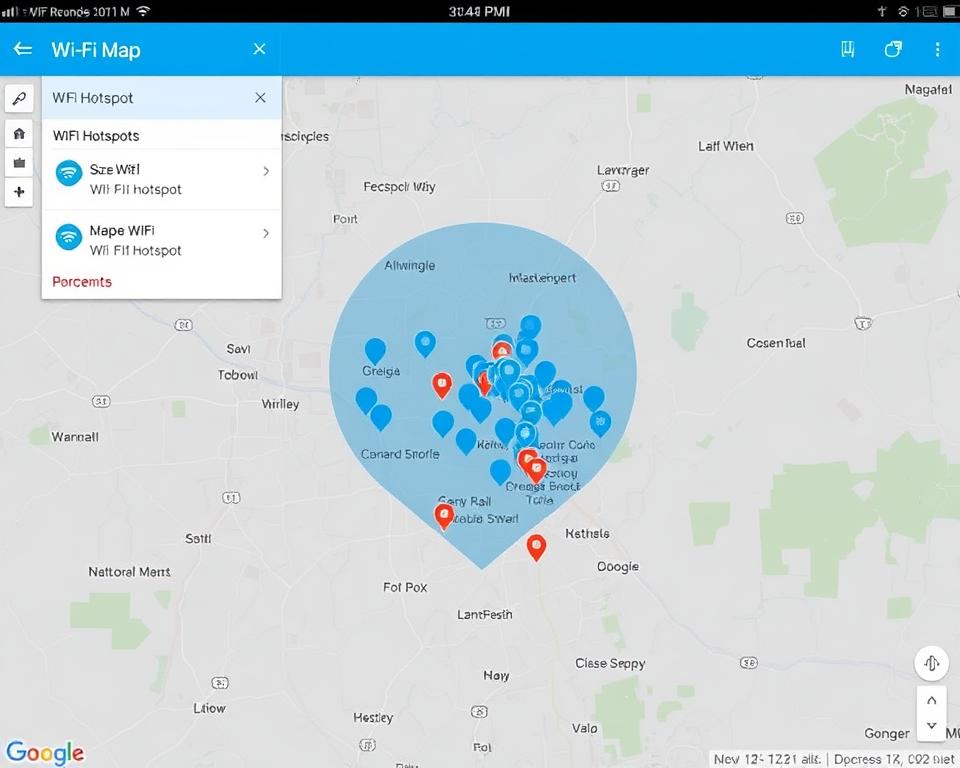
Once you’re inside, the main screen displays a map dotted with colored pins. Green icons denote free hotspots, while blue ones indicate paid or restricted networks.
Zooming In on Your Neighborhood
If you’re standing in a café, simply tap the green pin nearest you. A small card pops up, showing the network name (SSID), typical password (if publicly posted), and a quick rating from other users. Ratings are useful because they hint at reliability—something a 2‑star spot might not provide the bandwidth you need for a video call.
Tips for Maximizing Your Free Wi‑Fi Experience
Even the best‑rated hotspot can be hit or miss, depending on time of day, device load, and other factors. Here are some practical habits to adopt:
- Check recent reviews. A comment from “2 hours ago” carries more weight than one from a month back.
- Avoid peak hours. Airports and train stations often saturate after rush hour; try early mornings or late evenings.
- Secure your connection. Use a VPN whenever possible, especially on open networks.
- Contribute back. If you discover a reliable free hotspot, add it to the map. The community thrives on shared data.
Safety Considerations You Shouldn't Overlook
Free Wi‑Fi is convenient, but it’s not a free pass for careless browsing. Public networks can expose you to eavesdropping or malicious redirects. Here’s a brief checklist before you log in:
- Confirm the SSID matches the one listed in the app. Scammers sometimes create look‑alike names.
- Enable two‑factor authentication on any accounts you access while on public Wi‑Fi.
- Limit sensitive activities—online banking, for example—until you’re on a trusted, encrypted connection.
These steps don’t guarantee absolute security, but they dramatically lower risk.
Beyond Free Wi‑Fi: Paid Options and Their Benefits
While the free filter is handy, some travelers prefer the stability of paid plans. Wi‑Fi Map.io also lists co‑working spaces, premium lounges, and hotel broadband. The advantage? Consistent speeds and often a dedicated support line. If you’re on a tight schedule, it may be worth splurging for a short‑term pass.
Real‑World Scenarios Where Wi‑Fi Map.io Shines
1. Backpacking through Europe
Imagine you’re navigating the cobblestone streets of Prague at dusk. Your phone’s battery is low, and you need a quick map download. With Wi‑Fi Map.io’s offline feature, you pre‑load the city map at your hostel, then locate a free hotspot in a nearby bakery without draining your data plan.
2. Remote work from a café in Buenos Aires
You’ve booked a table at a popular coffee shop, but the Wi‑Fi password isn’t displayed. A glance at the app reveals a recent review: “Password ‘cafe2024’ works, but signal drops after 30 minutes.” Armed with that knowledge, you bring a mobile hotspot as a backup.
3. Emergency internet in a rural area
A power outage knocks out your home broadband. By searching the surrounding region on Wi‑Fi Map.io, you discover a municipal library offering free Wi‑Fi with a stable connection—a lifesaver for staying in touch.
Common Misconceptions About Crowd‑Sourced Wi‑Fi Maps
Some users assume the data is either always up‑to‑date or completely unreliable. The truth sits in the middle. Because contributions depend on volunteers, hotspots can change—café Wi‑Fi might disappear after a renovation, for instance. However, the community rating system tends to weed out stale or inaccurate entries fairly quickly. Regularly checking the timestamp on a hotspot’s details helps you gauge its freshness.
Future Developments to Watch
The team behind Wi‑Fi Map.io is already experimenting with a few enhancements:
- AI‑driven prediction of hotspot availability based on historical traffic patterns.
- Integrated speed testing directly within the app, so you can see real‑time bandwidth without leaving the map.
- Partnerships with municipal Wi‑Fi projects to bring official coverage data into the database.
These upgrades aim to reduce guesswork and make the experience smoother for both casual users and digital nomads.
Bottom Line
Wi‑Fi Map.io transforms the often‑tedious search for free internet into a quick tap‑and‑go activity. By leveraging crowd‑sourced data, offline maps, and user reviews, the app offers a pragmatic solution for anyone who depends on constant connectivity. Pair the tool with basic security habits, and you’ll spend less time hunting for a signal and more time actually using it.