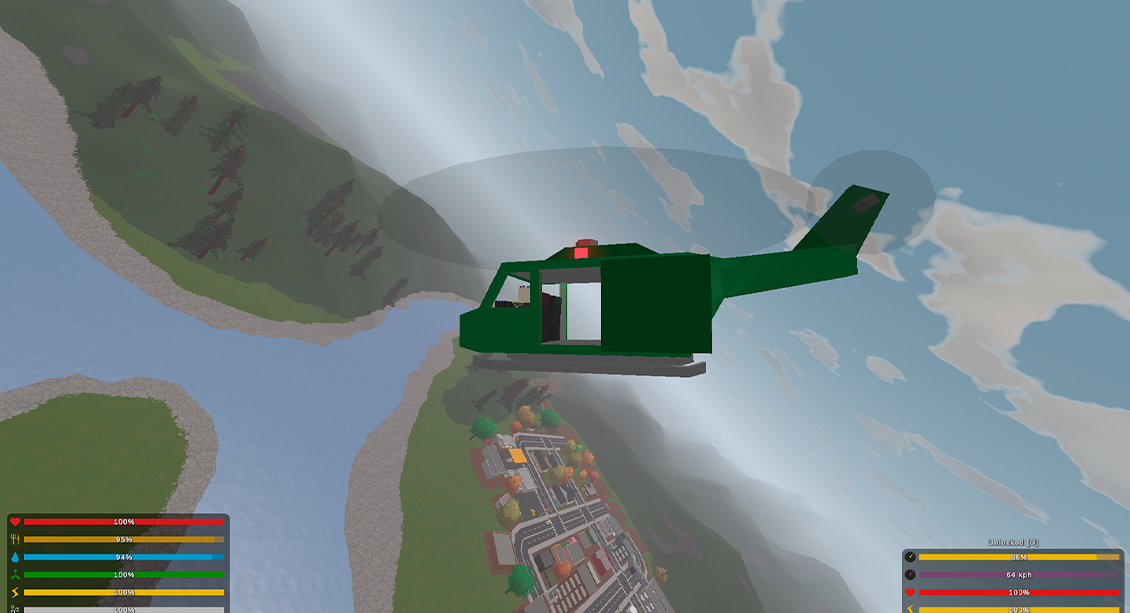
How to Master Helicopter Flight in AI Test Roblox and Have Fun
Roblox isn’t just about building forts or racing cars; the AI Test map throws a surprisingly realistic helicopter into the mix. If you’ve ever wondered why your chopper wobbles like a nervous pigeon, the answer lies in a handful of fundamentals and a dash of practice. Below you’ll find a roadmap that takes you from shaky take‑offs to smooth, confident cruising.
Understanding the Basics: What Makes a Roblox Helicopter Tick
First, recognize that Roblox’s physics engine is a stripped‑down version of real‑world aerodynamics. The helicopter’s lift, yaw, pitch, and roll are all simulated, but the calculations are simplified for gameplay. This means you can experiment without fearing a crash that would damage a real aircraft.
Key controls you’ll encounter:
- W / S – forward and backward tilt (pitch)
- A / D – side‑to‑side tilt (roll)
- Q / E – rotate left/right (yaw)
- Space – collective thrust, the main way to climb or descend
Notice the collective is separate from the directional inputs; mastering its timing is half the battle.
Setting Up Your First Flight
Before you launch, tweak a few settings that can make learning less frustrating. In the AI Test menu, head to Options > Controls and lower the sensitivity for yaw. A gentler rotation helps you keep the helicopter pointed where you want, especially when you’re still getting a feel for the pitch‑roll balance.
Next, choose a calm weather slot if the map offers it. Wind gusts can be fun, but they’ll mask the subtle feedback you need during early practice runs.
Take‑Off Technique: Small Steps, Big Gains
Here’s a step‑by‑step routine that works for most players:
- Hover a few meters above the ground using Space in short bursts.
- Keep the rotor spinner (the visible blades) at a steady speed; don’t slam the throttle.
- Gently push the stick forward (W) to tilt, then counter‑tilt with S as needed.
- Once you feel the lift stabilizing, release Space slightly and let the helicopter float.
It may feel awkward at first, but the key is to avoid sudden spikes in thrust. A smooth, rhythmic input creates a stable hover, the foundation for everything else.
Learning to Hover Without Drifting
Hovering is deceptively tricky because the AI Test’s physics will nudge you even when controls are idle. To stay put:
- Watch the horizon line; keep your helicopter’s nose aligned with it.
- Use tiny, opposite inputs—if you drift right, a quick left nudge (A) can correct it without overshooting.
- Practice “micro‑adjustments” rather than large sweeps; the game rewards finesse.
After a few minutes, you’ll notice a rhythm emerging—much like balancing on a surfboard, you’re constantly making small corrections.
From Hover to Forward Flight
Once hovering feels second nature, it’s time to move forward. Push W just enough to tip the nose down; the helicopter will accelerate because the rotor disc now has a forward component. Keep an eye on your altitude—if you’re rising too fast, ease off the throttle.
A common mistake is to over‑compensate with yaw (Q / E) while accelerating. Save yaw for directional changes, not for stabilizing during forward motion.
Advanced Maneuvers: Circles, Figure‑Eights, and Landing on Small Platforms
With basic control mastered, try adding a bit of flair. A simple circle can be performed by:
- Maintaining a steady forward pitch (W).
- Applying a consistent yaw (Q or E) to turn.
- Balancing the collective (Space) so you don’t climb or descend unintentionally.
For figure‑eights, switch yaw direction halfway through the circle. It’s a great way to test how quickly you can react to changing orientation.
Landing on tiny platforms is where precision shines. Reduce speed, bring the helicopter into a near‑vertical descent, and use a slow, controlled throttle release. If you’re within a meter of the pad, a gentle “hover‑then‑drop” usually lands you cleanly.
Common Pitfalls and How to Avoid Them
Even seasoned players trip over a few recurring errors:
- Throttle spiking: Hitting Space hard sends the helicopter into a sudden climb, making recovery harder.
- Over‑yawing: Rapid left‑right turns destabilize the hover and waste fuel (in‑game stamina).
- Ignoring wind: Later AI Test sessions add wind gusts; failing to anticipate them can fling you off course.
To combat these, adopt a “light‑touch” philosophy: think of each input as a tap, not a push.
Leveraging the AI Test Features for Practice
The map includes a few handy tools for honing your skills:
- Replay mode – watch a recorded flight to spot where you over‑corrected.
- Ghost pilot – a transparent version of an optimal flight path you can follow.
- Speedometer – shows forward velocity; useful for maintaining consistent speeds during circles.
Spending a few minutes in each mode can shave minutes off your learning curve.
Tips for Playful Exploration
Don’t forget the fun factor. The AI Test map isn’t a strict training ground; it’s also a sandbox for creativity. Try these quick ideas:
- Fly through the map’s natural arches for a “photo‑op” challenge.
- Race a friend’s helicopter in a timed circuit—adds friendly competition.
- Experiment with low‑altitude “hover‑dance” to see how the physics handle rapid altitude changes.
These side quests keep you engaged while reinforcing the control habits you’ve built.
Conclusion: Consistency Beats Complexity
Mastering helicopter flight in the AI Test Roblox map isn’t about memorizing a massive cheat sheet; it’s about developing a feel for the aircraft’s response to tiny inputs. Start with smooth take‑offs, perfect the hover, then gradually layer forward motion and yaw. Use the map’s built‑in practice tools, stay mindful of wind, and sprinkle in some playful challenges. Before long you’ll find yourself gliding over the terrain with the confidence of a seasoned pilot—just remember, the most important control is the one on your fingertips.