How to Pick the Best Coding Apps for Android Devices
Whether you’re tinkering with a quick script during a commute or building a full‑blown app between meetings, a good code editor on your phone can be a real productivity booster. Android’s ecosystem is surprisingly rich in development tools, but the sheer number of options can leave you scrolling endlessly. Below is a practical look at the most capable coding apps, what they excel at, and a few quirks to keep in mind.
What to Expect from a Mobile Coding Environment
Before diving into the list, it helps to set realistic expectations. A smartphone screen will never replace a full‑size monitor, yet many developers find these apps sufficient for:
- Quick edits to existing projects stored in the cloud.
- Learning new languages on the go.
- Running interpreters or lightweight compilers directly on the device.
- Testing UI snippets for Android‑specific frameworks.
If you need heavy debugging or extensive multi‑window layouts, you’ll still want a laptop nearby. Still, a well‑chosen app can turn idle moments into meaningful coding sessions.
Top Contenders (and Why They Stand Out)
1. Termux
Termux feels more like a Linux terminal than a traditional code editor, and that’s the point. It gives you a full Debian‑based environment, so you can install vim, nano, git, and even python or nodejs packages with pkg install. The flexibility is unmatched:
- Pros: Near‑desktop experience, package manager, SSH support.
- Cons: Steeper learning curve, no built‑in GUI for visual editing.
If you’re comfortable with command‑line tools, Termux essentially turns your phone into a portable development workstation.
2. Visual Studio Code – Remote Development
Microsoft’s flagship editor isn’t natively available for Android, but the Remote SSH extension works wonders when paired with a compatible SSH client. You run VS Code on a remote machine while accessing it through a web‑based interface or through an app like Coder. The benefits include:
- Full IntelliSense and extensions.
- Seamless syncing with your desktop environment.
- Zero compromise on language support.
The catch? You need a stable internet connection and a remote host willing to run the editor.
3. AIDE – Android IDE
AIDE is perhaps the most “native” Android development experience. It lets you write Java or Kotlin, design XML layouts, and even compile an APK right on the device. AIDE’s standout features are:
- Drag‑and‑drop UI editor.
- On‑device compilation and debugging.
- Integration with GitHub for version control.
While it’s powerful, the interface can feel cramped on smaller screens, and some advanced debugging features lag behind desktop equivalents.
4. Quoda Code Editor
Quoda positions itself as a “smart” editor, offering syntax highlighting for dozens of languages, code snippets, and FTP/SFTP support. It shines for web developers who need to tweak HTML, CSS, or JavaScript while away from a PC. Highlights include:
- Auto‑completion for common web languages.
- Built‑in terminal emulator.
- Theme support for low‑light environments.
It lacks the deep integration of a full IDE, but for quick front‑end tweaks it’s hard to beat.
5. PyDroid 3
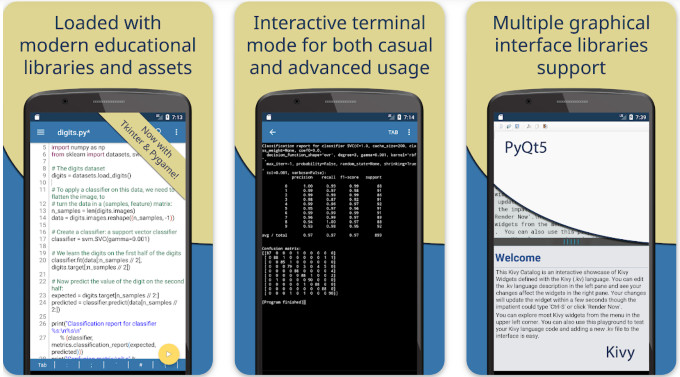
Python enthusiasts will appreciate PyDroid 3’s out‑of‑the‑box interpreter, scientific libraries (NumPy, SciPy, pandas), and even offline documentation. You can run scripts, experiment with Jupyter notebooks, and install additional packages via pip. Its strengths are:
- One‑click installation of heavy Python libraries.
- Interactive console with syntax highlighting.
- Support for graphical output through
matplotlib.
The downside is that it’s Python‑only, so it won’t help if you’re juggling multiple languages.
Choosing the Right Tool for Your Workflow
Not every app fits every use case. Here’s a quick decision matrix to help you narrow the field:
- Prefer terminal power? – Termux.
- Need full‑blown IDE features? – AIDE (Android) or remote VS Code.
- Focus on web tech? – Quoda.
- Pure Python work? – PyDroid 3.
- Hybrid, cloud‑centric approach? – Combine Termux with Git and remote editors.
Often, developers end up using two or three of these apps in tandem—Termux for version control, Quoda for quick front‑end edits, and AIDE when testing an Android build.
Tips for Getting the Most Out of Mobile Coding
Even the best app can feel limiting without a few workarounds:
- External keyboard. A Bluetooth keyboard dramatically improves typing speed and reduces finger fatigue.
- Split‑screen mode. Android’s native split-screen lets you run a terminal alongside an editor, mimicking a desktop layout.
- Cloud sync. Leverage services like Google Drive, Dropbox, or GitHub to keep your code accessible across devices.
- Screen magnification. Use Android’s accessibility tools to zoom in on code, especially on smaller phones.
What’s Missing and Where the Landscape Might Go
One glaring omission in the current roster is a robust, all‑in‑one IDE that rivals VS Code’s extension ecosystem without relying on a remote host. Developers are already calling for better GUI debuggers and tighter integration with Android’s own build tools. Keep an eye on upcoming updates from the AIDE team and the open‑source community; a few promising forks aim to bring richer UI debugging to the platform.
In the meantime, pairing a terminal app like Termux with a specialized editor (e.g., Quoda for web work or PyDroid for Python) remains the most flexible strategy.