How To Track, Monitor, and Analyze Instagram Accounts for Free
Ever wondered how some brands seem to know exactly when to post, which hashtags work best, or why certain stories get more eyes than others? The secret often lies in smart, data‑driven tracking—something you don’t have to pay a premium for. Below you’ll find a practical guide to keeping tabs on Instagram accounts without spending a dime.
Why Keep an Eye on Instagram Activity?
Instagram isn’t just a photo gallery; it’s a dynamic ecosystem where timing, content type, and audience behavior intersect. Understanding these variables can:
- Boost engagement by pinpointing peak activity windows.
- Reveal content trends before they become mainstream.
- Help you benchmark against competitors.
Even if you’re a hobbyist, these insights can make your feed feel more intentional.
Free Tools That Actually Deliver
There’s a surprising number of no‑cost platforms that let you monitor followers, likes, comments, and more. Here are three that stand out:
1. Instagram Insights (Built‑In)
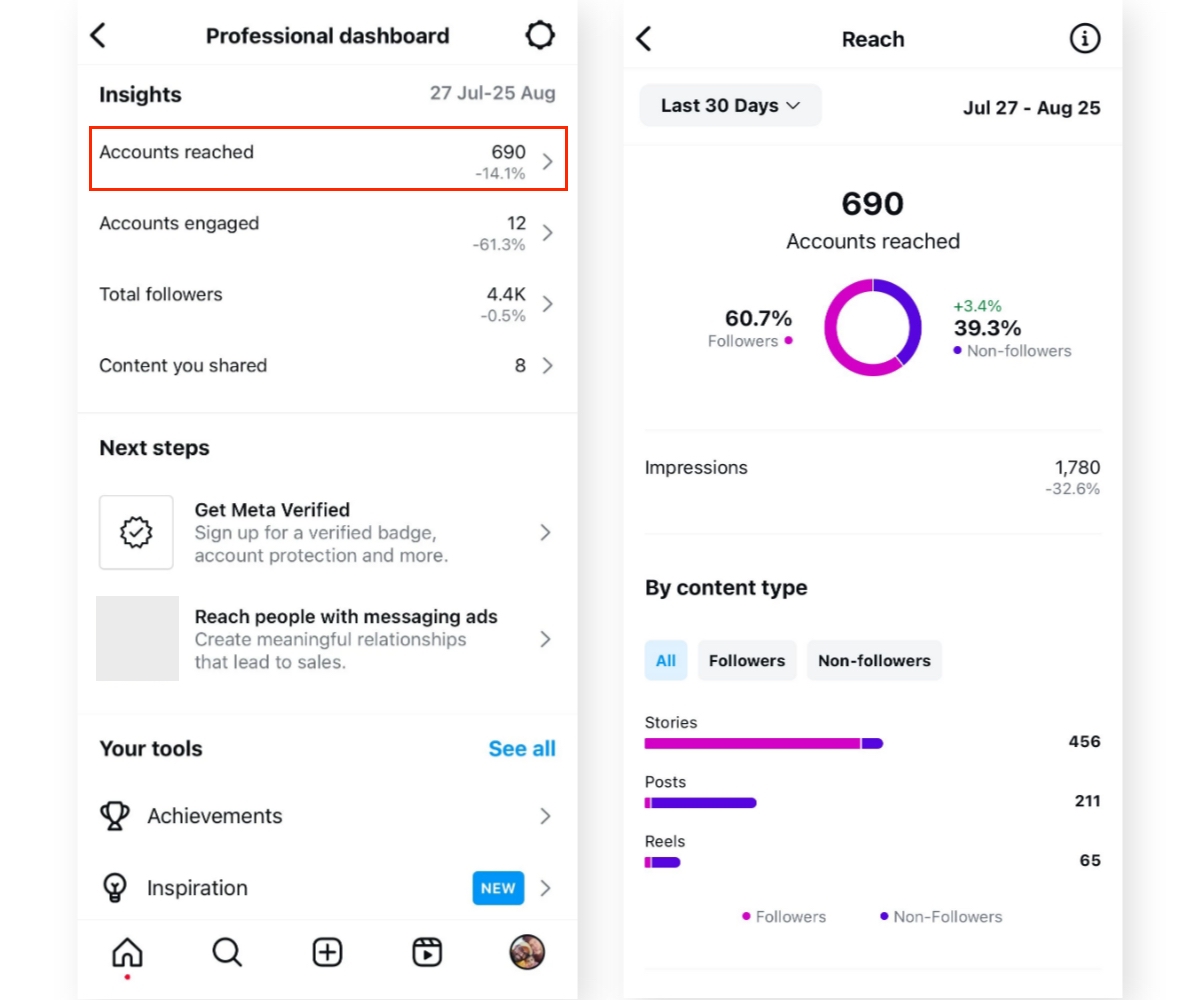
If you have a Business or Creator account, Instagram already offers a basic analytics suite. It shows post reach, profile visits, and follower growth trends. No installation, no extra login—just flip the switch.
2. SocialBlade
Known for its YouTube stats, SocialBlade also tracks Instagram follower counts and daily growth. Enter any username and you’ll see a simple graph, plus an estimate of future trajectory.
3. Later’s Free Instagram Analytics
Later provides a limited “Free Plan” that lets you view recent post performance, top hashtags, and a modest audience overview. The interface feels like a content calendar, which can be handy if you already schedule posts there.
Setting Up Each Tool in Minutes
Getting started is easier than you might think. Follow these quick steps:
- Instagram Insights: Switch your personal account to a Business profile via Settings → Account → Switch to Professional. Once done, tap “Insights” on your profile screen.
- SocialBlade: Visit socialblade.com/instagram, type the username, and press “Search.” No API keys or permissions required.
- Later: Sign up at later.com, link your Instagram account, and navigate to the “Analytics” tab. The free tier limits you to the most recent 30 posts.
Each platform updates at slightly different intervals—Instagram Insights in real time, SocialBlade every few hours, and Later once a day.
Tips for Getting Meaningful Data
Raw numbers can be overwhelming. To turn them into actionable insights, try these practices:
- Focus on ratios, not just totals. Engagement rate (likes + comments ÷ followers) tells you more than raw likes.
- Track changes over a week. Daily spikes can be misleading; a seven‑day average smooths out anomalies.
- Identify top‑performing hashtags. Later’s hashtag analytics highlight which tags drive the most interaction for you.
Don’t forget to note the time of day when a post spikes—often the difference between a modest reach and a viral moment.
Common Pitfalls to Watch Out For
Even free tools have quirks. Here are a few mistakes that can skew your interpretation:
- Over‑relying on follower count. A sudden jump might be due to bots, not genuine interest.
- Ignoring shadow‑banned content. If certain hashtags stop delivering, the platform may have limited their reach.
- Neglecting story analytics. Stories disappear after 24 hours, yet their swipe‑up rates often reveal deeper engagement.
Take a moment to cross‑check data across two tools; mismatches can signal a reporting lag or an error.
Quick Checklist for Ongoing Monitoring
- Switch to a Business or Creator account.
- Bookmark SocialBlade and add it to your browser toolbar.
- Set a weekly reminder to export data from Later.
- Calculate engagement rate for each post.
- Note the top three hashtags per week.
- Review story swipe‑up metrics every 48 hours.
With these steps, you’ll have a reliable, low‑cost system that keeps you informed without drowning in data.