How to Use an AI Voice Converter to Transform Your Singing Voice
Ever wondered what your favorite pop star would sound like if you sang the same melody? Modern AI voice converters make that curiosity more than a thought experiment—they let you reshape your vocal timbre in real time. Below is a down‑to‑earth walk‑through of the tools, techniques, and little tricks that turn a plain karaoke track into something that feels uniquely yours.
What Is an AI Voice Converter?
At its core, an AI voice converter is a piece of software that analyses the spectral characteristics of a source voice and maps them onto a target voice model. Think of it as a sophisticated equalizer that not only tweaks pitch but also rewrites formants, breathiness, and even subtle vibrato patterns.
These systems typically rely on deep learning models trained with thousands of hours of vocal recordings. The result? A fairly natural‑sounding transformation that can shift a baritone into a soprano, or give a rock‑gritty edge to a pop‑clean tone.
Choosing the Right Tool
Not all converters are created equal. Here are three popular options, each with its own sweet spot:
- VocalSynth Pro – Best for studio‑grade control. Offers separate sliders for timbre, resonance, and gender.
- SingShift AI – Mobile‑first app that works offline. Perfect for quick demos or on‑the‑go practice.
- HarmonyHub Cloud – Browser‑based, collaborative features. Ideal for group projects and remote feedback.
When deciding, think about your workflow: do you need high‑resolution manipulation, or is convenience your priority?
Step‑By‑Step: Setting Up Your First Transformation
1. Record a Clean Reference
Even the best AI struggles with background noise. Use a cardioid microphone, sit a foot away, and record in a quiet room. Aim for a steady vocal line without heavy effects—think “raw” rather than “produced.”
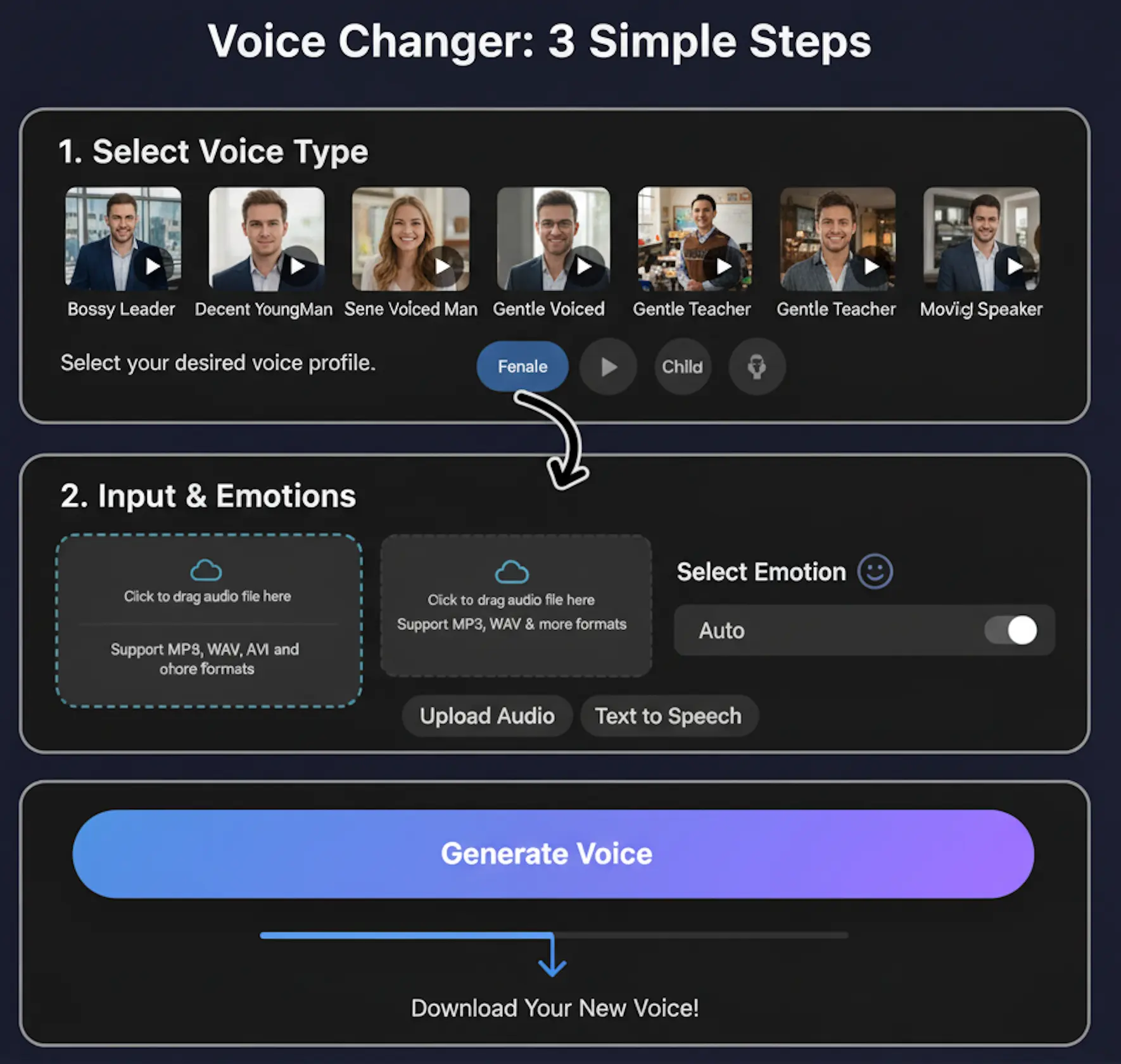
2. Upload and Select a Target Voice
Most platforms present a library of vocal archetypes: “Female Pop,” “Male Rock,” “Jazz Crooner,” etc. Choose one that matches the vibe you’re after, then let the engine analyze both tracks. The processing usually takes between 10 seconds and a minute, depending on file size.
3. Fine‑Tune the Parameters
While the auto‑conversion is impressive, you’ll often want a personal touch. Common controls include:
- Pitch Shift – Raises or lowers the overall key without affecting timbre.
- Formant Scaling – Adjusts the resonance that makes a voice sound “small” or “big.”
- Breathiness Slider – Adds air to soften a harsh conversion.
- Vibrato Depth – Enhances or reduces natural tremolo.
Play back frequently. Small adjustments can make the difference between a gimmick and a genuine new voice.
4. Export and Polish
Once satisfied, export the file in a lossless format (WAV or FLAC) if you plan to mix later. For quick social media clips, MP3 at 192 kbps works fine. Many converters also let you add reverb or delay as part of the final render, saving a trip to a DAW.
Practical Tips for a Convincing Result
Even the smartest AI has its limits. Here are some habits that keep the output sounding authentic:
- Warm up your voice first. A relaxed vocal tract provides clearer data for the model.
- Stay on pitch. Extreme off‑key singing can confuse the algorithm, leading to glitchy artifacts.
- Use modest transformations. Shifting a male voice up two octaves often sounds robotic; a half‑step or a full step feels more natural.
- Layer with your original. Blend a small portion of the unprocessed track to retain unique idiosyncrasies.
Creative Ways to Leverage Voice Conversion
Beyond novelty, AI converters open up real creative avenues:
- Cover projects – Match the original artist’s timbre while keeping your performance.
- Character voices – Turn a song into a narrative piece, giving each verse a different persona.
- Training tool – Hear yourself sing a line as a higher or lower voice to improve range awareness.
Some YouTubers even use the tech to simulate duets with themselves, alternating between “male” and “female” parts without a second vocalist.
Potential Pitfalls and How to Avoid Them
It’s easy to get carried away. Over‑processing can strip away the emotional nuance that makes a performance compelling. If the converted voice sounds flat, try reducing the formant shift or adding a touch of natural reverb. Also, be mindful of copyright when using celebrity voice models—most platforms restrict commercial use of exact replicas.
Future Trends Worth Watching
The field is moving fast. Upcoming updates promise:
- Real‑time latency under 100 ms, making live performance viable.
- Adaptive learning, where the model refines itself based on your unique vocal fingerprint.
- Cross‑language conversion, allowing you to sing in one language while preserving the vocal style of another.
Keeping an eye on release notes will help you stay ahead of the curve and integrate fresh features before they become mainstream.
Wrap‑Up Thought
Whether you’re a bedroom singer looking for a fresh sound or a producer seeking new textures, AI voice converters are more than a gimmick—they’re a practical instrument in the modern toolkit. With a clean recording, thoughtful parameter tweaks, and a dash of creativity, you can transform your voice in ways that feel both surprising and genuinely personal.