How to Use an Antenna Beamwidth Calculator: A Simple Guide
When you’re tweaking a wireless link or sizing a dish, the beamwidth of your antenna quickly becomes the star of the show. It tells you how wide the main lobe spreads, which in turn influences coverage, gain, and interference. Fortunately, a dedicated beamwidth calculator can turn a handful of numbers into a clear picture of what to expect. This guide walks you through the basics, shows how the calculator works, and points out a few practical tips you might not find in a textbook.
What Is Antenna Beamwidth, Anyway?
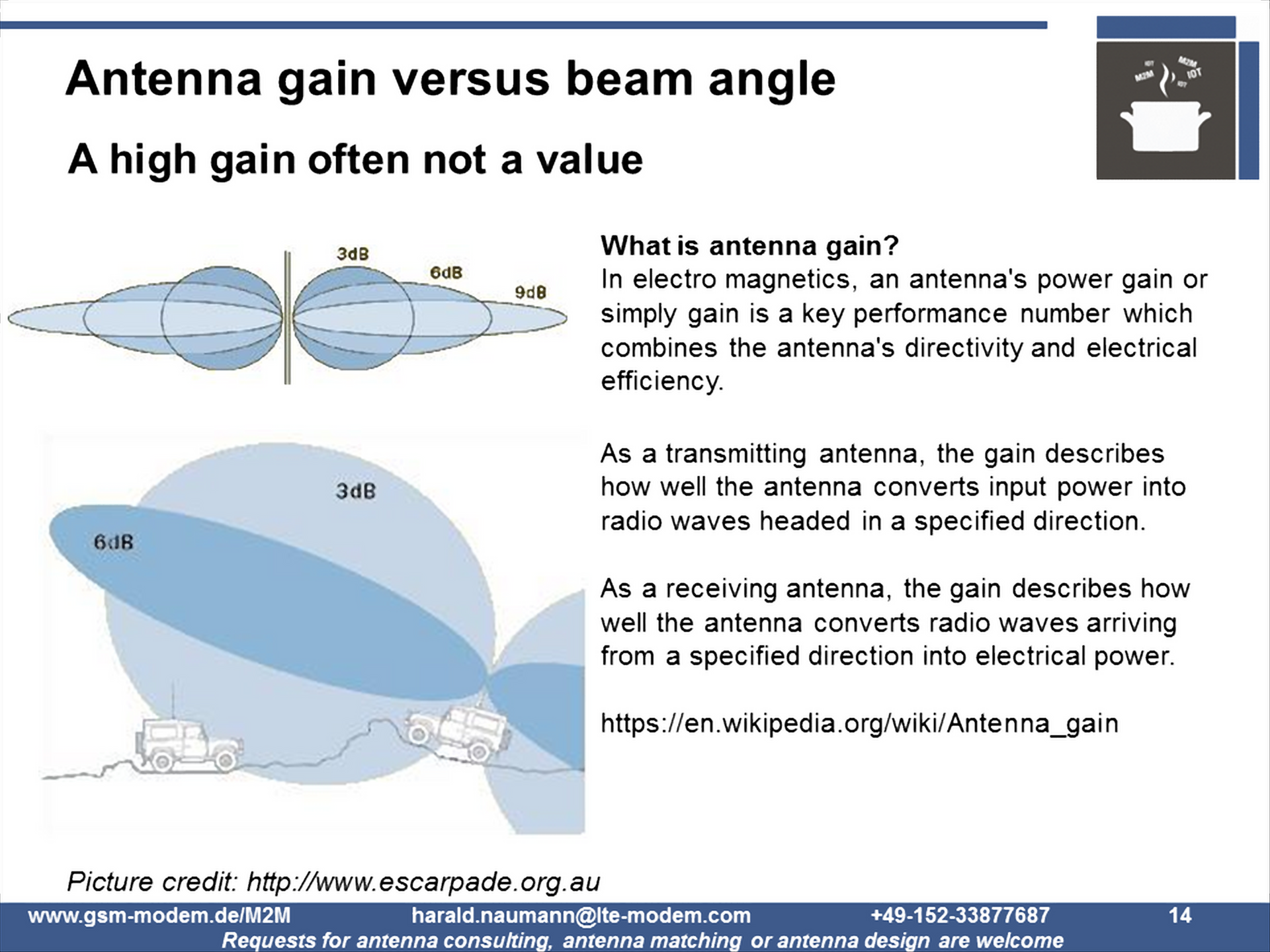
In plain terms, beamwidth is the angular width of the antenna’s main radiation lobe measured between the points where the signal drops to half its peak value (the –3 dB points). Most manufacturers quote a single number—often called the “half‑power beamwidth”—and that’s the figure most calculators need.
Why does it matter? A narrow beam concentrates energy, boosting gain and allowing you to reach farther with less power. A wide beam covers a broader area but sacrifices some gain. Knowing the trade‑off helps you decide whether you need a point‑to‑point link, a sector for a cellular base station, or a wide‑area Wi‑Fi hotspot.
Key Inputs the Calculator Wants
- Aperture size (diameter or width) – The physical dimension of the antenna’s radiating element, usually in meters or centimeters.
- Operating frequency – The frequency at which the antenna will work, expressed in hertz (Hz) or more commonly MHz/GHz.
- Efficiency factor (optional) – Some tools let you account for real‑world losses; if you’re unsure, leave it at 1 (100 %).
When you feed these values into a calculator, it typically applies the classic approximation:
Beamwidth (degrees) ≈ 70 λ / D
where λ is the wavelength (speed of light divided by frequency) and D is the aperture diameter. The result is a quick, reasonably accurate estimate for most parabolic and dish‑type antennas.
Step‑by‑Step: Running the Calculator
1. Gather Your Numbers
Let’s say you have a 0.6 m dish operating at 2.4 GHz. First, compute the wavelength:
λ = c / f = 3 × 10⁸ m/s ÷ 2.4 × 10⁹ Hz ≈ 0.125 m
Now you have the two core inputs: D = 0.6 m and λ = 0.125 m.
2. Plug Into the Formula
Using the approximation:
Beamwidth ≈ 70 × 0.125 / 0.6 ≈ 14.6°
That’s the half‑power beamwidth you’d expect from this dish.
3. Refine With Efficiency (If Needed)
If your antenna isn’t perfectly efficient—perhaps due to surface roughness or feed losses—you can adjust the result by dividing the beamwidth by the efficiency factor. For a 90 % efficient dish (0.9), the corrected beamwidth becomes roughly 16.2°.
When the Simple Approximation Isn’t Enough
The 70 λ/D rule works well for circular apertures that are uniformly illuminated. If you’re dealing with:
- Rectangular arrays
- Phased‑array panels with tapering
- Non‑parabolic reflectors
you’ll need a more sophisticated calculator that incorporates array factor calculations or full‑wave simulations. Many online tools let you select the antenna type, feed pattern, and even tilt angle, producing a detailed radiation pattern instead of a single number.
Practical Tips for Real‑World Use
- Double‑check units. Mixing centimeters with meters is a classic source of error.
- Consider the environment. Trees, buildings, or rain can effectively widen the apparent beamwidth by scattering energy.
- Measure instead of assume. If you have a spectrum analyzer or a field‑strength meter, a quick on‑site test can validate the calculator’s prediction.
- Mind the side lobes. A narrow main beam is great, but high side lobes can cause interference. Some advanced calculators also estimate side‑lobe levels.
Common Mistakes to Avoid
It’s easy to slip up when you’re in a hurry. Here are a few pitfalls that pop up often:
- Using the frequency in MHz but computing wavelength as if it were in Hz.
- Ignoring dish deformation; a dented reflector can increase beamwidth by several degrees.
- Assuming the quoted beamwidth is the full width at half maximum for every polarization—some specs list separate values for horizontal and vertical planes.
Putting It All Together: A Quick Checklist
- Identify antenna type and retrieve its physical dimensions.
- Note the exact operating frequency (or band).
- Calculate wavelength (c/f) in the same unit system.
- Apply the 70 λ/D approximation or use a specialized calculator for complex arrays.
- Adjust for efficiency if you have reliable data.
- Validate with a field test when possible.
With those steps in mind, the antenna beamwidth calculator becomes less of a black box and more of a trusted companion in your RF projects. Whether you’re planning a point‑to‑point link across a campus or fine‑tuning a rural broadband dish, a clear grasp of beamwidth helps you strike the right balance between range, coverage, and interference.