How to Use Marauder Firmware on ESP32‑S3
What Makes the ESP32‑S3 a Good Candidate?
The ESP32‑S3 builds on its predecessor’s Wi‑Fi and Bluetooth capabilities while adding a richer set of peripherals and a faster dual‑core CPU. For developers tinkering with Wi‑Fi security tools, that extra horsepower translates into smoother packet injection and more reliable sniffing. Marauder, the open‑source firmware that turns an ESP32 into a portable Wi‑Fi pentesting device, leans on those improvements to run scans faster and handle larger pcap files without choking.
Preparing Your Development Environment
Before you even think about flashing, gather the basics:
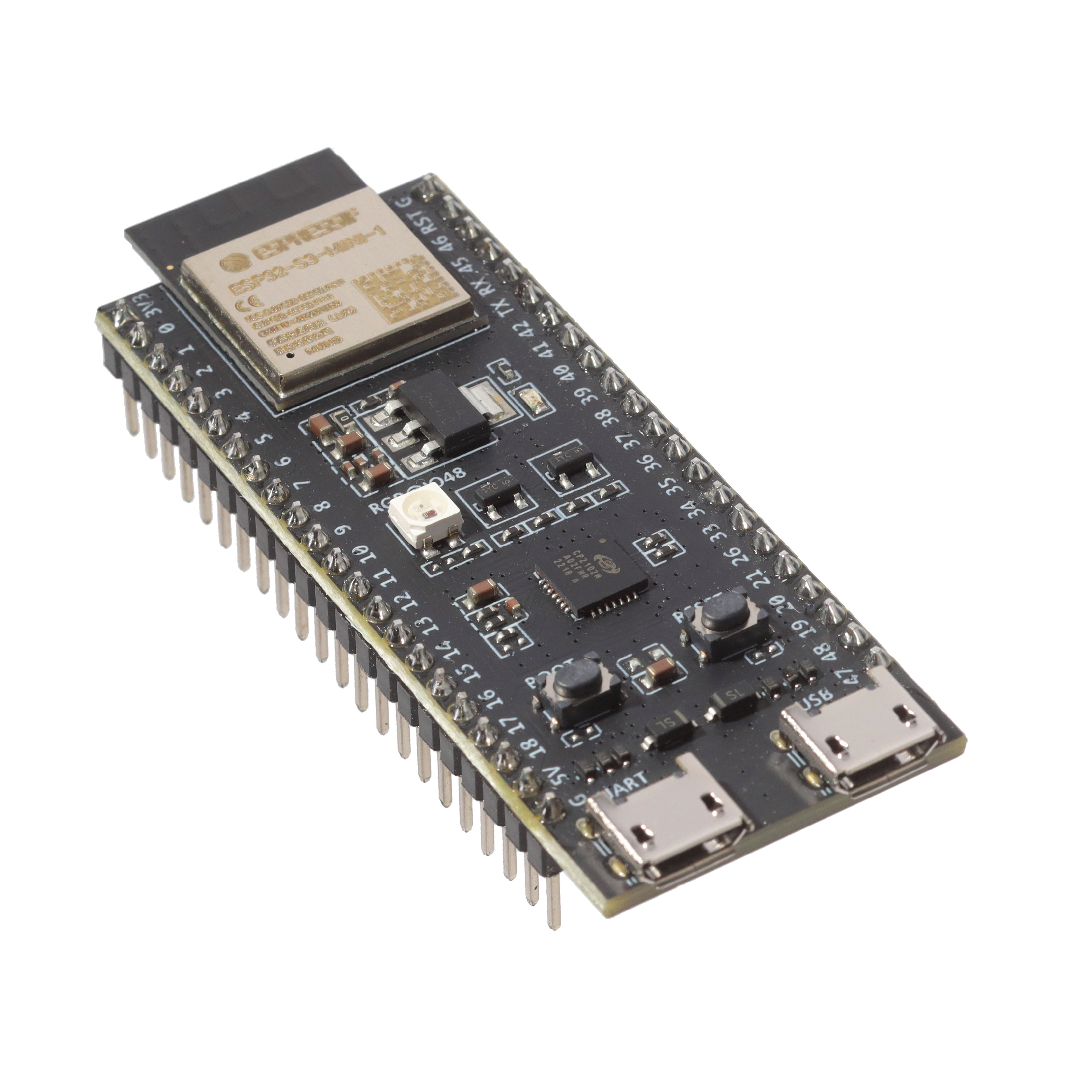
- Hardware: ESP32‑S3 dev board (e.g., ESP32‑S3‑DevKitC), a micro‑USB cable, and optionally a Li‑Po battery and 3.3 V regulator for field work.
- Software: Arduino‑ESP32 core or ESP‑IDF, plus Marauder’s GitHub repo.
- Utilities:
esptool.pyfor flashing, and a terminal program like PuTTY or screen for serial monitoring.
Most users find the Arduino ecosystem simpler for quick iterations, but if you need fine‑grained control over memory sections, ESP‑IDF is worth the extra setup.
Downloading and Building the Firmware
The Marauder repository ships with a ready‑to‑flash binary for common boards, yet compiling yourself ensures you get the latest bug fixes and can toggle optional modules (e.g., BLE beacon tools).
- Clone the repo:
git clone https://github.com/justcallmekoko/ESP32Marauder.git - Enter the
ESP32Marauderdirectory and rungit submodule update --initto pull in required libraries. - If using Arduino, open
ESP32Marauder.inoin the IDE, select “ESP32‑S3 Dev Module” as the board, then hit “Verify”. - For ESP‑IDF, set
IDF_TARGET=esp32s3insdkconfigand executeidf.py build.
Compilation usually finishes in a minute on a modern laptop. Errors? Double‑check that the ESP32‑S3 variant is selected—some older ESP32‑S2 board definitions will cause obscure “undefined reference” messages.
Flashing the Binary
Connect the board, put it into download mode (hold the BOOT button while pressing EN), then run:
esptool.py --chip esp32s3 --port COM3 write_flash -z 0x1000 Marauder.binAdjust the port name and file path as needed. The flash should complete with a checksum confirmation; if you see “Failed to communicate”, try a different USB cable or a powered USB hub. Once flashed, reset the board—Marauder’s splash screen should appear on the serial monitor.
Initial Configuration via the Serial Console
At the prompt type help to list available commands. A few essentials:
wifi_scan– quickly lists nearby SSIDs.deauth <BSSID> <client>– launches a deauthentication attack (use responsibly).set ssid <myNetwork>– stores a target network for subsequent operations.save– writes the current configuration to flash.
Because the ESP32‑S3 has more RAM than earlier chips, you can keep several SSID entries in memory, which is handy for scripts that rotate between targets.
Deploying as a Standalone Unit
For field use, you’ll likely want a battery pack and a simple button interface. The Marauder repo includes a components/button module that maps GPIO 0 to a short‑press menu. Wiring a momentary push‑button to that pin and adding a few lines to user_config.h lets you cycle through pre‑defined command sets without a laptop.
Power‑Management Tips
- Enable light‑sleep mode when idle:
esp_sleep_enable_timer_wakeup(5000000)(5 seconds). - Turn off the internal flash’s VDD3P3_RTC if you don’t need Wi‑Fi in sleep.
- Consider a 1500 mAh Li‑Po; the ESP32‑S3 typically draws ~80 mA under active Wi‑Fi, giving roughly 18 hours of continuous use.
Common Pitfalls and How to Avoid Them
Even seasoned hobbyists stumble over a few quirks:
- GPIO conflicts: The ESP32‑S3 reassigns some pins for USB‑PHY; avoid using pins 19‑22 for LEDs or buttons unless you disable USB.
- UART speed: The default 115200 bps serial rate can saturate when printing large packet captures. Drop to 57600 bps if you notice garbled output.
- Memory overruns: Enabling all optional modules (sniffer, jammer, BLE) pushes RAM usage near the limit. If the board resets randomly, comment out unused features in
src/config.h.
Keeping Marauder Up to Date
The project releases new builds roughly every month. To stay current, pull the latest changes and flash again. Some contributors also publish OTA (over‑the‑air) update scripts that let the device download a new binary from a GitHub release URL—handy when you’re operating in a remote lab.
Contributing Back to the Community
If you add a useful feature—say, a custom Wi‑Fi beacon or a more efficient RAM allocator—consider opening a pull request. The maintainers appreciate clean code, a concise commit message, and a short demo video. Even just filing an issue with a reproducible bug helps keep the firmware reliable for everyone.
With the ESP32‑S3’s extra horsepower and Marauder’s flexible command set, you now have a pocket‑sized platform that can sniff, inject, and experiment with wireless protocols without lugging around a laptop. Whether you’re fine‑tuning a penetration test or simply exploring the quirks of Wi‑Fi, the combination offers a surprisingly capable playground.