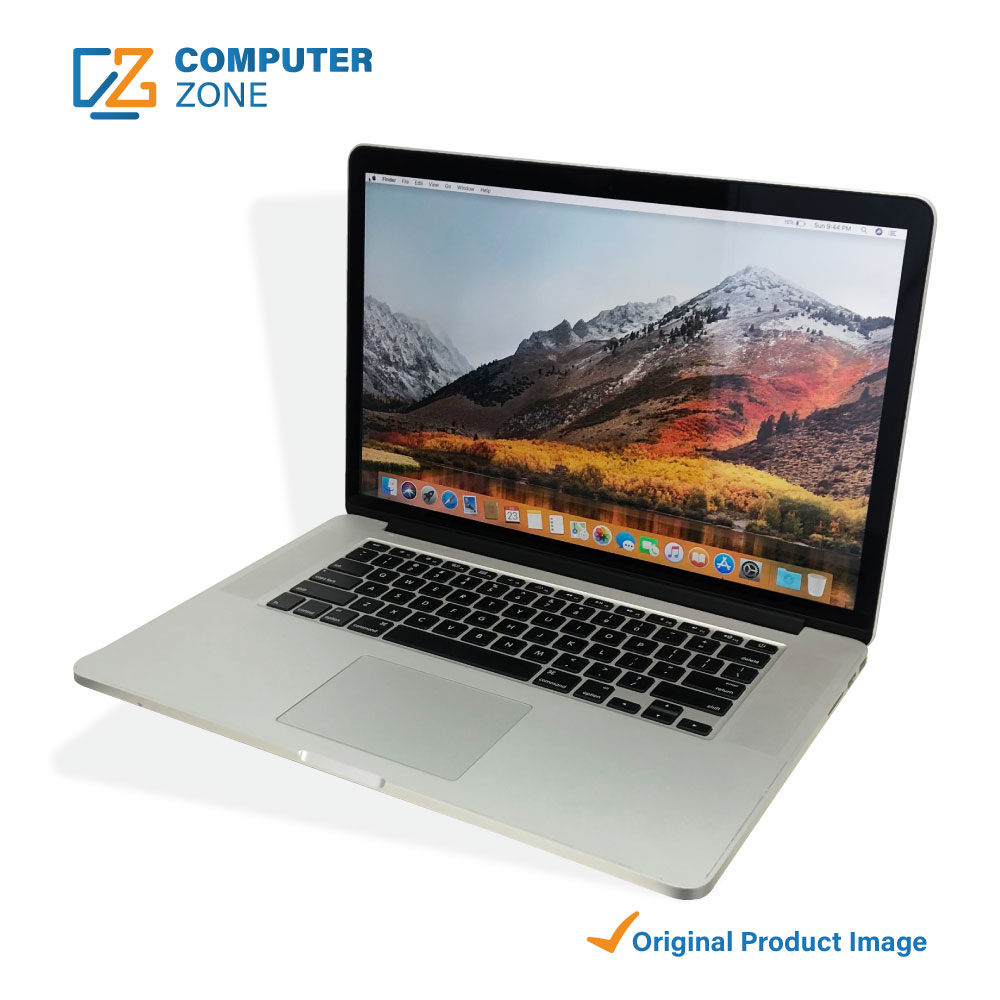
Is a 2015 15‑Inch MacBook Pro Still a Good Buy?
Even though Apple has rolled out several generations of the MacBook Pro since 2015, the older 15‑inch model still pops up on resale sites, university bulletin boards, and in the hands of friends who upgrade regularly. If you’re wondering whether that sleek aluminum chassis, the classic keyboard, and the Radeon graphics card can hold their own today, let’s break down the real‑world factors that matter most.
What Makes the 2015 15‑Inch Model Different?
The 2015 version sits at an interesting crossroads. It’s the last “non‑Touch Bar” 15‑inch MacBook Pro and incorporates the high‑performance Intel Broadwell CPUs, a dedicated AMD Radeon R9 M370X, and up to 16 GB of DDR3 RAM. In contrast, newer models swapped to SSD‑only storage, faster Skylake or later chips, and the Touch Bar interface.
Hardware Highlights
- Processor: 2.2 GHz or 2.5 GHz quad‑core Intel Core i7 – still respectable for day‑to‑day tasks.
- Graphics: Radeon M370X with 2 GB GDDR5 – decent for light video editing or older games.
- Display: 15.4‑inch Retina, 2880×1800, true‑tone technology.
- Memory: 8 GB or 16 GB DDR3 (soldered, not upgradable).
- Storage: 256 GB to 1 TB PCIe SSD – fast for most workflows, though not as speedy as the latest NVMe drives.
Performance Today – Where It Holds Up
Running macOS Monterey or even Ventura (with some workarounds) is still possible, but you’ll notice a few bottlenecks:
- CPU‑intensive apps like recent versions of Adobe Premiere or Xcode can lag compared with a 2021 M1‑Pro.
- Graphics‑heavy games will need to be set to low or medium settings; modern titles are out of reach.
- Battery life has degraded over time – a healthy unit may still give 5‑6 hours, but expect less after a few years of cycles.
For everyday productivity—email, web browsing, office suites, and even moderate photo editing—the 2015 15‑inch still feels snappy. The Retina display remains one of the best non‑Apple‑made screens you’ll find on the second‑hand market.
Cost vs. Value: Is It Worth the Money?
Pricing fluctuates, but a decent‑condition unit usually lands between $500 and $800 USD. Compare that to a refurbished 2020 MacBook Pro (13‑inch) which starts around $1,100. If you’re looking for a larger screen and can live with older internals, the 2015 model can be a savvy purchase—provided you check a few things first.
Red Flags to Watch For
- Battery health below 80 % – replacement costs can eat into the savings.
- Missing keys or a sticky keyboard – the older scissor mechanism is prone to wear.
- Screen backlight unevenness – a common issue after years of use.
- Ports that don’t function (USB‑A, HDMI, SD‑card) – essential if you rely on legacy peripherals.
Who Should Consider Buying One?
The 2015 15‑inch MacBook Pro fits a niche, not a universal solution. It shines for:
- Students in visual arts who need a large, color‑accurate screen for sketching or Photoshop, but don’t require the latest GPU.
- Freelancers who travel light yet prefer a 15‑inch canvas over a 13‑inch compromise.
- Budget‑conscious developers who can tolerate slower compile times in exchange for a lower price tag.
Conversely, if your workflow revolves around heavy 4K video rendering, machine‑learning models, or the newest games, you’ll quickly feel the strain.
Upgrading and Extending Its Life
While the RAM and GPU are soldered, a few upgrades can stretch the device’s relevance:
- Replace the battery with a certified Apple or reputable third‑party unit – restores near‑original runtime.
- Upgrade the SSD to the largest compatible PCIe drive you can afford; the extra space also helps with virtual memory.
- External accessories – a USB‑C hub, an external GPU (eGPU) via Thunderbolt 2 adapters, or a high‑resolution monitor can compensate for internal limitations.
Final Thoughts
If you can find a clean, well‑maintained 2015 15‑inch MacBook Pro for under $600, it still offers a solid mix of build quality, a gorgeous Retina display, and enough horsepower for most non‑specialized tasks. It isn’t a future‑proof machine, but as a secondary laptop, a study tool, or a bridge to a newer Mac, it delivers respectable value.