Mastering Voice Chat: How to Use Valorant Parties vs Teams for Smarter Play
When a round feels like a chaotic shouting match, it’s often the voice channel that decides whether you win or lose. In Valorant voice chat you can either hang out with a party of friends or stay locked in the official team channel. Knowing when to switch between the two, and how to use each effectively, can turn a good game into a great one.
Understanding the Basics: Party Voice vs Team Voice
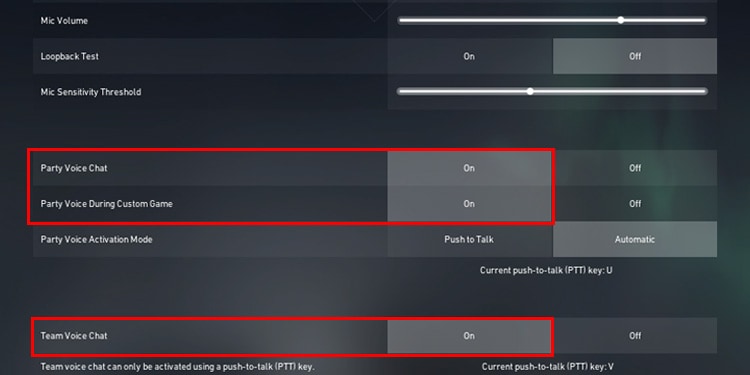
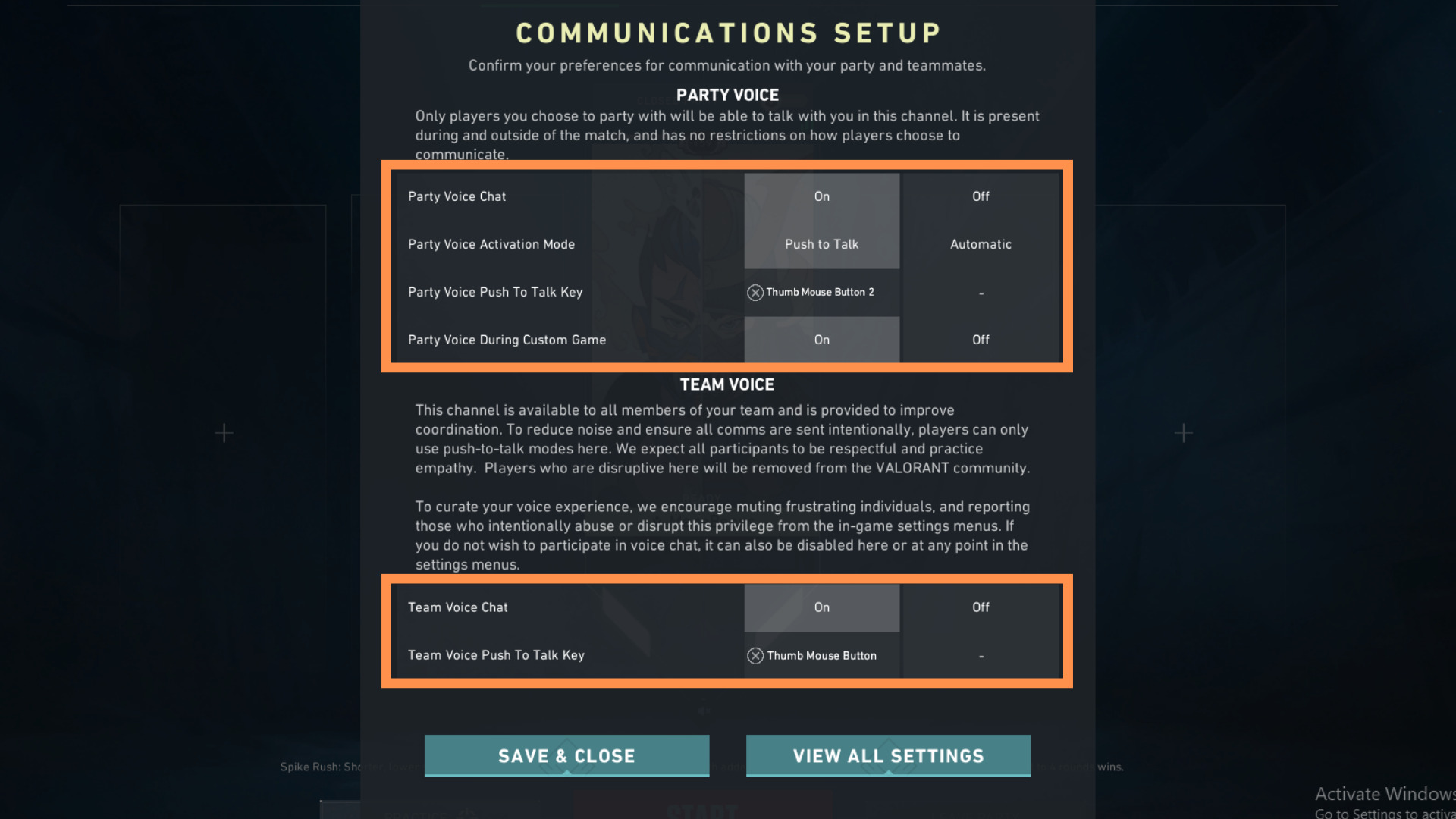
The difference is simple but powerful. A party channel is an optional, private bubble that lets you talk with friends you’re playing with outside of the match. It’s perfect for pre‑game strategy, post‑game debriefs, or a quick catch‑up. A team channel, on the other hand, is the built‑in communication line everyone on the same side shares during a round. It’s the lifeline that keeps a squad coordinated, especially when the enemy throws a surprise.
- Party chat is outside the round and can be used anywhere.
- Team chat is only active during a match and is mandatory for all players on the same side.
- In party mode, you can toggle push‑to‑talk or voice activation, but team voice defaults to push‑to‑talk for clarity.
When to Use Party Voice Chat
Party chat shines when you’re setting up a strategy before the match starts. Think of it as the planning phase for a mission briefing.
- Pre‑game coordination: Decide on roles, pick a primary map, or practice a trickshot before everyone commits.
- Post‑game analysis: Share screenshots, review plays, and discuss what went well or what could be improved.
- Social bonding: Keep the vibe light with memes or casual banter without cluttering the team channel.
When to Rely on Team Voice Chat
During the heat of a round, the team channel becomes the primary conduit for information.
- Real‑time intel: Report enemy positions, bomb sites, or the location of a missing teammate.
- Rapid coordination: Call out “plant,” “defuse,” or “hold the flank” to keep everyone aligned.
- Shared awareness: A teammate who hears an enemy’s footsteps can help everyone anticipate a threat.
Hybrid Strategies: Switching Between Party and Team Channels
Many players mix the two to maintain clarity. Here’s a practical approach:
- Start the lobby in party mode. All teammates discuss the map and role distribution.
- Enter the match with team voice active. Keep the channel open for quick updates.
- Use the party channel for non‑urgent chatter. If you’re in the middle of a firefight, mute the party chat to avoid background noise.
- After a round, switch back to party chat. Share highlights, rework strategies, or just relax.
Remember, the key is to avoid overlapping conversations that can drown out critical signals.
Tips & Tricks for a Clear Voice Experience
- Set a consistent push‑to‑talk key. Pick one that’s comfortable and don’t change it mid‑game.
- Check your mic level. A quiet voice can be missed; a loud one can trigger background noise.
- Use speaker monitoring. Hearing teammates on headphones helps you catch subtle sounds like footsteps.
- Turn off unnecessary notifications. Vibrations from your phone can mask enemy footsteps.
- Leverage in‑game audio cues. Combine voice with the game’s sound design to pinpoint threats.
Common Pitfalls and How to Avoid Them
Even seasoned players make mistakes that can cost rounds. Keep these in mind:
- Talking on the wrong channel. If you shout “Plant” on the party channel, your teammates won’t hear.
- Leaving the party channel muted. This can create a communication gap for non‑game moments.
- Ignoring team voice when a teammate calls out a problem. Respond promptly, or they’ll lose the advantage.
- Over‑talking during a firefight. Keep your messages concise; long chatter can drown out tactical calls.
By staying mindful of where and how you speak, you’ll keep your team focused and responsive