Understanding iPhone PWM: What It Is and Why It Matters
iPhones, like many other smartphones, utilize a technology known as Pulse Width Modulation (PWM) to control the brightness of their screens. But what exactly is PWM, and why should you care about it? In this article, we'll delve into the world of PWM, exploring its definition, how it works, and its implications for your iPhone experience.
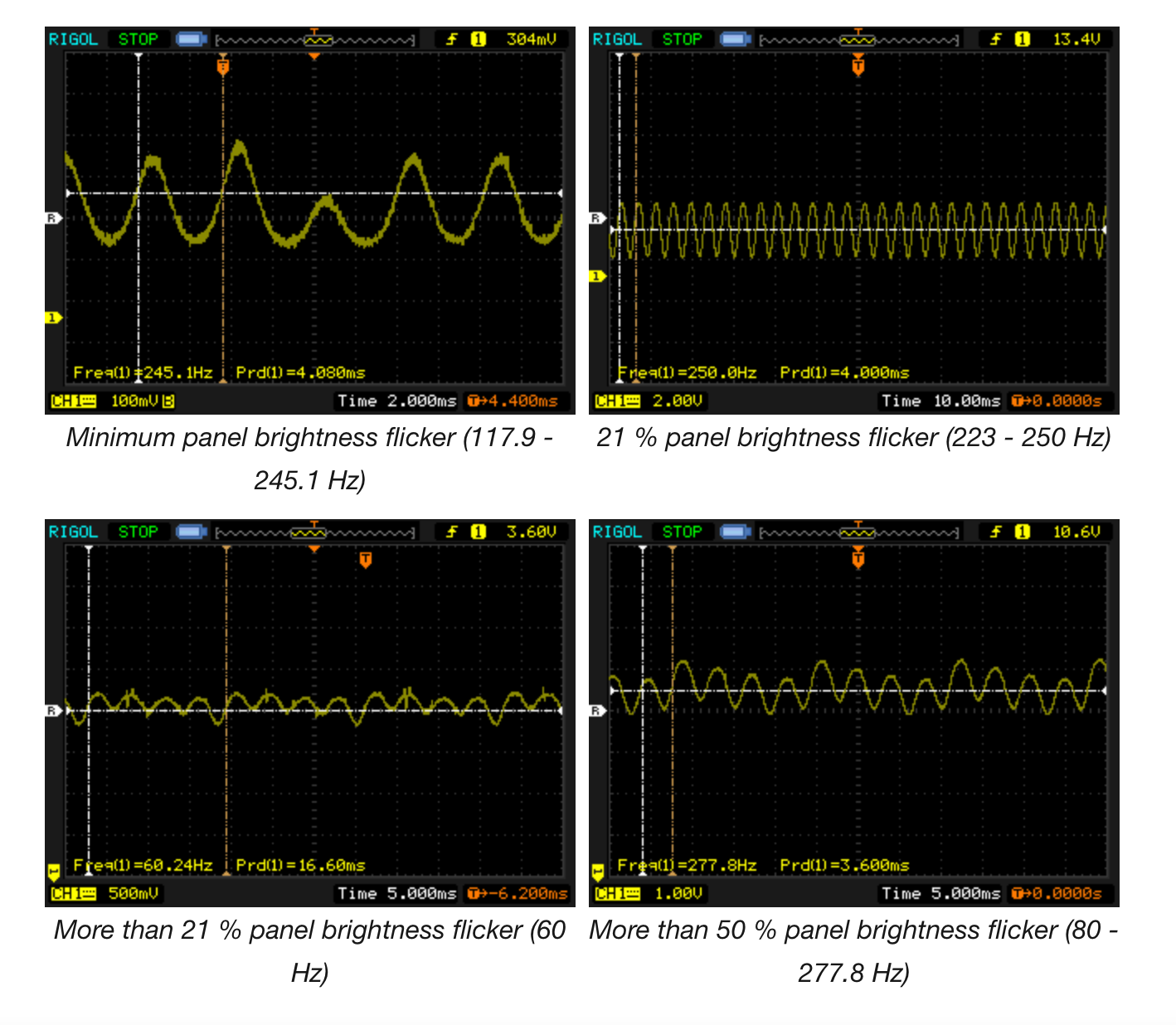
PWM is a technique used to reduce the brightness of a screen by rapidly turning the backlight on and off. This process happens so quickly that the human eye perceives it as a constant, steady light. The frequency at which the backlight is turned on and off is known as the PWM frequency, typically measured in Hz (hertz).
How PWM Works on iPhones
On iPhones, PWM is used to achieve a range of brightness levels. When you adjust the screen brightness, you're essentially changing the duration of the "on" and "off" cycles of the backlight. At higher brightness levels, the backlight remains on for longer periods, while at lower levels, it's turned off for shorter periods. This method allows for more efficient power consumption and helps extend the battery life of your iPhone.
However, the use of PWM can have some unintended consequences. For instance, some people may be more sensitive to the flickering caused by PWM, which can lead to eye strain, headaches, or even migraines. This condition is often referred to as PWM-induced flicker.
PWM Frequency and Its Effects
The PWM frequency of an iPhone's screen can vary depending on the model and the brightness level. Typically, iPhones have a PWM frequency ranging from a few hundred to several thousand Hz. While a higher PWM frequency can reduce the perceived flicker, it may also increase power consumption.
Some research suggests that lower PWM frequencies can be more problematic for people sensitive to flicker. If you're experiencing discomfort or eye strain while using your iPhone, it may be worth exploring the possibility that PWM is the culprit. However, it's essential to note that the relationship between PWM and eye health is still a topic of debate, and more research is needed to fully understand the implications.
Why PWM Matters
So, why should you care about PWM? For most people, the effects of PWM will be negligible, and they won't even notice the flicker. However, for those who are sensitive to it, PWM can be a significant issue. Additionally, PWM can also affect the overall user experience, particularly in low-light environments or when using the iPhone for extended periods.
Moreover, PWM can also impact the color accuracy and overall quality of the display. Some users may notice a slight "pulsing" or "flickering" effect, especially when viewing content with a lot of white or bright areas. While this may not be a deal-breaker for most people, it can be annoying and detract from the overall viewing experience.
Minimizing PWM-Induced Flicker
If you're concerned about PWM-induced flicker, there are a few steps you can take to minimize its effects. One solution is to adjust the screen brightness to a level where the PWM frequency is higher, typically above 200 Hz. You can also try using the "True Tone" feature, which can help reduce the flicker by adjusting the color temperature of the screen.
Another approach is to use third-party apps that can help detect and mitigate PWM-induced flicker. These apps often work by adjusting the screen brightness or applying a filter to reduce the flicker. However, it's essential to note that these apps may not be effective for everyone, and their results may vary.
Conclusion
In conclusion, PWM is an essential aspect of iPhone screen technology, but it can also have unintended consequences, such as eye strain and flicker. While the relationship between PWM and eye health is still a topic of debate, it's crucial to be aware of the potential issues and take steps to minimize them. By understanding how PWM works and taking simple precautions, you can enjoy a more comfortable and enjoyable iPhone experience.
- Be mindful of screen brightness and adjust it to a comfortable level.
- Use the "True Tone" feature to reduce flicker.
- Explore third-party apps that can help detect and mitigate PWM-induced flicker.
By being aware of PWM and its potential effects, you can take control of your iPhone experience and enjoy a more comfortable and engaging interaction with your device.