How to Master the GTA San Andreas Zombie Mod Mayhem
If you’ve ever roamed the streets of Los Santos and wished the city had a little more… undead, you’re not alone. The Zombie Mod for Grand Theft Auto: San Andreas turns the familiar landscape into a nightmarish playground where hordes shuffle, chase, and occasionally stumble over the occasional low‑rider. Below is a hands‑on guide that walks you through the basics, highlights the quirkiest features, and offers a few tricks for surviving (or thriving) when the apocalypse hits.
What the Mod Actually Changes
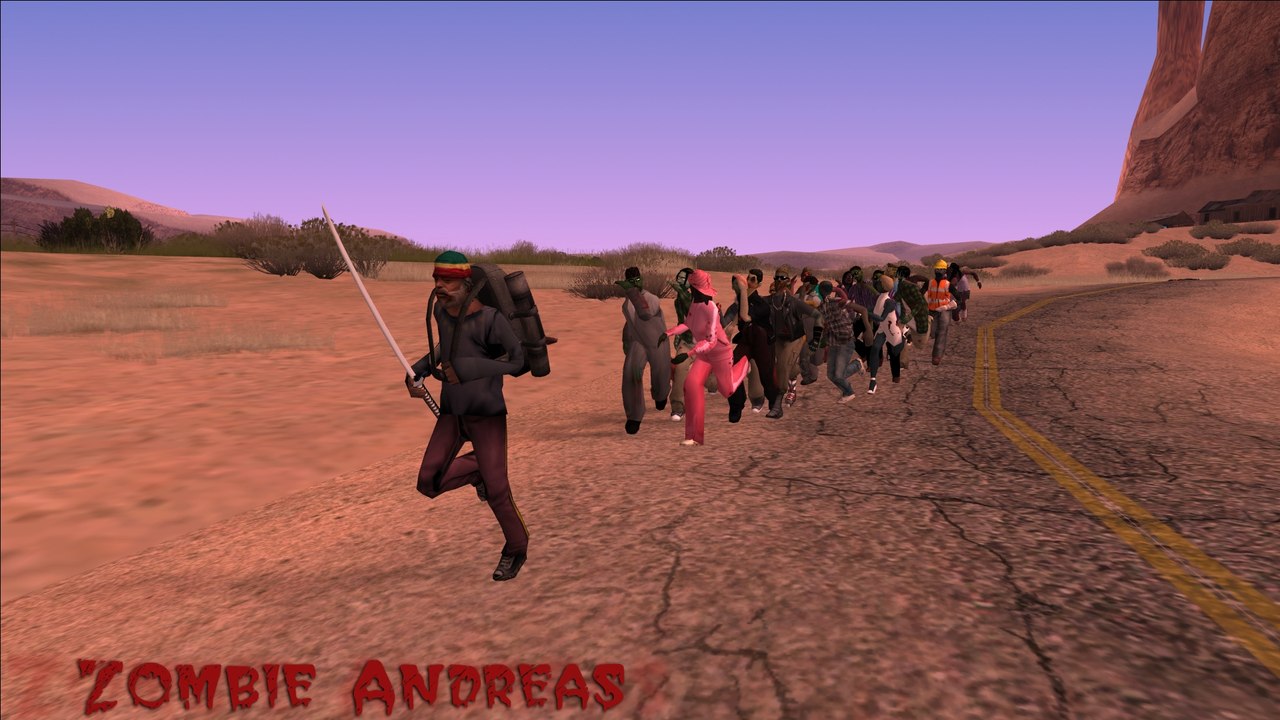
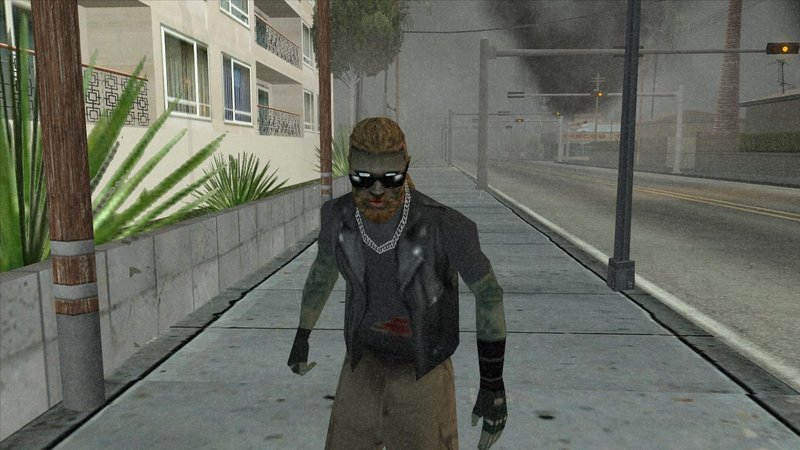
At its core, the Zombie Mod swaps out the game’s standard NPCs for a variety of zombie models. But it’s not just a cosmetic swap—AI behavior, vehicle handling, and even the in‑game soundtrack get a spooky overhaul.
- New enemy types: standard shufflers, sprinting “runners,” and the dreaded “spitter” that launches toxic projectiles.
- Day‑night cycle impact: zombies are slower at dawn, but become ferocious after sunset.
- Environmental hazards: abandoned buildings may collapse, and certain alleyways trigger random gas leaks.
The result is a dynamic, semi‑randomized experience that feels fresh each playthrough.
Getting the Mod Up and Running
Installation isn’t rocket science, but a few missteps can leave you staring at a broken menu screen.
Step‑by‑Step Setup
- Back up your
GTA San Andreasfolder. One misplaced file and you might have to reinstall the whole game. - Download the latest Zombie Mod package from a reputable source (Steam Workshop, ModDB, or the official mod forum). Verify the file size matches the description.
- Extract the archive directly into the
modelsandaudiodirectories. Overwrite when prompted. - Open
gta.iniand add the linemod_zombie=1under the[GameSettings]section. - Launch the game and hit F10 to toggle the zombie mode on or off.
If anything looks off—missing textures, glitching animations—re‑run the installer as administrator or double‑check that you didn’t accidentally unzip into a subfolder.
Survival Basics: How to Stay Alive
Once you’re in the undead version of San Andreas, the usual “drive‑fast‑escape‑fast” strategy needs a few tweaks.
- Weapon choice matters. Shotguns excel at close range, while the micro‑SMG conserves ammo for longer chases.
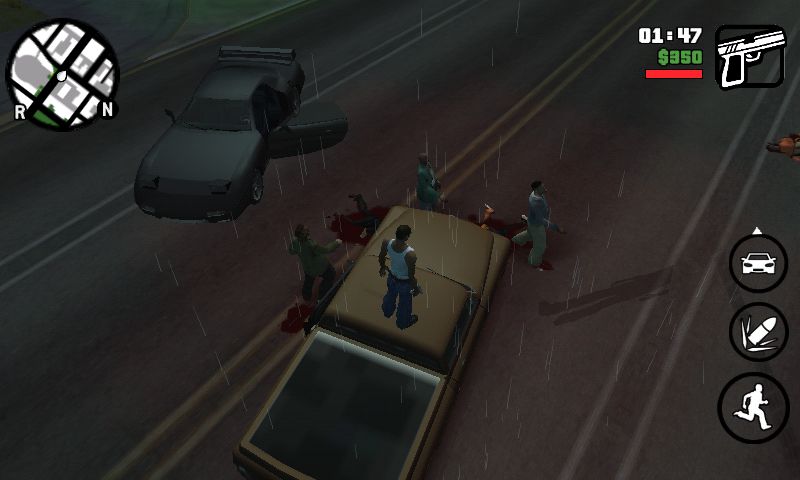
- Use the environment. Crash a car into a group of zombies to create a temporary barrier, but beware of the ensuing explosion.
- Watch the radar. The mod adds red blips for large zombie clusters—avoid them if you’re low on health.
One little trick many newcomers miss is the “stealth crawl” toggle (press C). Crouching reduces your silhouette, letting you slip past slower shufflers unnoticed.
Fun Easter Eggs and Hidden Features
Beyond the core gameplay, the modders slipped in a handful of nods to horror classics.
- Enter the abandoned carnival at night and you’ll hear a faint “Don’t go into the woods” whisper—a direct homage to the infamous Silent Hill series.
- Finding a battered VHS tape in a deserted movie theater triggers a short cutscene where CJ watches a black‑and‑white zombie documentary.
- Driving a bulldozer through a specific downtown intersection spawns a “Zombie King” that drops a unique golden pistol.
These bits aren’t required for progression, but they add a layer of curiosity that rewards exploration.
Performance Tips for Smooth Gameplay
Older PCs can stumble when the mod spawns dozens of animated zombies at once. Here are a few low‑effort adjustments.
- Turn down the draw distance to medium. You’ll still see the action up close, and distant hordes won’t fog the screen.
- Disable the optional “blood splatter” setting in the mod’s config file; it saves a surprising amount of processing power.
- Use the “low‑poly” texture pack if you notice frequent frame drops. The visual downgrade is noticeable but not game‑breaking.
Testing a few settings before a long session can save you from mid‑play frustration.
Community Mods That Pair Well
The zombie overhaul isn’t the only fan‑made addition you can stack onto San Andreas. A few complementary mods enhance the apocalyptic vibe without clashing.
- Weather Overhaul: introduces perpetual thunderstorms that make the streets slick—perfect for dramatic chases.
- Vehicle Decay: adds realistic damage to cars after collisions, forcing you to think twice before crashing into a zombie horde.
- Radio Remix Pack: replaces the original radio stations with gloomy, synth‑heavy tracks that match the mood.
When combining mods, always read the compatibility notes; some files may overwrite each other, leading to crashes.
FAQs from the Modding Community
Q: Can I play the zombie mode in multiplayer?
A: Unfortunately, the mod is single‑player only. Some fans are working on a co‑op wrapper, but it’s still in beta.
Q: Is there a way to disable the “spitter” zombies?
A: Yes—open zombie_config.ini and set spitter_enabled=0. Save and restart the game.
Q: Do achievements still count?
A: Achievements are disabled while the mod is active, to avoid conflicts with the altered game state.
Final Thoughts While You’re Still Walking
Whether you’re a seasoned GTA veteran or a newcomer craving a fresh twist, the Zombie Mod injects enough novelty to make San Andreas feel like a brand‑new sandbox. With a handful of tweaks, a bit of caution, and a willingness to explore the hidden corners, you’ll discover that the city’s chaos is just the beginning of a truly memorable undead adventure.
![GTA: San Andreas. The Walking Dead. [Zombie Mod] - YouTube](https://i.ytimg.com/vi/57vPafPdxzg/maxresdefault.jpg)