How to Use PS5 Voucher Codes: A Simple Guide
There is nothing quite like the thrill of spotting a PlayStation Store credit code online. Whether you found a legitimate promotional code from a retailer, received a gift card from a friend, or picked up a discount coupon during a sale, redeeming PS5 voucher codes is the gateway to unlocking new games, monthly subscription perks, and digital media without digging into your wallet. However, the process isn't always as seamless as我们希望 it to be. Many players get stuck on a confusing screen, worry about adding the wrong currency, or simply forget where to tap.
This guide breaks down exactly how to apply these codes on your PS5 console, covering the common pitfalls and ensuring your funds land safely in your account. We will walk through the steps clearly so you can stop stressing and start playing.
Understanding the Difference Between Codes and Cards
Before you boot up your console, it helps to understand what you are holding. "Voucher codes" is a broad term that usually refers to two distinct things: digital gift card codes and promotional discount coupons. A gift card code—often a string of sixteen alphanumeric characters printed on the back of a plastic card or sent via email—adds a specific amount of money to your PlayStation Network wallet. This balance is like cash; you can spend it on anything, from AAA titles to in-game skins.
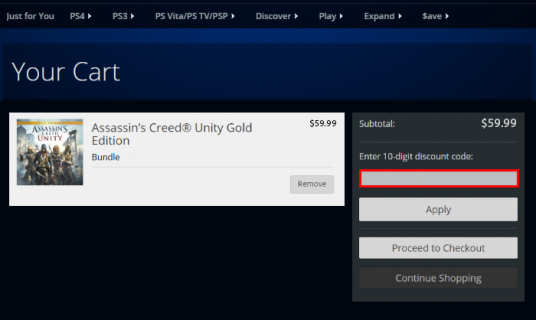
Promotional codes, on the other hand, are different. These are often region-specific and time-sensitive. They might offer a 15% discount on a specific game or grant free access to a trial version of software. The critical distinction here is permanence. Wallet funds stay in your account indefinitely (unless you spend them), but promotional codes usually have an expiration date or strict usage windows. Mixing these up is the most common reason for redemption errors. If you try to use a one-time-use promotional code expecting it to add $50 to your balance, the system will reject it. Always check the fine print to see if you are dealing with a wallet top-up or a limited-time offer.
Step-by-Step: Redeeming Codes on Your PS5 Console
Redeeming a code on the PS5 is straightforward, but the interface can feel dense with options. Here is the most reliable path to take:
- Navigate to the Store: From the home screen, select the PlayStation Store icon. This usually looks like a yellow shopping bag.
- Access Redemption: Move the cursor to the bottom of the screen. You will see a menu bar. Select “User Functions.” This tab is often overlooked because it’s tucked away from the main game listings.
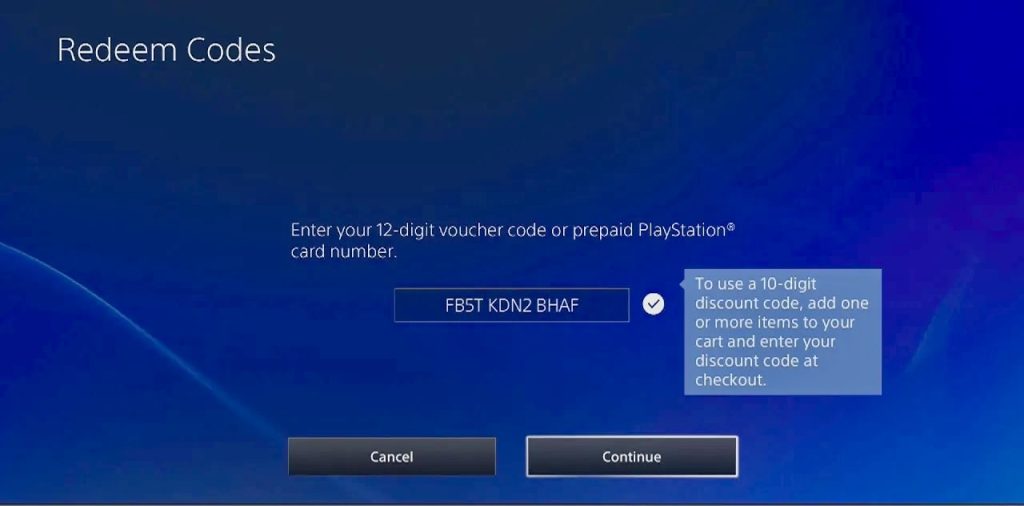
- Select “Redeem Codes”: Highlight “Redeem Codes” and press the X button. You will be presented with a screen that lists the countries where your code is valid.
- Choose Your Region: This is a crucial step. You must select the country that matches your PSN account’s registered region. If your account is set to the United States, you must choose “United States.” If you are on a European account, select your specific country. You cannot redeem a code from a different region.
- Enter the Code: Use the on-screen keyboard to type in the code. It is case-insensitive, but remember that PlayStation codes use specific characters. The letter ‘O’ and the number ‘0’ are distinct. The letter ‘I’ and the number ‘1’ are distinct. The letter ‘Z’ and the number ‘2’ are distinct. Take your time here. A single typo will result in an “invalid code” error.
- Confirm and Finish: Once entered, select “Next” and then “Confirm.” If successful, you will see a transaction summary showing the value applied to your wallet.
What to Do If It Fails
If the system rejects your code, don’t panic first. Check for typos. It is easy to mistake an uppercase ‘L’ for a lowercase ‘l’ or a zero for the letter ‘O’. If the code is correct, verify the region again. PlayStation Store regions are locked. You cannot redeem a UK code on a US account, even if you are physically in the UK. Some users try to switch their account region to match the code, but Sony generally does not allow you to change a PSN region after it has been set. You are stuck with the region you chose during sign-up. If you are sure the code is valid and the region is correct, contact PlayStation Support. They can often resolve backend flags that prevent redemption.
Using Codes for PlayStation Plus Subscriptions
Many voucher codes are designed specifically for PlayStation Plus, the monthly subscription service. These work slightly differently than wallet top-ups. When you redeem a PS+ code, it does not add cash to your wallet. Instead, it directly adds time to your subscription. You can add months to an Essential membership, or upgrade from Essential to Extra or Premium.
If you try to apply a $10 code to a subscription, it won’t work because subscriptions require a product-specific code. Conversely, if you have a generic $10 game code, you cannot use it to pay for a PS+ renewal unless you manually purchase the subscription as a digital product and apply the wallet funds at checkout. Knowing this distinction saves a lot of frustration. If your code starts with a specific prefix often associated with subscriptions, assume it is for time, not cash.
Safety First: Avoiding Scams
The internet is rife with scams claiming to offer free PS5 voucher codes. If a website asks you to download software, complete a lengthy survey, or provide your PSN password to “generate” a code, it is a scam. Legitimate codes only come from authorized retailers, official promotional events, or direct gifts. Never share your redemption code with anyone. Once a code is redeemed, it is gone. There are no “generators.” Stick to trusted sources like major electronics retailers, game stores, or official PlayStation promotions.
FAQ: Common Questions About PS5 Codes
Can I combine multiple voucher codes?
Yes, you can redeem multiple gift card codes in a row to stack funds in your wallet. However, some promotional discount codes may not be stackable. Always read the terms associated with specific discount coupons.
Do PS5 voucher codes expire?
Once a gift card code is redeemed and the funds are in your PlayStation wallet, the balance does not expire. However, the physical code on an unredeemed card may have an expiration date printed on the back. Check the packaging or email confirmation for any time limits before redemption.
Can I use a US code on a UK PS5 account?
No. PlayStation Store regions are strictly divided. A code purchased in or designated for the US store will not work on a UK PSN account. You must ensure the code’s region matches your account’s region.
Is it safe to buy codes from third-party websites?
It can be risky. While some third-party sites are legitimate resellers, others may sell stolen codes, which can be deactivated by Sony. To ensure safety, stick to well-known retailers or buy directly from the PlayStation Store. If a price seems too good to be true, it probably is.