Unlock Your Radio MMC: Essential Guide & Troubleshooting
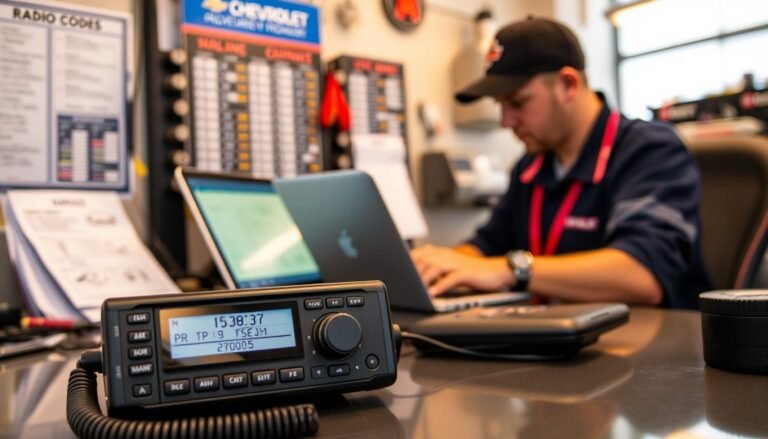
Staring at a blinking “CODE” screen on your car’s Radio MMC can feel like a sudden roadblock, especially when you’re just trying to jam out on the way to work. The good news is that the lock isn’t a dead end—it’s a reversible safety feature, and with the right steps you can get back to music in no time. Below you’ll find a practical walkthrough for unlocking your Radio MMC, plus the most common hiccups that appear after the code is accepted.
What Triggers the Radio MMC Lock?
The Radio MMC locks itself whenever power is abruptly cut—think a dead battery, a disconnected fuse, or a stolen unit. The built‑in anti‑theft system then demands a numeric code before the radio will play again. The code is unique to each device, linked to the radio’s serial number and, in many cases, your vehicle’s VIN (Vehicle Identification Number).
Because the lock is tied to hardware, the radio won’t reset on its own; you must supply the correct code or have the unit re‑programmed by an authorized dealer. Understanding why the lock appears helps you avoid unnecessary panic and narrows down the best retrieval method.
How to Retrieve Your Unlock Code
There are three reliable ways to get the code without resorting to guesswork.
- Owner’s Manual or Documentation – Some manufacturers include the code on a card inside the original paperwork. It’s worth flipping through the manual before digging deeper.
- Contact the Manufacturer – Provide the radio’s serial number (usually found on a label under the unit) and your VIN. Most brands will email or fax the code after confirming ownership.
- Online Code‑Lookup Tools – Reputable websites let you input the serial number and VIN to generate the code instantly. Make sure the site is trusted; free tools that ask for payment later often turn out to be scams.
When you call support, have the radio’s model number, serial number, and your vehicle’s VIN ready. This speeds up verification and reduces the chance of being asked for additional paperwork.
Step‑by‑Step Unlock Procedure
Once you have the five‑digit (or sometimes six‑digit) code, follow these simple steps. The process is similar across most Radio MMC models, but a quick glance at your specific user guide can confirm button placement.
- Turn the ignition to the “ON” position without starting the engine.
- Press the “Power” button on the radio. The display should read “CODE” or “ENTER CODE”.
- Using the preset buttons (often labeled 1‑6), type the first digit of the code. Confirm by pressing the “Enter” or “OK” button if your model has one.
- Repeat for each subsequent digit. Some radios automatically move to the next digit after a pause of a few seconds.
- After the final digit, press “Enter”. The screen should change to “OK” or start playing a short chime, indicating success.
If the radio flashes “ERR” or returns to the “CODE” prompt, you likely entered a digit incorrectly. Most units allow three attempts before they lock out for a longer period—just wait a minute and try again.
Common Post‑Unlock Issues & Fixes
Getting the code entered correctly is only half the battle. A few problems can surface once the radio powers up.
- No Sound Output – Verify that the speaker connections are secure and that the audio source (Bluetooth, AUX, FM) is selected. A quick reset (holding the power button for ten seconds) often restores the default audio path.
- Radio Stuck on “CODE” After Reset – Some models retain the lock state after a power cycle. Disconnect the car battery for a minute, reconnect, then repeat the unlock steps.
- Interference or Weak Reception – Antenna connections may have loosened when the radio was removed for code retrieval. Inspect the coaxial cable and re‑tighten any loose clamps.
- Persistent Error Messages – If “ERR” continues after multiple correct entries, the unit may have a deeper firmware glitch. A dealer‑performed flash update usually resolves this.
Most of these fixes are DIY‑friendly, but if you’re uncomfortable handling wiring, a quick visit to a local audio specialist can save time and protect your vehicle’s electrical system.
Preventing Future Lockouts
While the lock is a helpful deterrent against theft, you can minimize the chances of encountering it again.
- When replacing a battery, disconnect the radio’s power supply first. This prevents the unit from interpreting the power loss as a theft event.
- Keep a written copy of the unlock code in a safe place—inside the glove compartment or a personal digital note.
- Consider installing a backup power source (a small UPS) for the radio if you frequently work on the vehicle’s electrical system.
These habits add only a few minutes to routine maintenance but can spare you hours of troubleshooting later on.
Quick FAQ
What if I entered the wrong code too many times?
Most Radio MMC units enforce a timeout after three failed attempts. Wait about five minutes, then try again. If the lock persists, you’ll need to contact the manufacturer for a reset.
Can I unlock the radio without the original code?
Yes, a dealer can re‑program the unit using the radio’s serial number and your VIN, but this service typically carries a fee. It’s cheaper to retrieve the code yourself if you have the necessary information.
Is there a universal code for all Radio MMC models?
No. Each radio generates a unique code tied to its hardware. Any claim of a “one‑size‑fits‑all” code is a scam.
Will unlocking erase my preset stations?
Generally, entering the correct code does not affect stored presets. However, a full power reset (disconnecting the battery) may clear them, so jot down your favorite stations before you start.